 regards vs Refero (2026): which one for website design?
Refero curates the screens of the best products. regards curates websites for how they look, section by section, searchable by look.
The short answer
Pick Refero for product screens and flows on web and iOS, and for design styles you can export: it holds 145,000+ screens from 400+ products. Pick regards for how a website should look: 2,760+ sections from 360+ sites chosen for their design, where each result is the section itself, a hero or a footer, searchable by look by you or your agent. Refero costs less once you pay; regards’ free plan searches the whole library.
Refero and regards both choose what goes in rather than collecting everything. They choose for different things.
Refero picks best-in-class products and keeps their screens and flows: 145,000+ screens from 400+ products on web and
iOS, and a library of design styles you can export.
regards picks websites for how they look: studios, portfolios, fashion and editorial sites as well as products,
360+ of them, chosen one at a time. It cuts each page into its sections and reads every section for its look, so
2,760+ sections are searchable the way you would describe a look to a designer, by you or by your agent.
So the difference comes down to two things: what one result is, and what it was chosen for.
What do they have in common?
Both are hand-picked from real, shipped work rather than concepts. Both search in plain words and both cover marketing websites. Both run an MCP server on their paid plans, with a skill that teaches your agent to research before it designs, and both have a free plan.
How do regards and Refero compare?
| regards | Refero | |
|---|---|---|
| What’s in it | Sections of websites: heroes, pricing tables, footers and two dozen other kinds | Screens and flows from web and iOS products, marketing pages included; design styles (beta) |
| Chosen for | How the site looks: studios, portfolios, fashion and editorial sites as well as products | Best-in-class products, with structured metadata on every screen |
| How big | 2,760+ sections from 360+ sites | 145,000+ screens and 12,000+ flows from 400+ products; 2,000+ styles |
| One result is | A section: a hero, a pricing table, a footer, inside the page it came from | A screen: a whole page or view, tagged with what’s on it |
| Search | Plain words, by look: a mood, a colour, a typeface, a kind of section, a site, the words on it | Plain language, tags (page types, patterns, UI elements), text on the page, fonts, search by image |
| Going deeper | Deep search looks at the top 60 sections and puts the best first | Research mode: describe a task, get references and reasoning back |
| More like this | Similar sections under every section (48 on paid plans) | Similar screens; more like this on styles |
| Free plan | 10 searches a day and 5 Deep a month, across the whole library | About 3% of the library, basic search, 3 Research searches a day |
| Agents | MCP on Pro and Studio, and a design skill that researches each brief here first | MCP on Pro, Team and Lifetime (8,000 calls a month), Refero Skill, a ChatGPT and Codex plugin |
| Extras | Each section in its page, with a link to the live site | Figma plugin, bookmarks, batch downloads, styles exported as DESIGN.md, Tailwind or CSS |
| Price | Pro $20/month or $200/year; Studio $60/month | Pro $17/month or $120/year; Lifetime $250; Team $20/seat/month for up to 5 seats |
A screen or a section: why does it matter?
Refero keeps a marketing page as one long screenshot of the whole page, tagged with what’s on it: a hero image, a logo wall, a footer. That’s the right shape for studying how a product is put together, page by page.
regards cuts every page into its sections and keeps each one as a result of its own. Ask for a footer and you get
footers, 250+ of them, each one framed, each opening inside its page with a link to the live site. It’s the shape
for designing one part of a website at a time.
regards footer with a giant edge-to-edge wordmark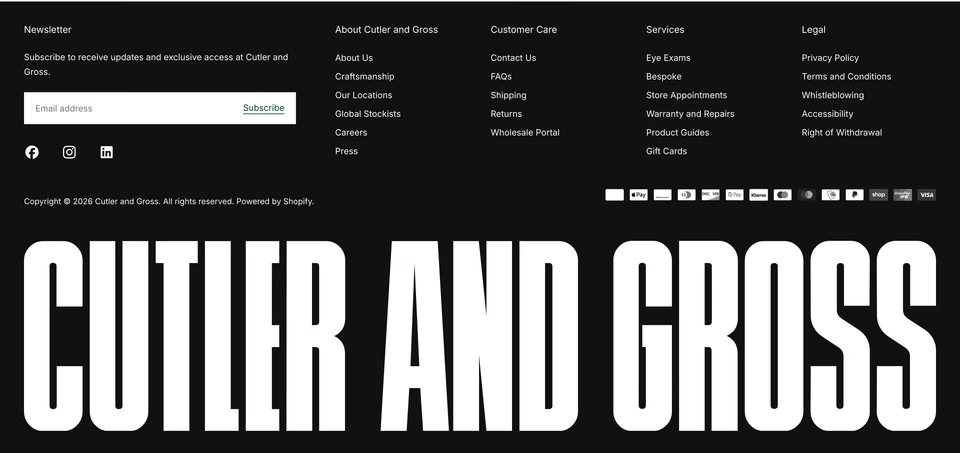
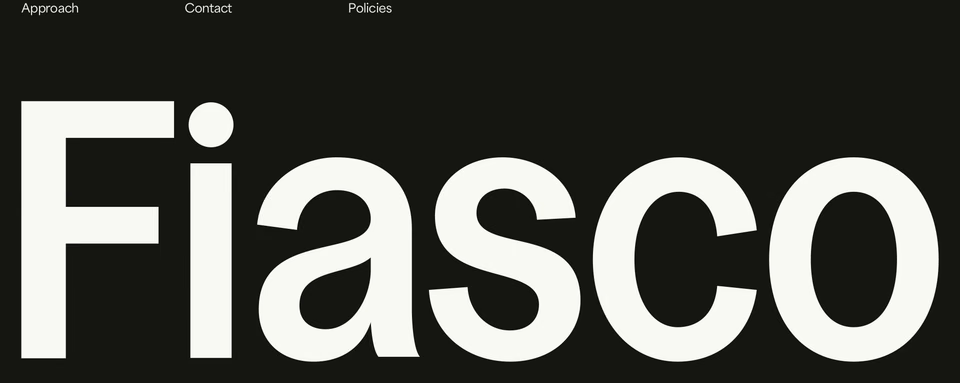

Why choose sites for how they look?
Because a website’s look is most of what it says. A great product can sit behind a template site, and a library chosen
for products will keep that template. regards only takes a site when it looks like something, so a search for a
look returns work with a point of view rather than the version every theme ships.
It’s also what makes a look searchable. Every section is read for its layout, type, colour, imagery and motion, so you can ask for “editorial, monochrome, lots of white space, oversized serif type”, or leave things out with “not dark”, and get sections that carry it.
regards editorial, monochrome, lots of white space, oversized serif type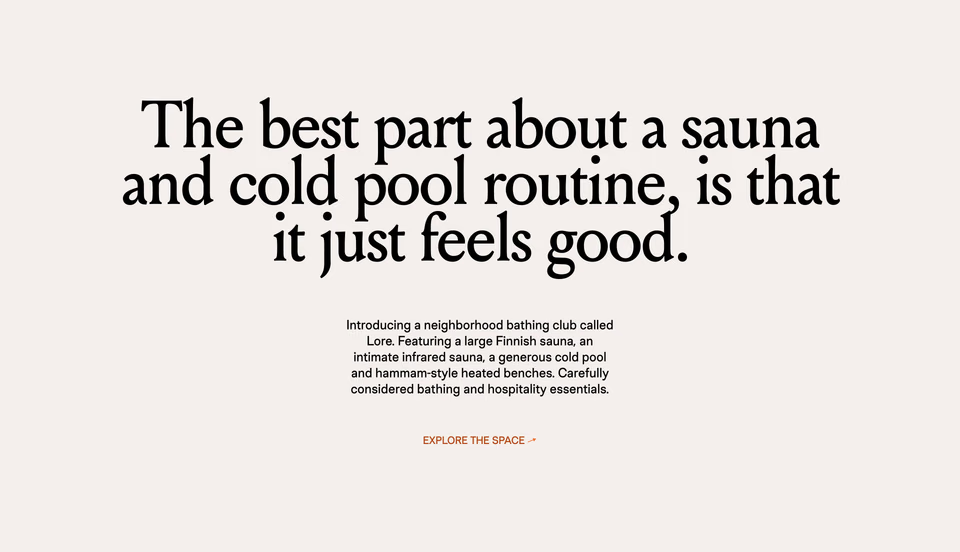

How do agents design with regards?
Refero says it plainly on its MCP page: you can spot an AI-generated page instantly, because they all look the same. Both services answer with references and a skill that makes your agent research first. What differs is what the research brings back: product screens by pattern, or website sections by look.
Over MCP, your agent searches regards by look, sees each section’s screenshot and reads the whole page around it. Ask
it for a hero for your payments API, with glassy floating cards and not another purple gradient, and it comes back with
heroes like these:
regards fintech hero with glassy floating cards, not purple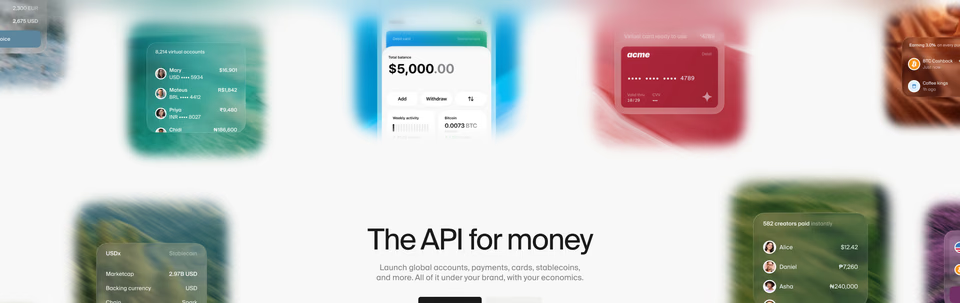
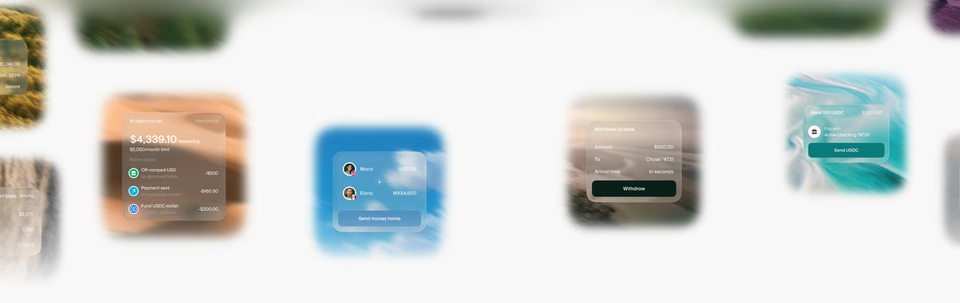
Frosted cards floating over soft landscape photos.
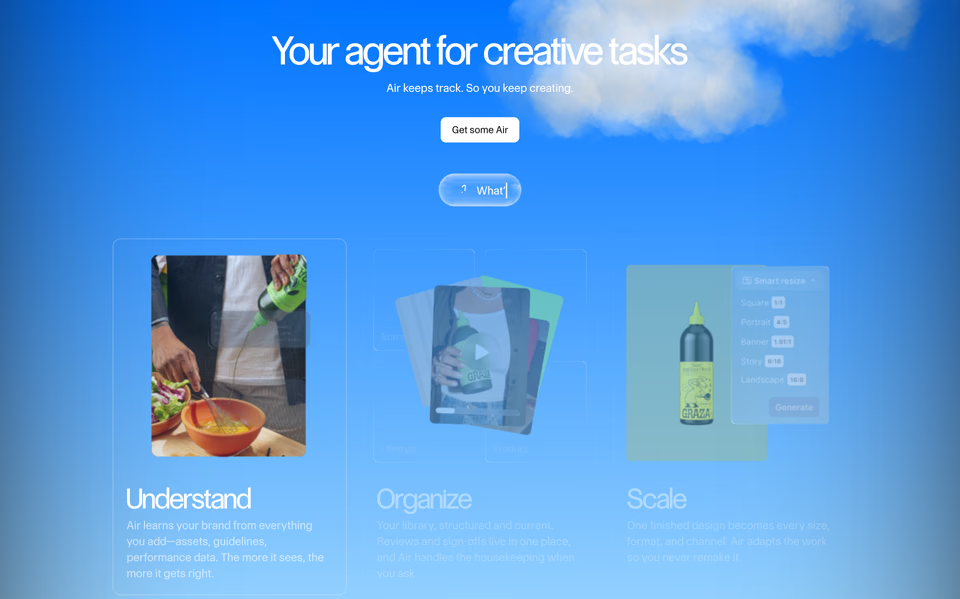
Translucent cards over a real sky. Bright without a gradient.
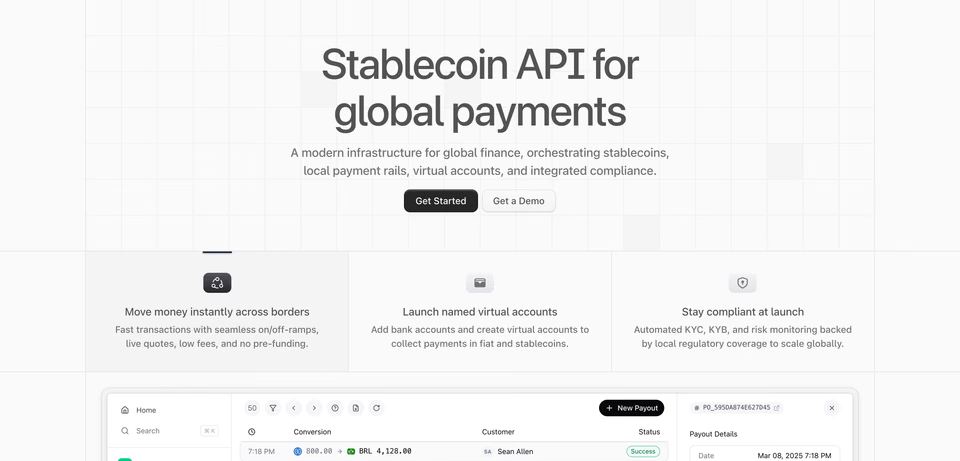
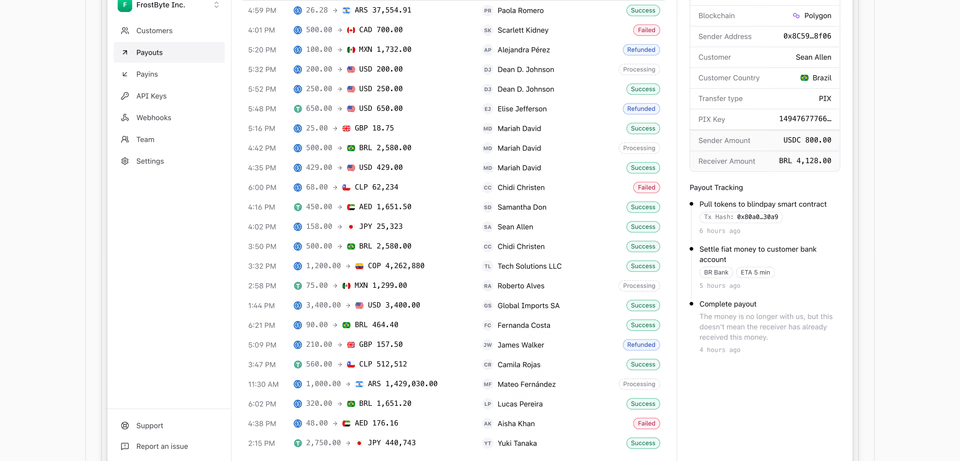
Plain and technical: a faint grid, then the dashboard.
Then it designs from them, rather than from the purple gradient it would have reached for. The design skill makes that a habit:
How does pricing work?
Refero costs less once you pay: Pro is $17 a month or $120 a year, Team is $20 a seat a month for up to five seats, and
there’s a $250 lifetime plan, which neither Mobbin nor regards offers. regards Pro is $20 a month or
$200 a year, and Studio $60 a month.
The free plans go the other way. Refero Free shows about 3% of its collection. regards Free searches the whole
library: 10 searches a day and 5 Deep searches a month. Every plan is on the pricing page.
Where is Refero better?
- Products, not just websites. Web apps and iOS, with 12,000+ flows from sign-up to cancellation. regards covers neither.
- Styles. Refero Styles, in beta, lays out the colours, type and spacing of product websites and exports
them as DESIGN.md, Tailwind or CSS variables, free to read. regards has nothing like it.
- Tools for working. A Figma plugin, bookmarks with shared folders on Team, batch downloads, search by image and a font filter.
- Price. $120 a year for Pro, and a lifetime plan if you’d rather pay once.
Where is regards better?
- Sections, not pages. Every result is the part you’re designing, so you compare ten pricing tables, not ten pages that hold one.
- Chosen for the look. Every site earns its place by how it looks, so the results are worth designing from.
- Searching by look. Describe a look, leave things out, name a site to start from. Deep search then looks at the top 60 sections themselves and puts the best first.
- Agents that design from it. Section by section, by look, with the design skill to research every brief first.
- A free plan you can work with. The whole library, searchable, with similar sections under each one, and the style pages open to everyone.
What doesn’t regards do?
No apps, no iOS, no flows. No styles to export, no Figma plugin, no bookmarks or teams yet. It is smaller than Refero, at 360+ sites, on purpose, and Pro costs more. Agents need a paid plan on both.
Which should you pick?
- You design product screens or iOS apps. Refero, for its screens and flows.
- You want a site’s design system as tokens. Refero Styles.
- You design websites. regards. Find each section by how it looks, see it in its page, then open the
live site.
- Your agent designs pages. regards, with the design skill, so it starts from
sections worth designing from. Refero’s MCP and Skill are the ones for product screens and flows.
- You want to pay once. Refero’s lifetime plan.
Try them side by side
Both are free to start. Search regards for the section you’re making and run the same brief on
Refero. We also compared regards with Mobbin.
Sources, checked 15 October 2026: Refero’s pricing, how it works, MCP, MCP docs, plans and Refero Styles.
FAQ
Is regards a Refero alternative?
For websites, yes. regards holds only website sections, searchable by how they look. For iOS screens, user flows or design systems to export, Refero covers what regards doesn’t.
How does regards choose sites differently from Refero?
Refero picks best-in-class products and keeps their screens and flows. regards picks websites for how they look (studios, portfolios, fashion and editorial sites as well as products) and keeps every page as sections you can search by look.
Does Refero have landing pages?
Yes. Marketing pages are part of Refero’s web library, each saved as one long screenshot of the whole page and tagged with what’s on it, such as a hero image, a logo wall or a footer. regards cuts every page into its sections, so a search returns the section itself.
Which is cheaper, regards or Refero?
Refero, once you pay: Pro is $17 a month or $120 a year, and there is a $250 lifetime plan. regards Pro is $20 a month or $200 a year. On free plans it turns around: regards Free searches the whole library, while Refero Free shows about 3% of its collection.
Do regards and Refero work with AI agents?
Both run an MCP server on paid plans and give agents a skill to research before they design. Refero’s comes with Pro, Team and Lifetime, with up to 8,000 calls a month. regards’ comes with Pro and Studio and searches website sections by look.
What is Refero Styles?
A library in beta of design systems taken from product websites: colours, type and spacing, exportable as DESIGN.md, Tailwind or CSS variables. regards has nothing like it; it shows how those choices look, section by section.