How to make a website look less vibe coded (and less AI)
The tells that give a vibe-coded site away, why every agent lands on them, and four steps to a site that looks chosen, with real sections to compare against.
The short answer
A site looks vibe coded when nobody chose its look, so the defaults show: Inter everywhere, a purple or indigo gradient on white, a centred hero with two buttons, a logo strip, three feature cards and a rounded card around everything. To fix it, pick a direction from real sites, write down a few decisions (type, colour, layout, density, tone), give your coding agent real references instead of adjectives, and fix what it makes by comparing it with them.
We make  regards, a library of website sections picked for how they look, so we look at a lot of websites. Lately,
many of them were made with a coding agent, and a lot of those look alike: you can spot one from the first screen,
before you’ve read a word.
regards, a library of website sections picked for how they look, so we look at a lot of websites. Lately,
many of them were made with a coding agent, and a lot of those look alike: you can spot one from the first screen,
before you’ve read a word.
That isn’t the agent’s fault, and it isn’t hard to fix. Here is what gives a site away, why it happens, and how to give yours a direction, step by step.
What makes a website look vibe coded?
None of these is wrong on its own. Together, they read as a site nobody art-directed:
- Inter everywhere. One clean sans-serif for headings, text, buttons and labels, at a few safe sizes.
- Purple and indigo gradients on white. A violet wash behind the hero, a gradient on the button, a glow behind the screenshot.
- Every section in a rounded card. Cards inside cards, each with a thin border and a soft grey shadow.
- The same page, in the same order. A centred hero with two buttons, a strip of logos, three feature cards, testimonials, pricing in three columns and a gradient banner to finish.
- Emoji and generic line icons where pictures should be: a lightning bolt for speed, a shield for security, a rocket for launch.
- Copy that could sell anything. “Supercharge your workflow.” “The all-in-one platform for modern teams.”
- Glassy blobs, blurred colour floating behind frosted panels.
- The same spacing everywhere, so nothing sits close together and nothing stands apart.
Why do AI-made websites all look the same?
Because nobody chose a direction. Ask an agent for “a modern landing page for my app” and you get the most likely answer to that request: the middle of every landing page it has seen. Ask it a thousand times, for a thousand apps, and you get a thousand middles.
Anthropic described the same thing in its post on frontend design in November 2025: with no guidance, a model asked for a landing page almost always lands on Inter, purple gradients on white and little motion, because safe choices fill most of the web it learned from. It calls this distributional convergence.
The tells move, too. An earlier version of Anthropic’s frontend design skill told the model to avoid Inter and purple gradients on white. Rewritten in September 2026, it warns against a newer set, from identical rounded cards under the same soft shadow to a fade-and-slide on every section. Ban one default and the next most likely takes its place. A list of things to avoid can’t give a site a direction; a decision can.
What does a site with a direction look like?
Like a set of decisions you can name. Here are three software sites from the regards library, each a long way from
the defaults:
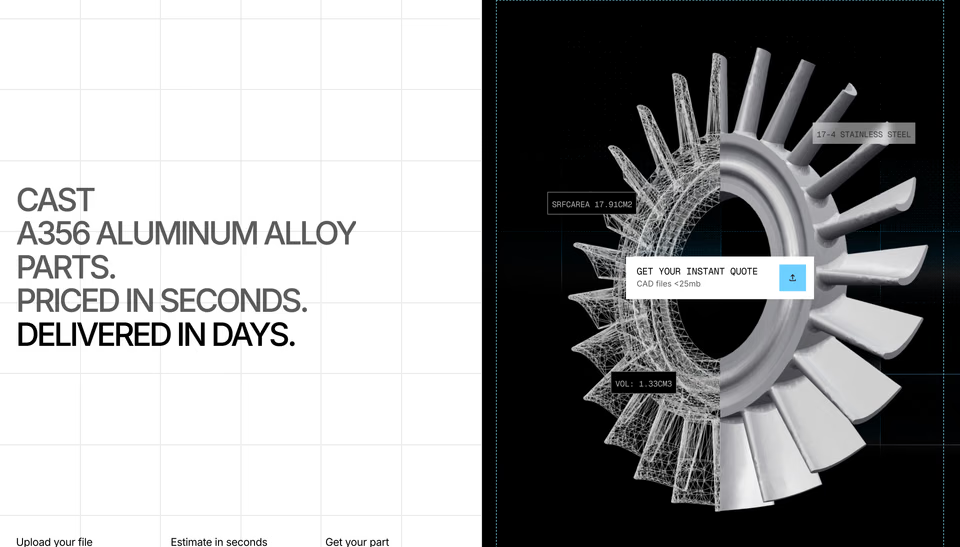

Split down the middle: stacked capitals on a drafting grid on one side; on the other, the part itself, half wireframe and half metal, tagged with its measurements.
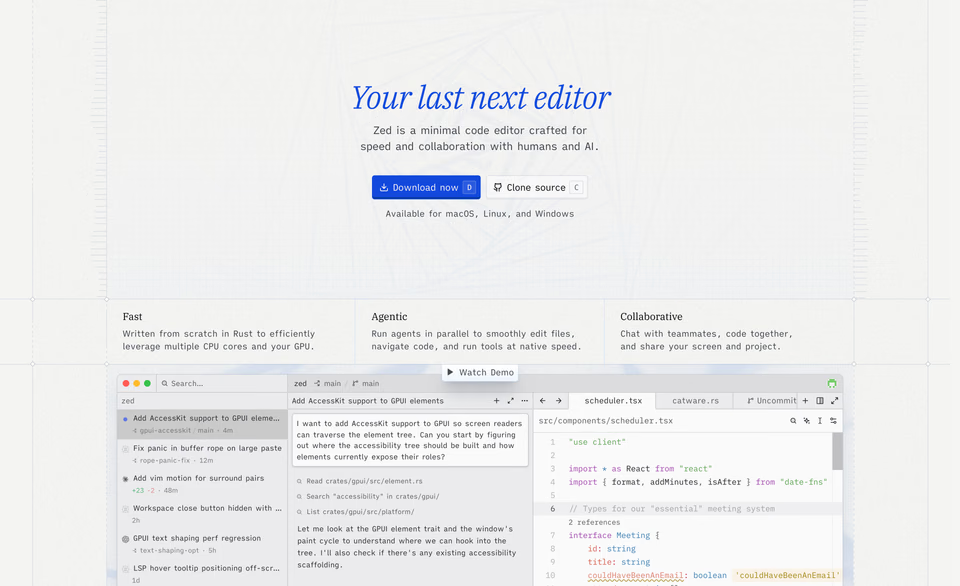
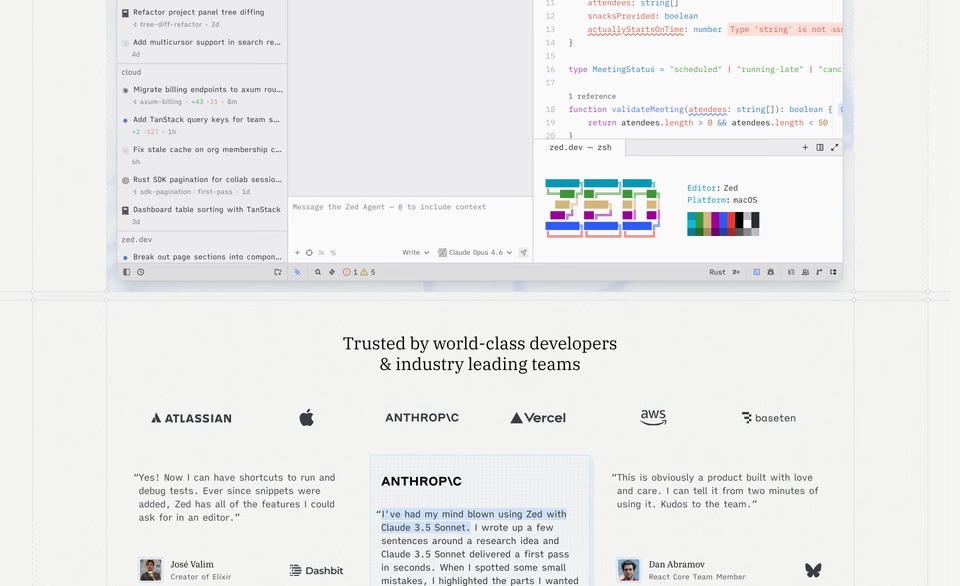
The centred hero with two buttons, made its own: an italic serif in blue, a shortcut key printed on each button, a faint drafting grid behind.
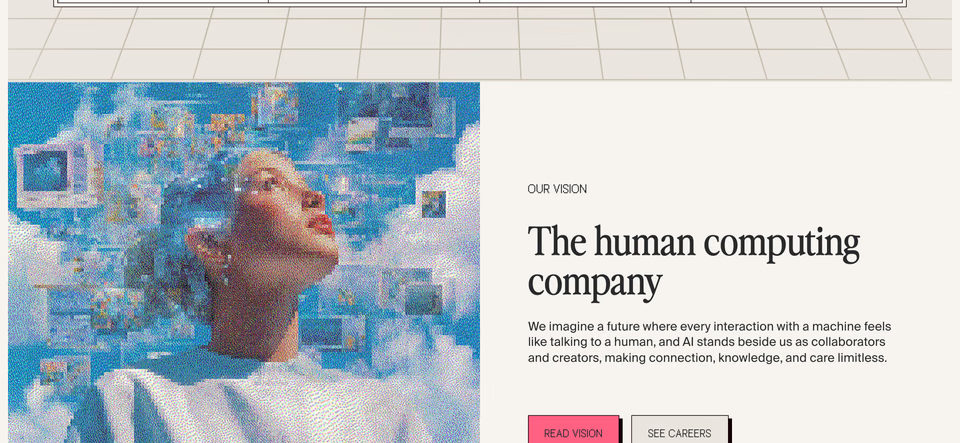
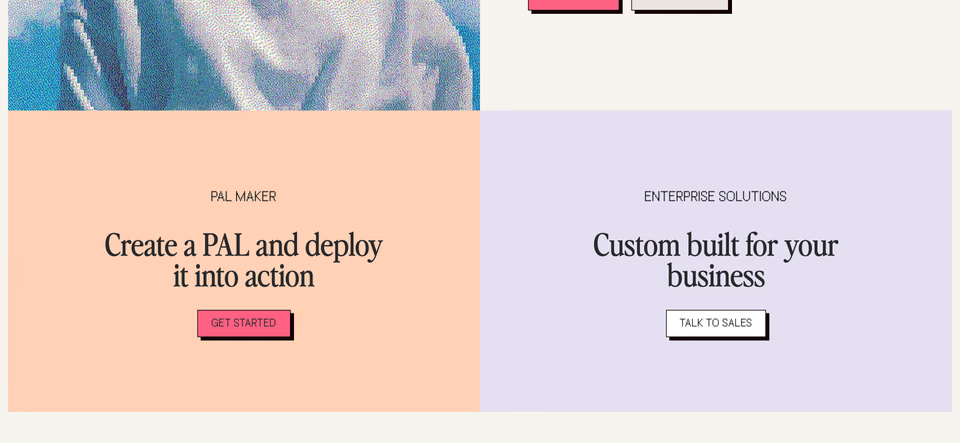
Flat blocks of peach and lilac, a portrait in coarse pixels, square buttons with a hard black shadow. No gradient anywhere.
Zed’s is the one to study. Its hero has the template’s layout, centred, with two buttons, and it still couldn’t be anyone else’s. The layout was never the problem. The defaults inside it were.
How do you make a website look less vibe coded?
Four steps, in order. They work with any agent, and the first two need no agent at all.
1. Pick a direction from real sites
Not from adjectives. “Clean, modern, premium” describes every site with a purple gradient. Look at real sites until a few feel like where yours should go, and keep the sections that show it: a hero, a pricing table, a footer. Ten minutes of looking does more than an hour of prompting.
2. Write down five decisions
One line each, before any code:
- Type: which face carries the headings, and how big. “A serif for headings, set large; a plain sans for the rest.”
- Colour: the background, the ink and one accent, and where the accent is allowed.
- Layout: how sections sit. “Left-aligned on a visible grid, no cards.”
- Density: how much fits on a screen, and how much room it gets.
- Tone: how the words sound. “Short, plain, about what we make; never ‘supercharge’.”
Put them in the instructions file your agent reads at the start of every task, so the decisions outlive the next prompt.
3. Give your agent references, not adjectives
An agent designs from what it’s shown. Show it the sections you kept, as screenshots or by letting it look them up itself, and say what to take from each: “the drafting grid from this one, the stacked capitals from that one”. Three good ones do more than thirty: the fix isn’t more references, it’s better ones. Ask for the idea, not the page, and it takes the idea. Feature sections are a good place to start, since that’s where the card kit lives:
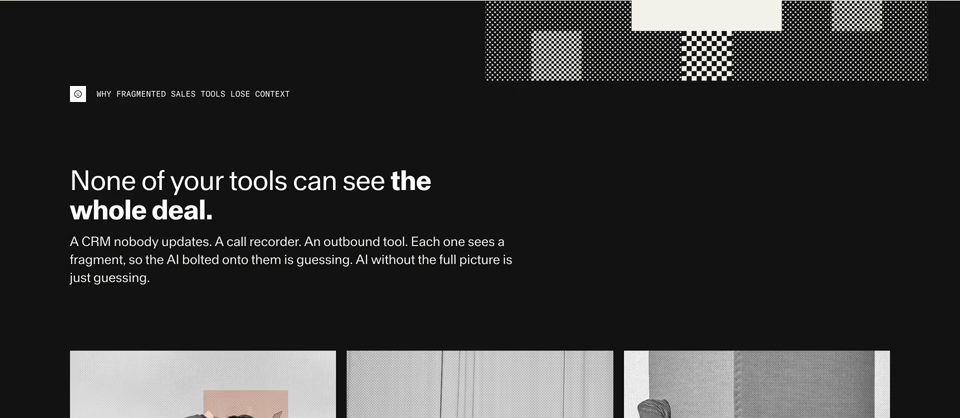
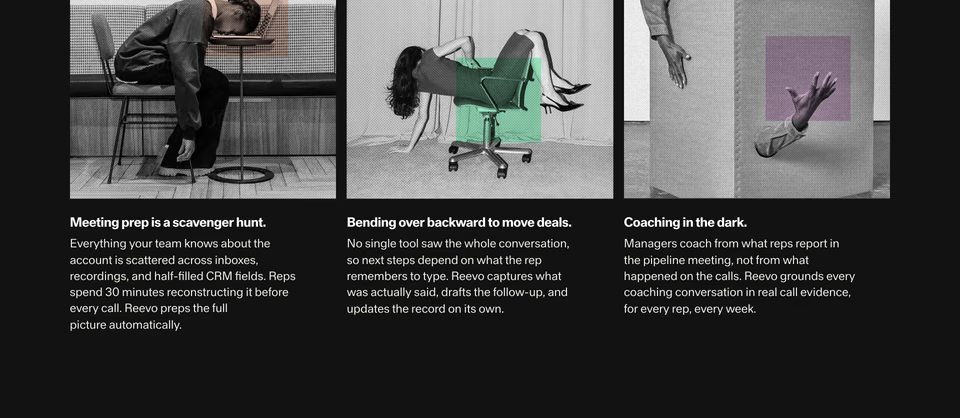
Three columns, the template’s count, made its own: black-and-white photographs screened in halftone, each with one square of colour over it.
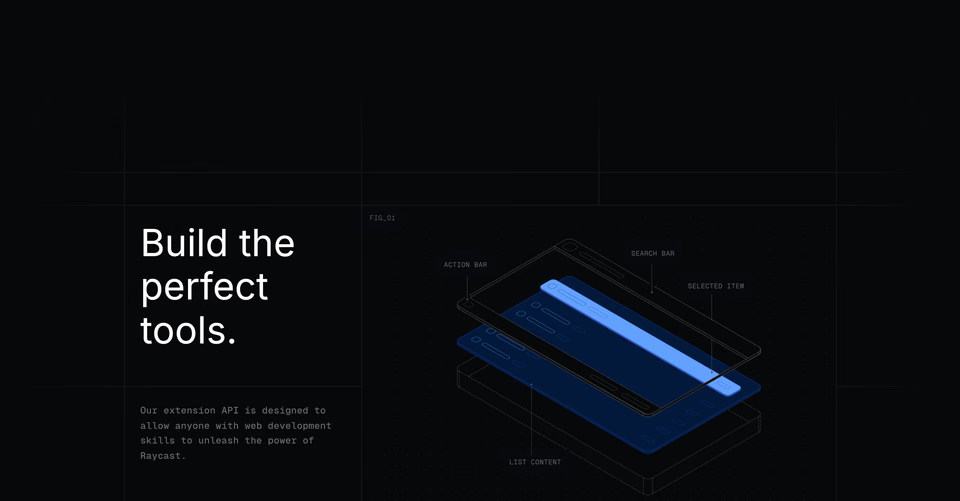
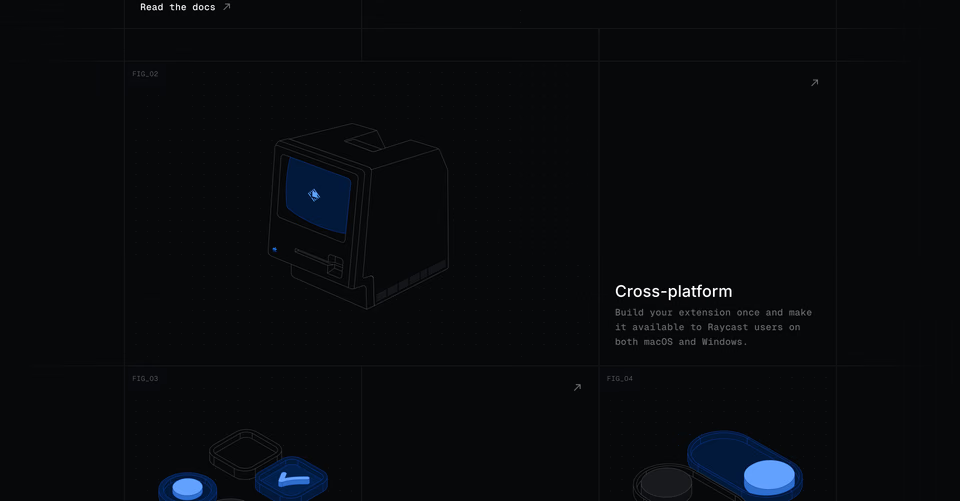
Features as numbered figures in a ruled grid, each a line drawing of the product, taken apart and labelled like a manual.
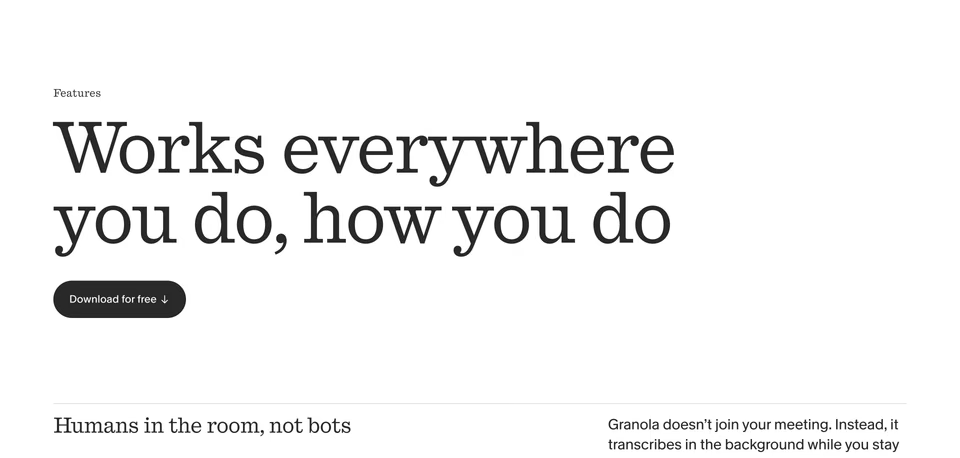
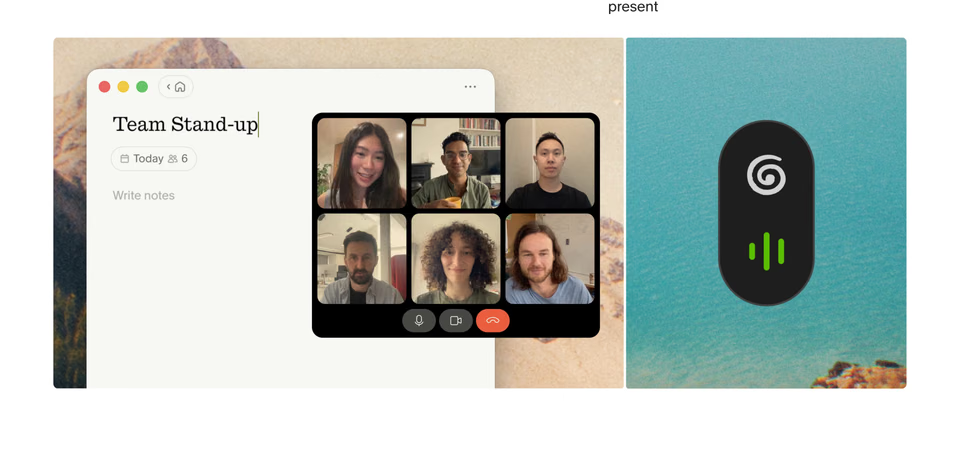
An oversized serif headline, then one feature to a row: a serif line on the left, a sentence far to the right, and the app set on a painted landscape.
4. Look at the result, and fix it by comparison
Open what your agent made next to the references. Don’t ask whether it looks good; ask what’s different. The headline is smaller than in the reference. The accent turns up in six places, not one. Every section has the same padding. Say exactly that, and fix one difference at a time. A few rounds of this beat one long prompt.
Which tells are quickest to fix?
Each tell is a decision nobody made. Make it, and the tell goes:
| The tell | Decide instead |
|---|---|
| Inter everywhere | A face for headings with a voice of its own, and one plain face for the rest |
| A purple gradient on white | A background, an ink and one accent, and the few places the accent may go |
| A card around everything | Rules, a grid or open space between sections; a card only where something is one |
| Centred hero, logos, three features | The order your story needs: what you make, shown, before what it does |
| Emoji and line icons | Real pictures: the product, a photograph, a drawing of your own |
| “Supercharge your workflow” | One plain sentence about what you make that no one else could write |
| Glassy blobs | One texture chosen for the brand, or none |
| The same spacing everywhere | Tight where things belong together, wide where they don’t |
How do you do this with regards?
regards is 3,060+ sections from 330+ websites, each site picked by hand for how it looks, and you search
them by describing the look. That’s steps 1 and 3 in one place.
Search by look, in plain words. Describe the section the way you’d brief a designer, and leave things out with “not”:
regards software product hero with a dithered or pixel-art picture and a serif headline, not a gradient 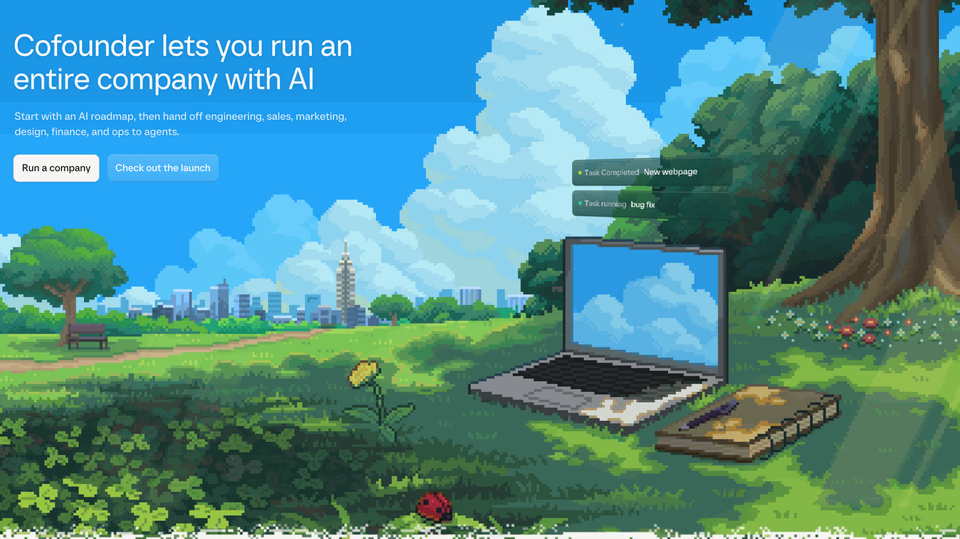

A whole park in pixel art, with the product’s task list floating over a pixel laptop. The headline stays plain and lets the picture talk.
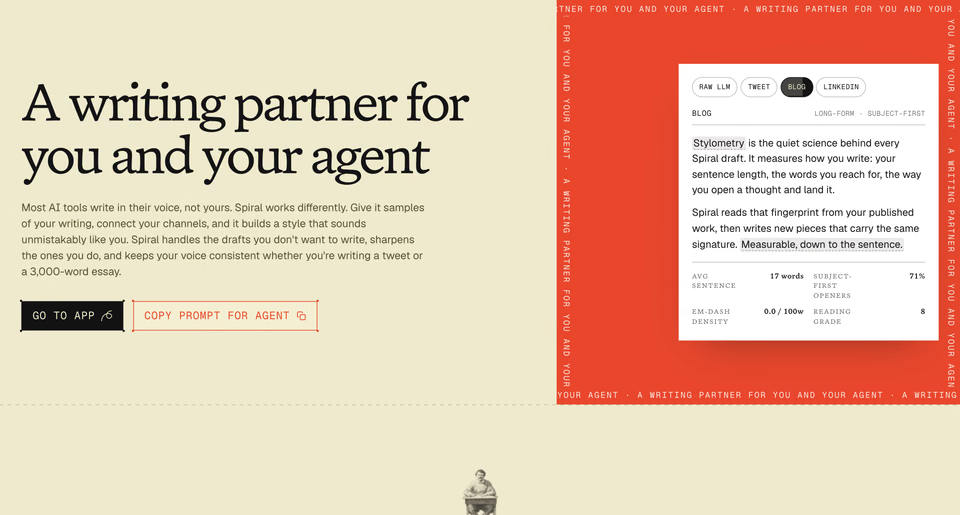
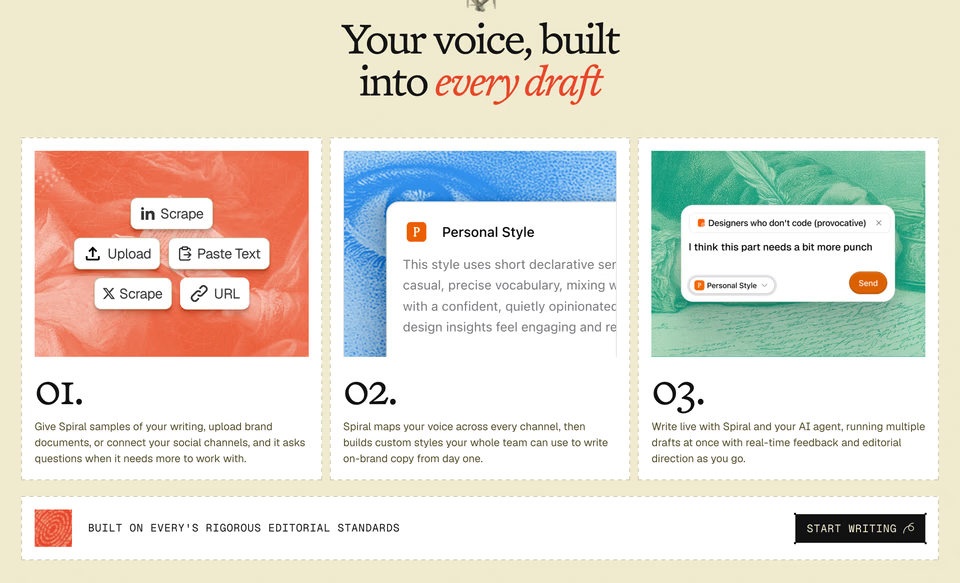
Set like an old print shop: a serif headline, and a red panel bordered by a running line of its own tagline.
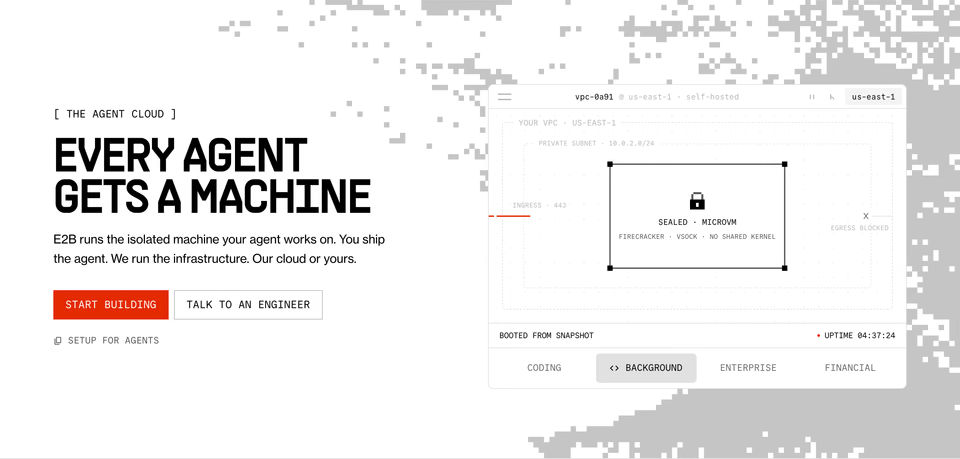
Pixel noise crumbling in from the edge, heavy condensed capitals, square buttons, and the product drawn as a diagram rather than a screenshot.
The free plan searches the whole library, 10 searches a day, with no card. Each result opens inside its page, with the live site a click away.
Let your agent search it. Over MCP, Claude Code, Cursor, Codex and other agents search the same library, see each section’s screenshot and read the page around it, so step 3 happens in the middle of the task. Agents come with every plan, Free included; connecting one is a single step.
Make it a habit with the design skill. Before your agent designs a page, the skill has it search for sections that fit the brief, keep five to eight, say what it takes from each and set the page’s direction from them: steps 1 to 3, every time. It’s free and open source.
To browse instead, start with the hero sections, feature sections or pricing sections we picked by hand, or whole sites by style, from minimalist to bold typography. Every plan is on the pricing page. And for the places designers look for references, see the best web design inspiration sites, compared.
Sources, read 21 October 2026: Anthropic’s Improving frontend design through Skills (12 November 2025), and its frontend design skill, as it reads now and its history.
FAQ
What makes a website look AI-generated?
Defaults nobody chose: one sans-serif for everything, often Inter; a purple or indigo gradient on white; every section in a rounded card; a centred hero with two buttons, a logo strip and three feature cards; emoji or generic line icons; copy like “Supercharge your workflow”; the same spacing from top to bottom. One of them is fine. All of them together read as a site nobody art-directed.
Why do AI-generated websites all look the same?
Asked for a website with no direction, a model gives the most likely answer: the safe, common choices that fill most of the web it learned from. Every site made the same way lands in the same place. A direction, shown with real references, is what moves it.
Can AI make a website that doesn’t look AI-made?
Yes, when it’s given a direction. Show your agent a few real sections that carry the look you want, tell it what to take from each, then put what it makes next to them and fix the differences one at a time.
Do I have to drop Inter and gradients?
No. Inter, a gradient or a card is fine when someone chose it. The trouble starts when every default arrives together. Decide the few things that make your site yours, the type, the colour and the layout, and keep the rest simple.