How to search website design by image, and find every other way to show it
Give  regards a screenshot and ask what else it could be: sections that look like it, sections that do the same job better, or its opposite. Six real searches, in the app and from your agent.
The short answer
In regards’ search, pick a screenshot with the lens at the end of the search bar, or paste or drop one in, then say what you want from it. No words, or “like this”, finds lookalikes. “Better versions”, or “what are all the different ways to show this?”, finds alternatives: real sections that do the same job with stronger design. “The opposite” finds opposites. Answers come from 3,060+ sections of 330+ hand-picked websites, grouped by what you asked for: references to study and borrow from, which you then take further by hand. Every signed-in account can search with a picture, and your coding agent can too, over MCP.
Sometimes you know what you have, not what you want. A section that works but looks like everyone’s. A frame in Figma that’s nearly right. Searching for more of the same won’t help. What helps is seeing the other ways it could go.
regards takes a picture and a question about it: what looks like this, what does the same job better, and what’s
the opposite. What comes back is real sections from real sites, to study and borrow from. It won’t design the section
for you; that part stays yours, in Figma, in code or on paper. Here is how to ask, in the app and from your coding
agent, and six real searches with what came back.
How do you search website design by image?
In search, click the lens at the end of the search bar, Visual search, and pick a picture. Or paste one into the bar, or drop one anywhere on the page. A screenshot of one section works best: crop to the part you mean.

Then say what you want from it, or nothing at all. The words steer the search, and the answer comes back in a group named for what you asked:
| You type | You get | The group |
|---|---|---|
| Nothing, “like this”, “like this but dark” | Lookalikes: the same kind of section, looking like yours, with any change you name | Like your image |
| “Better versions”, “replacements”, “what are all the different ways to show this?” | Alternatives: sections that do the same job, with stronger design | Alternatives to your image |
| “The opposite” | Opposites: the same kind of section, turned around on what defines yours | Opposites of your image |
Instant and Deep both take a picture. Deep reads the picture and your words together and looks harder, and a Deep search with a picture uses one of your Deep searches, as any Deep search does. Every signed-in account can search with a picture, Free included, at 10 searches a day. Your pictures are kept for 30 days, and no one else’s searches can use them.
What else could a row of cards be?
To find out, we searched with a section of our own: the row of style cards on our landing page. A heading, a line, two arrows, and cards you step through.
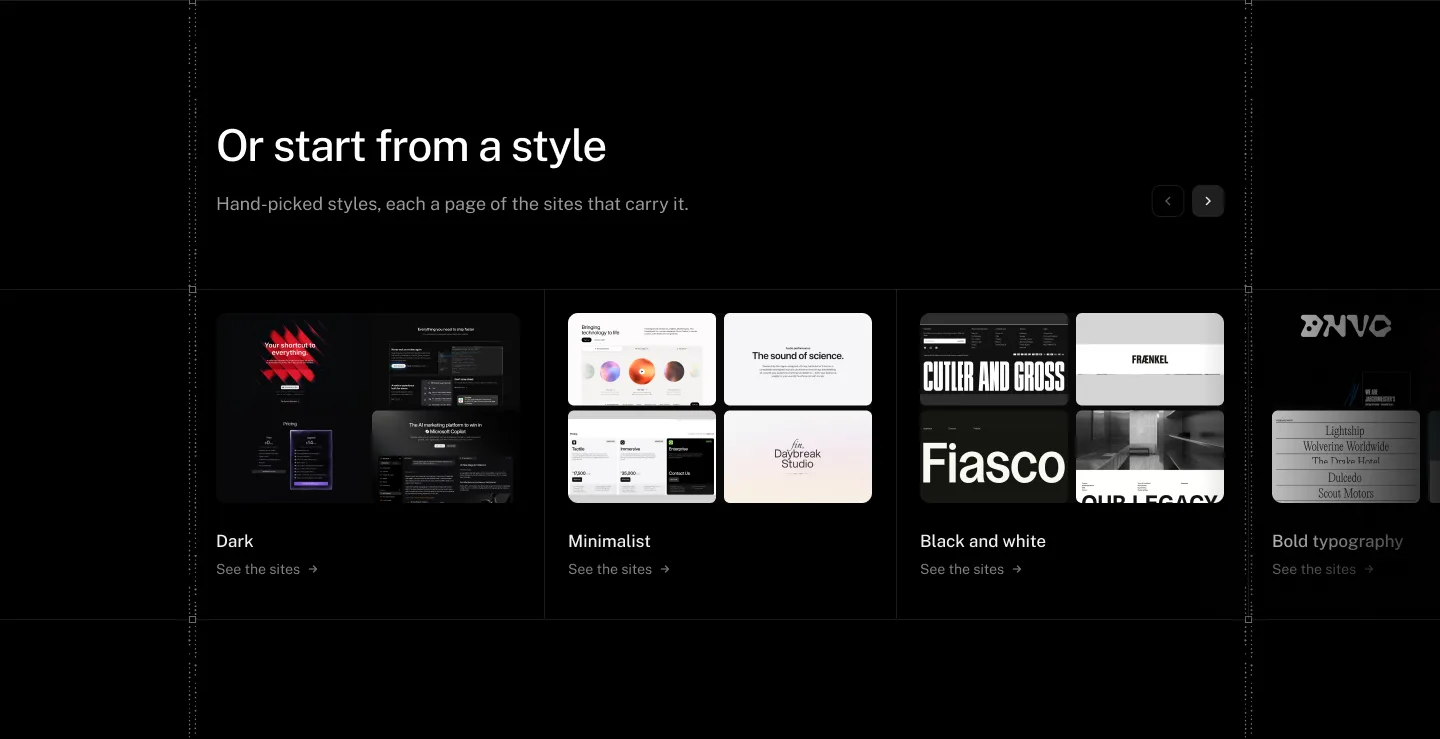
With no words, it finds what looks like it:
Searched on regards with a picture · Deep No words Like your image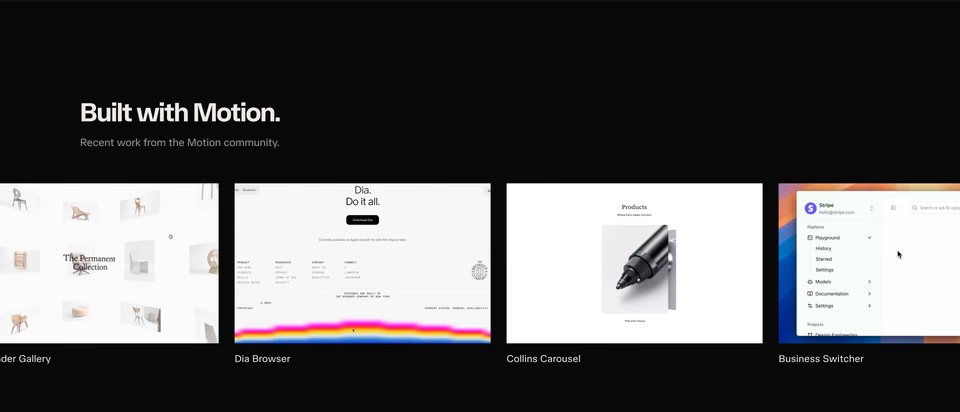
Nearly the same section: a heading and a line on black, then a row of captioned previews that runs off both edges.
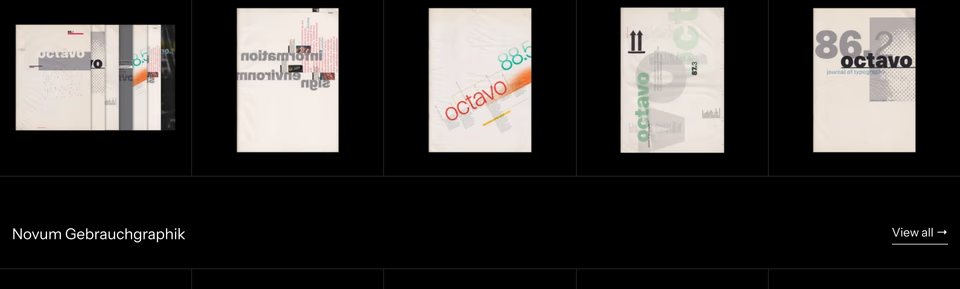
The ruled version: magazine covers in hairline cells on black, and the next shelf’s title with a View all link under them.
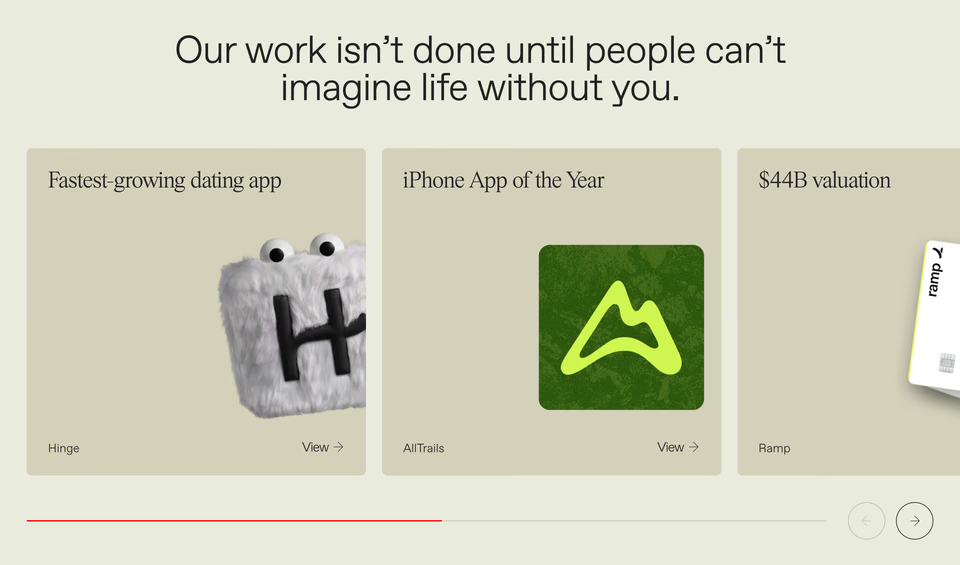
The same carousel in daylight: a result as each card’s headline, and a red progress line and round arrows under the row.
Ask what else it could be, and it finds the same job done other ways:
Searched on regards with a picture · Deep “what are all the different ways to show this” Alternatives to your image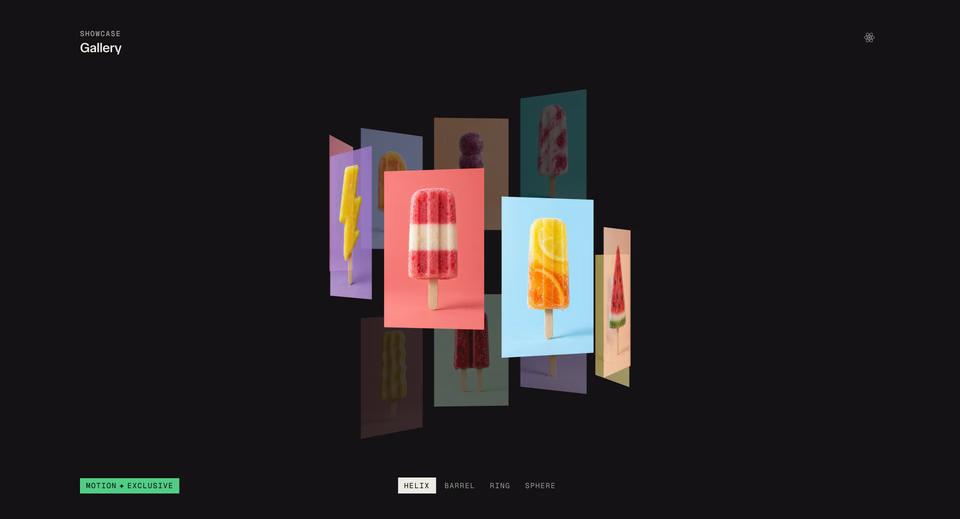
The cards in three dimensions: a helix of photographs, with tabs that turn it into a barrel, a ring or a sphere.
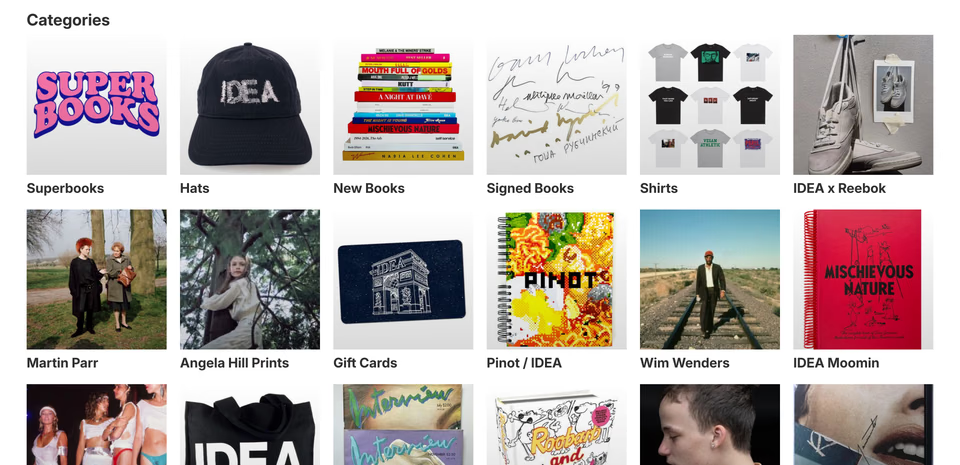
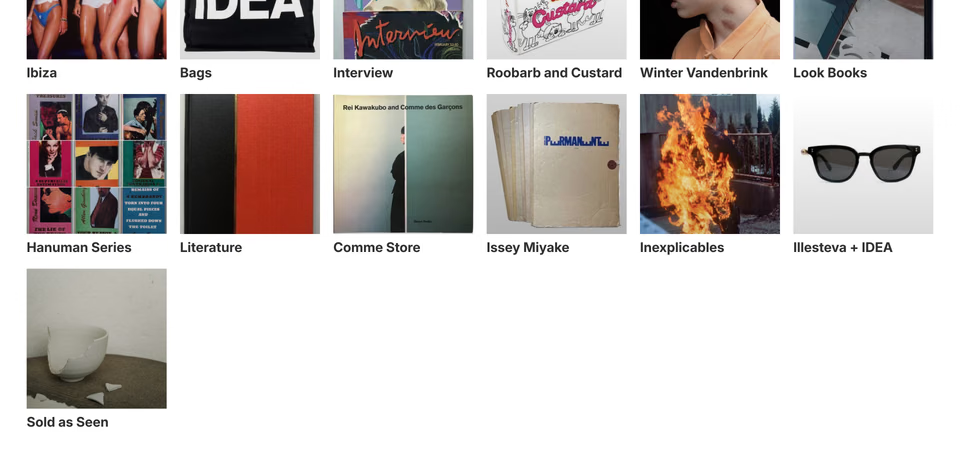
No carousel at all: every category at once, a six-column grid of square photographs, each named under it.
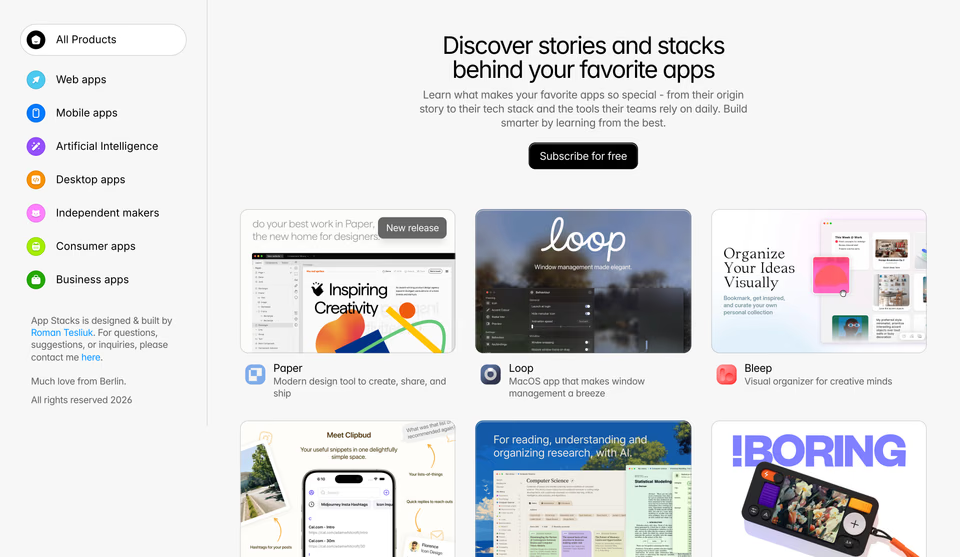
A directory instead: categories down the left as coloured pills, and the cards in a grid beside them.
Name the control you’re thinking of, and it answers for that. Here, the tabs:
Searched on regards with a picture · Deep “what other tab components are there” Alternatives to your image
A paragraph as the tabs: each short sentence is one, the active one lit and the rest dimmed, the app window beside it changing.

A segmented pill over a carousel: Technology, Performance and Design, each a video card with its neighbours cut off at the edges.
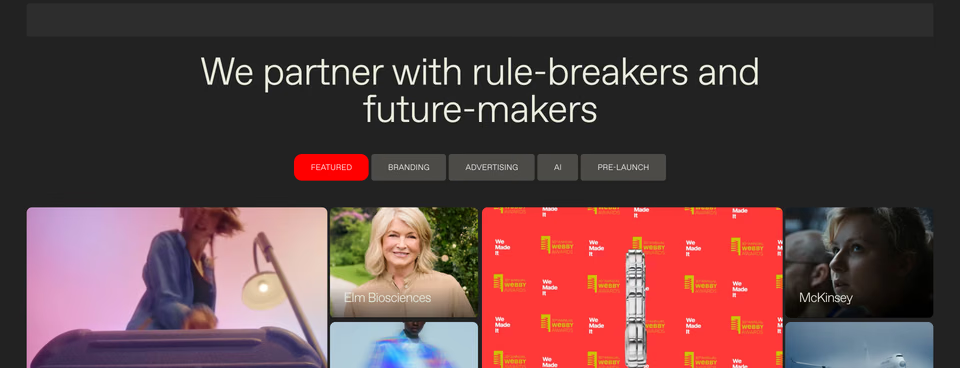
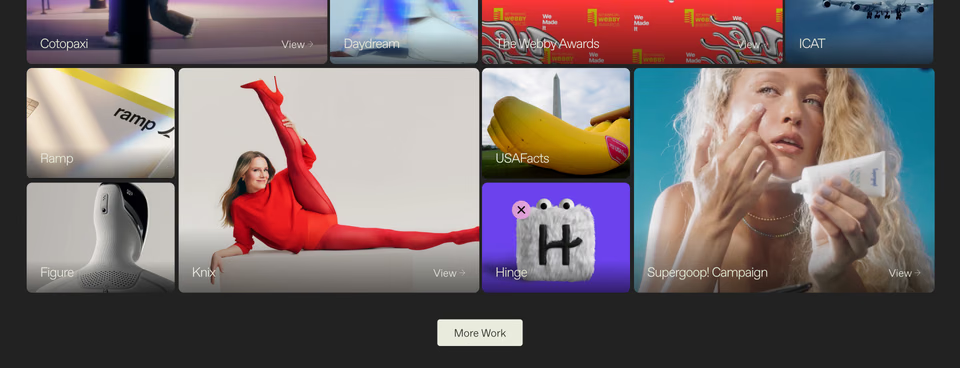
Filter tabs over a mosaic: one tab lit red, then uneven photo and video tiles, each with a name in its corner.
And the opposite, for when you’ve been staring at one idea too long:
Searched on regards with a picture · Deep “the opposite” Opposites of your image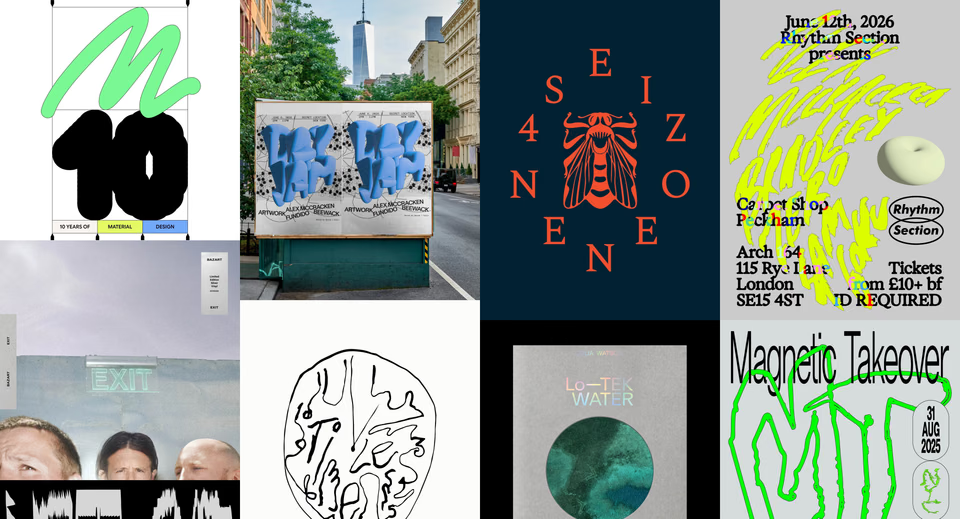
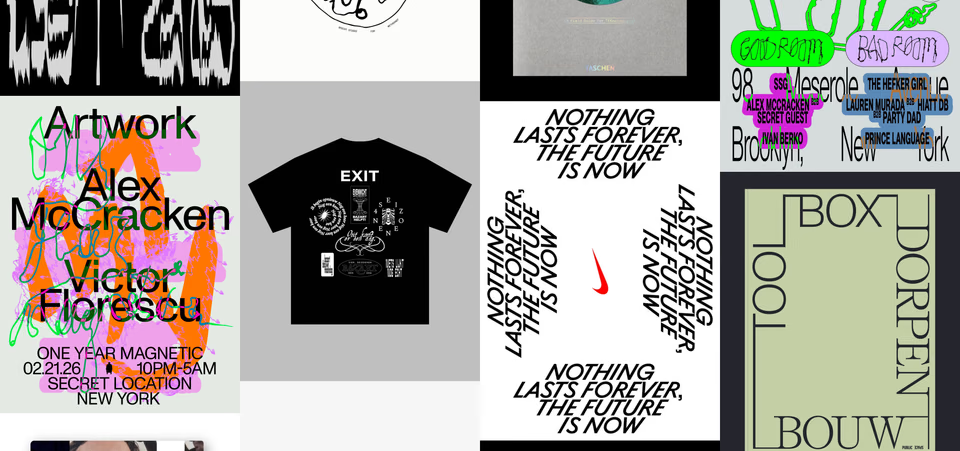
Everything ours isn’t: posters and covers packed edge to edge in loud colour, with no captions, arrows or rules.
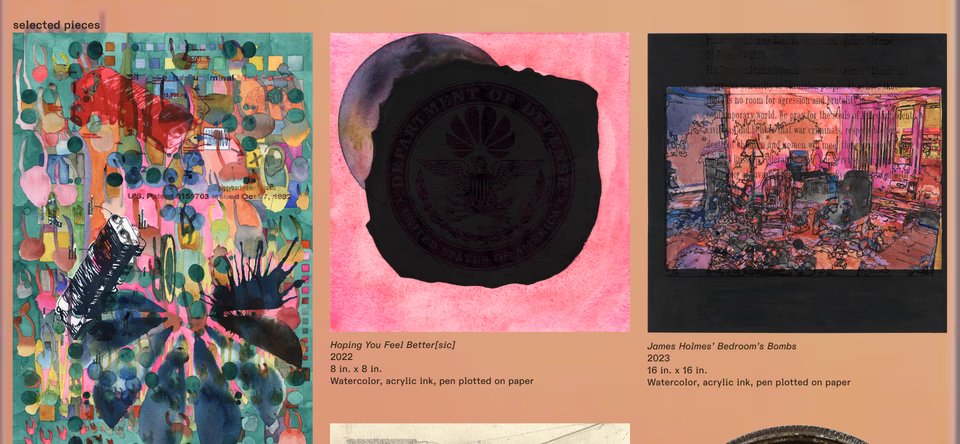
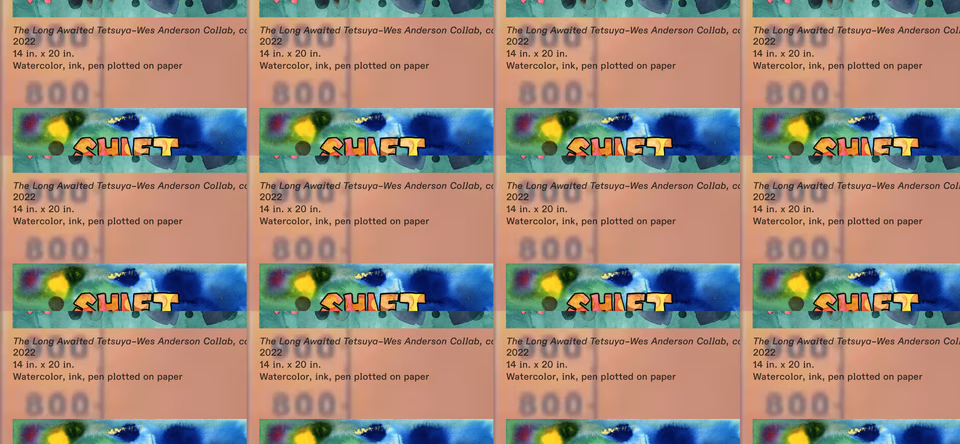
Warm and loose: drawings, prints and etched metal on a peach ground, each with a small caption like a museum label.
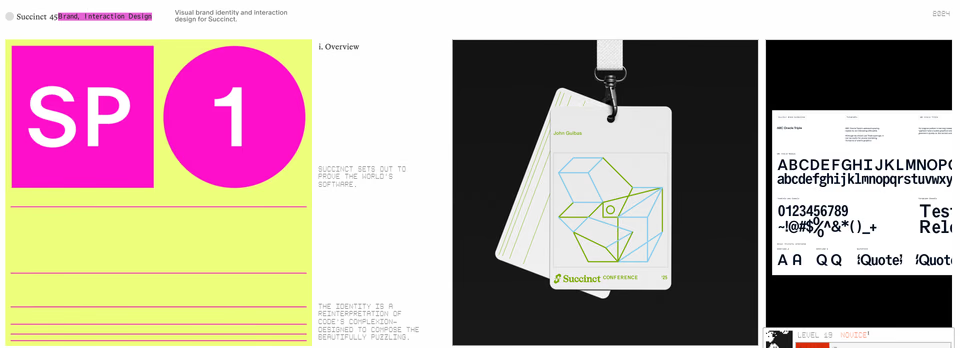
One project, full bleed: a yellow and magenta identity, a lanyard and a type specimen, side by side in one strip.
What are all the ways to show the same information?
Most sections start as the obvious shape. Pricing is the clearest case: three cards, the middle one marked. So we made one up, for a coffee roaster called Tidewell that doesn’t exist, and asked the same question.
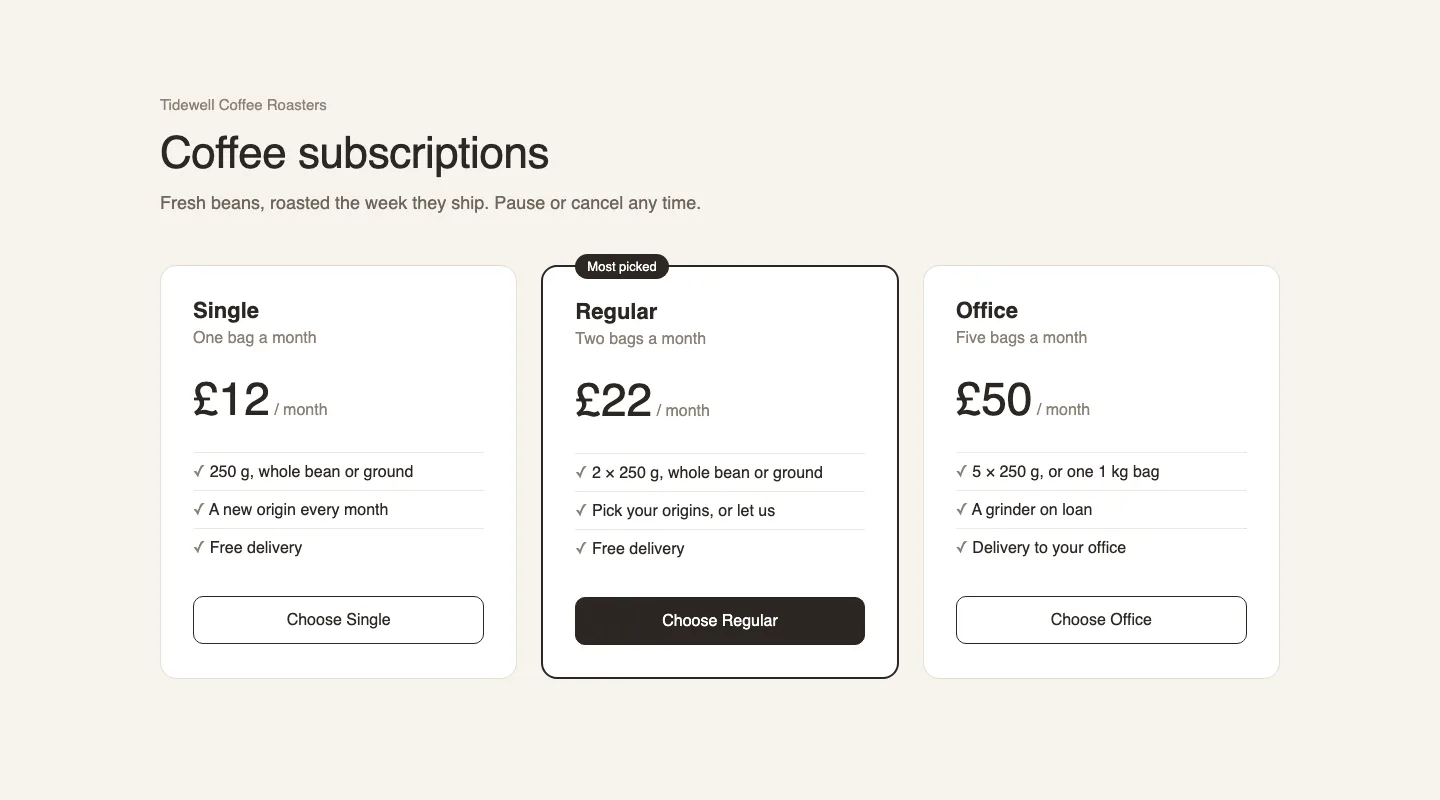 Searched on regards with a picture · Deep “what are all the different ways to show this information” Alternatives to your image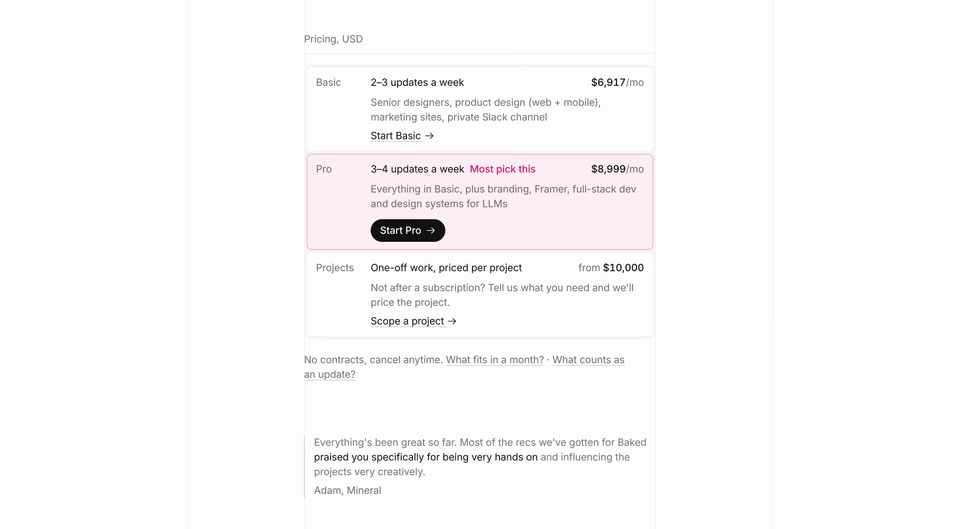
Rows, not cards: each plan one line with its price on the right, and the one most people pick tinted, not raised.
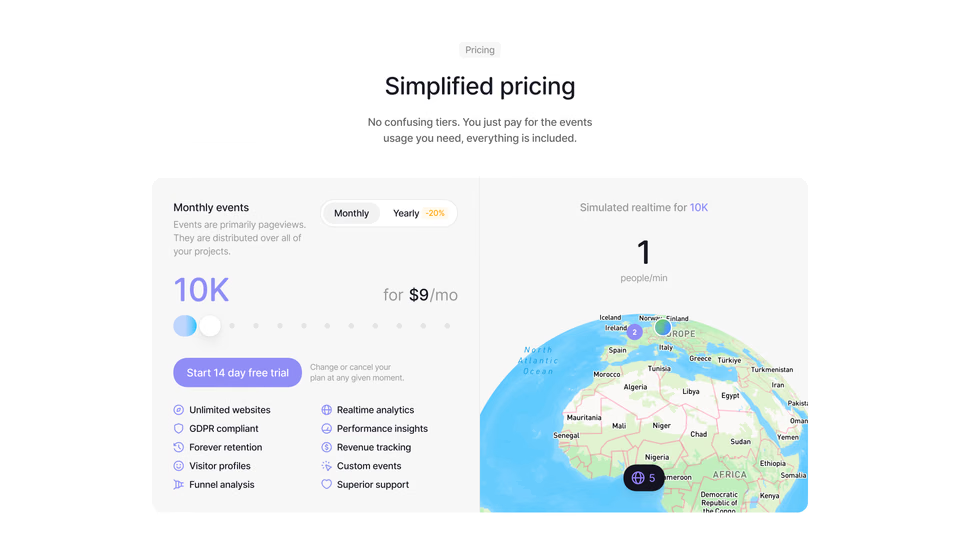
No tiers at all: one card and a slider for how much you need. Bags a month would work the same way.
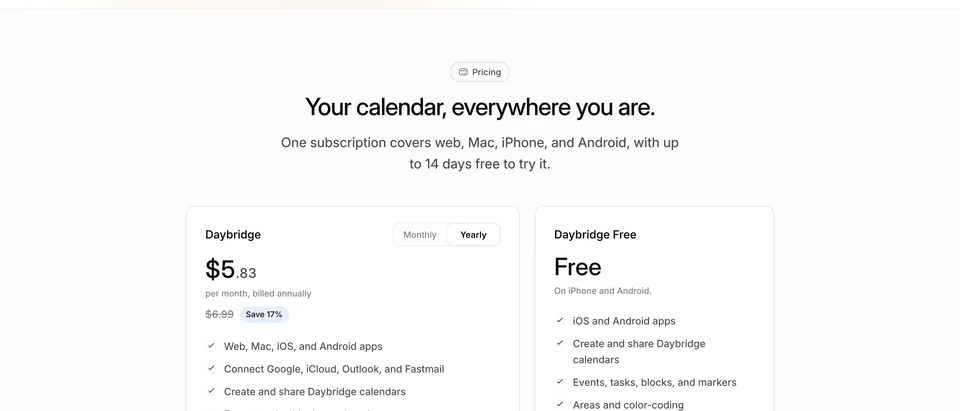
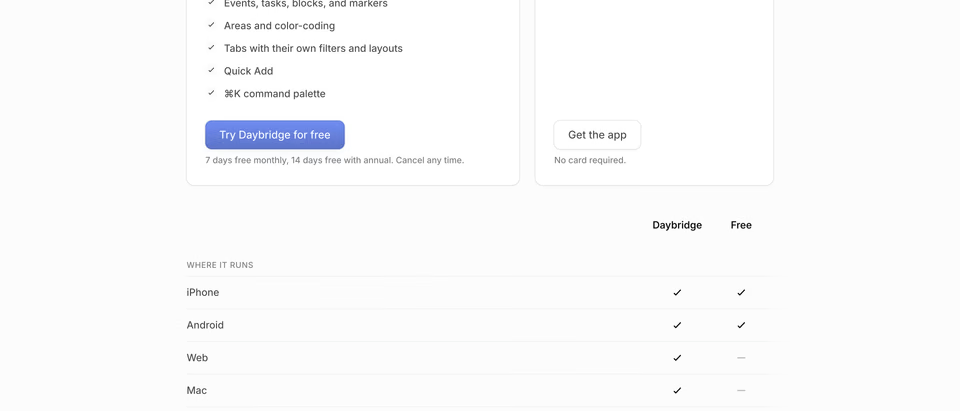
Two plans, then a table that answers what’s in each, line by line.
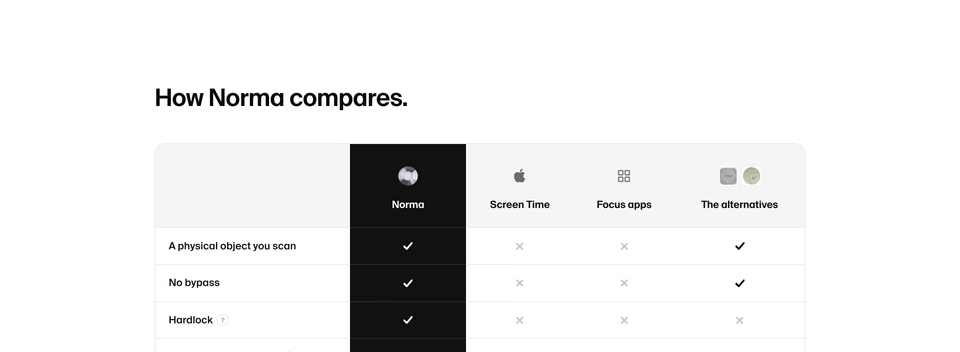
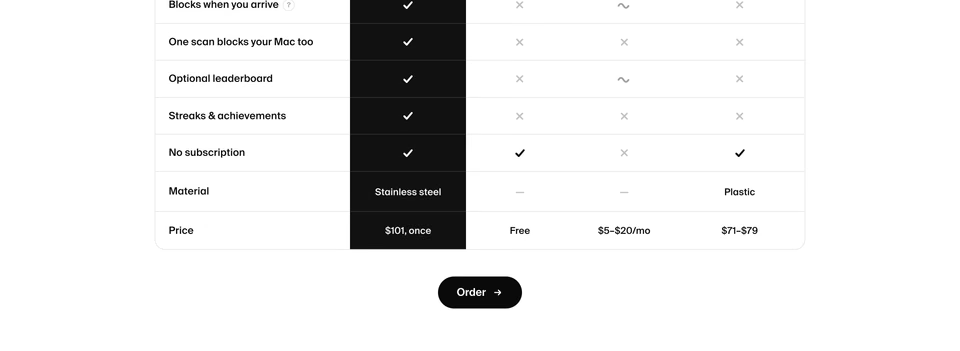
A table instead of tiers: one black column for yours against the other ways to get the same thing, the price its last row.
Four answers to the same brief, none of them three cards. Then take the one you like and search again with it. Here, Baked’s rows, “like this but dark”:
regards with a picture · Deep “like this but dark” Like your image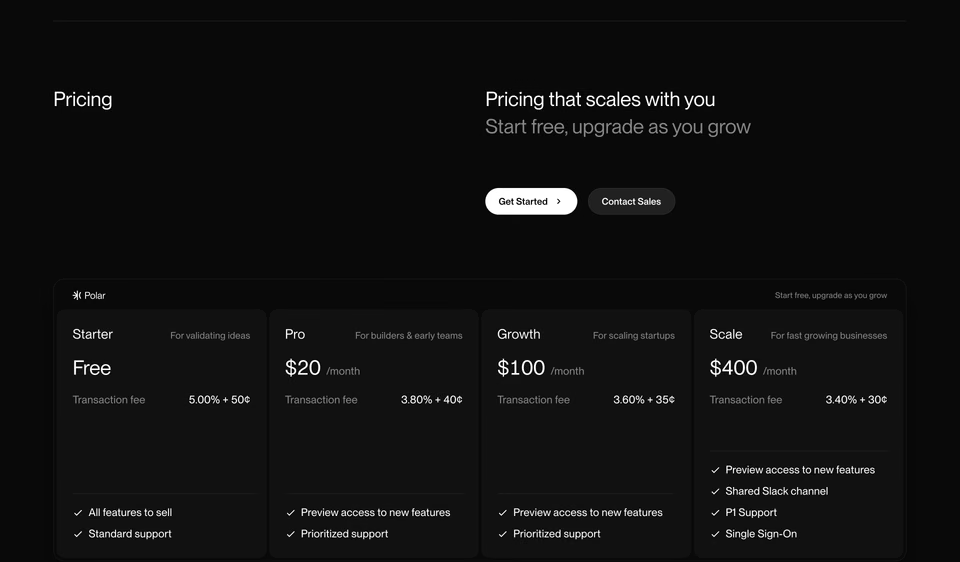
Plans side by side in one framed panel on near-black, the type as quiet as Baked’s, with the fee under each price.
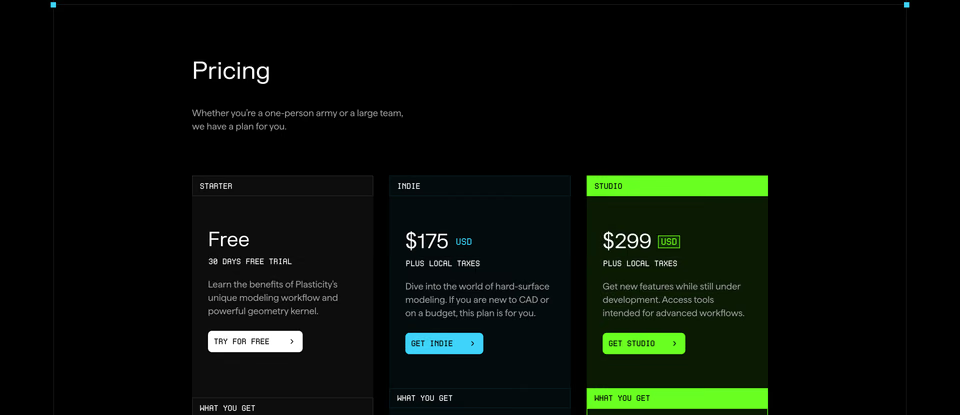
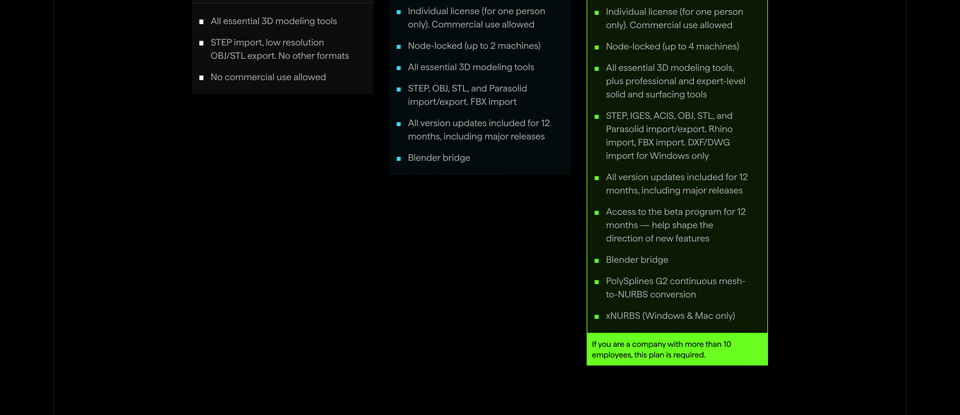
Square columns with small monospace headers, and the top plan in lime from its header to its footnote.
That one came back looser. Pricing set as rows is rare in the library, and dark rows rarer, so the search kept the dark and the quiet type and let go of the rows. When what you want is rare, a picture finds its neighbours, not its twins. And it reads one section best: from a full-page screenshot it takes the top, so crop first.
How do you search by image from Claude Code, Cursor or Codex?
Over MCP. Your agent asks the regards server for a link, sends the picture to it with curl (a PNG, JPEG
or WebP of up to 4 MB, within 15 minutes), and searches with it, words and all, the way you would in the app. So it
works in agents that can run a command: Claude Code, Cursor, Codex and the like. Your agent does the looking, in the
middle of a task; the choosing and the designing stay with you. Give it a screenshot and ask for references:
Add the server by its address, as the agents page shows, or through our listing in xAI’s marketplace, and agents search with pictures on every plan, Free included. The Claude and ChatGPT directory connectors don’t offer it, because their chats can’t send a file that way. For setting up each agent, see website inspiration for Claude Code, Cursor and Codex.
How is this different from other image search?
Searching by image isn’t new. Mobbin, Refero, Savee and Cosmos all take a picture, and Behance does on Pro, as our comparisons found in October 2026. Image search mostly finds what looks like your picture, and often that’s what you want.
regards answers more than “like this”. Ask for alternatives and you get real sections that do the same job
better; ask for the opposite and you get what yours isn’t. Each answer is a section of a real website, from
3,060+ sections of 330+ sites picked by hand for how they look. Better inspiration, not more of it.
What do you do with what comes back?
Treat it as references, not answers. Pick the two or three that matter and write down what each does well: rows instead of cards, tabs that read as a sentence, a warm ground. Then go deeper by hand, in Figma, in code or in a sketch: the type, the spacing, the rhythm, the small details no search returns. That’s where the section becomes yours. And when you’re stuck, photograph the sketch and search with that.
For how we compare in more detail, see regards vs Mobbin and regards vs Refero. Or try it with a picture of your
own.
FAQ
Can you search website designs by image?
Yes. On regards, pick, paste or drop a screenshot into search and say what you want from it, or nothing for lookalikes. Mobbin, Refero, Savee and Cosmos search by image too, and Behance does on Pro. What regards adds is asking for more than lookalikes: alternatives that do the same job better, or opposites, section by section, across real websites.
How do I find websites that look like a screenshot?
Crop the screenshot to the section you mean, then open search on regards and pick it with the lens, or paste it in. Search with no words for lookalikes, or name a change, like “like this but dark”. Each result opens inside its page, with the live site a click away.
What are the different ways to show the same information on a website?
More than cards. Three plans can be ruled rows, one card with a slider, two cards and a table, or a table with yours as one dark column against the alternatives. A row of cards can be a grid, a directory with a sidebar, a mosaic under filter tabs or a carousel in three dimensions. To see them for your own section, search with a screenshot of it and ask “what are all the different ways to show this?”
Will this design my section for me?
No, and it isn’t meant to. It finds real sections to study and borrow from: what looks like yours, what does the same job better, what turns it around. Your coding agent can run the same searches over MCP, uploading a screenshot from Claude Code, Cursor or Codex, on every plan, Free included, when you add regards by its address or through our listing in xAI’s marketplace. Which ideas to take, and the type, spacing and details that make the section yours, you work out by hand, in Figma, in code or in a sketch.