Where to find website animation and interaction inspiration: the best sites, compared
Hovers, menus, micro-interactions and scroll reveals: thirteen places to find them, from recordings of real websites to code demos and animation files, scored by the same eight rules, with what each is best for.
The short answer
To find interactions from real websites by describing what they do,  regards: 430+ hovers, menus, scroll reveals and loops recorded on 130+ sites picked by hand for their look, each with its timing and curves measured, searched by you or your coding agent. For hand-picked details from live sites with code to match, Details, which comes top by score. For the most recordings across websites and apps, Ripplix; for motion in iOS apps with SwiftUI code, 60fps; for code demos with tutorials, Codrops; for free CSS hovers and loaders, uiverse; for React and JavaScript patterns, Motion; for animation files, LottieFiles; for award-winning sites’ animation, free, Awwwards’ Elements.
Disclaimer: we make regards. regards.design is a search engine for website sections, searchable by look, and
since November 2026 a library of 430+ interactions recorded on 130+ real websites, each site picked by hand for
how it looks: hovers, menus, scroll reveals, loops. You or your coding agent find one by describing what it does, and
each comes with its timing and curves as measured, to recreate it. It’s the right pick when you want to see how a
shipped site moves, alone and at real speed. When you want code to paste, the most examples, or motion for an app,
one of the others below fits better, and we say which.
Every site here, ours included, is scored by the same eight rules, with the reason for every score printed under it.
Scored that way, regards totals 33 of 40: it loses points for its size, for having no code to copy,
and for showing Free part of the library. Every fact about another site comes from its own pages, read on 10 November
2026.
Three kinds of place keep website animation. Libraries of recordings show real sites moving, one interaction at a time. Demo and component sites show an effect made to be copied, with its code. File libraries hold animations you drop into a product. Blog lists of “the best website animations” rank for most of these searches, but each is one writer’s dozen; the places below are where those writers look.
How did we score them?
Eight criteria, 1 to 5 each, 40 at most. A 5 means:
- Real sites: each example is recorded on a live, shipped website, not made to show the effect.
- Picked: a person picks what goes in, and the site says so.
- Size: 5,000 examples or more, as the site states them on the day (2,000 is a 4, 1,000 a 3, 300 a 2).
- Finding: you describe the motion in plain words and it’s read for what it does, not matched to tags.
- Watching: each one alone, at real speed, looping or live, with the site it came from a click away.
- Take away: code you can copy into your own work.
- Free: everything, with no account.
- Agents: an MCP server your coding agent can use on the free plan.
The total weighs all eight the same, so it’s the least useful number here: a code demo and a recording of a shipped site do different jobs. Read the columns that matter for your work, then the picks under the table.
How do they score?
| Site | Real sites | Picked | Size | Finding | Watching | Take away | Free | Agents | Total of 40 |
|---|---|---|---|---|---|---|---|---|---|
| 1 Details | 5 | 5 | 4 | 5 | 5 | 5 | 2 | 4 | 35 |
| 2 60fps | 4 | 4 | 4 | 4 | 4 | 5 | 4 | 4 | 33 |
| 2 regards | 5 | 4 | 2 | 5 | 5 | 4 | 3 | 5 | 33 |
| 2 Ripplix | 4 | 4 | 5 | 4 | 4 | 4 | 4 | 4 | 33 |
| 5 save.design | 4 | 5 | 3 | 5 | 5 | 2 | 2 | 5 | 31 |
| 6 LottieFiles | 2 | 2 | 5 | 3 | 4 | 4 | 3 | 5 | 28 |
| 7 Motion | 2 | 4 | 2 | 3 | 4 | 5 | 3 | 4 | 27 |
| 7 uiverse | 2 | 3 | 4 | 3 | 4 | 5 | 5 | 1 | 27 |
| 9 Codrops | 2 | 5 | 1 | 3 | 4 | 5 | 5 | 1 | 26 |
| 10 Mobbin | 4 | 4 | 1 | 4 | 4 | 3 | 1 | 4 | 25 |
| 11 Awwwards | 5 | 3 | 1 | 3 | 5 | 1 | 5 | 1 | 24 |
| 12 Hover States | 3 | 5 | 1 | 3 | 3 | 1 | 5 | 1 | 22 |
| 13 Recent | 3 | 4 | 1 | 2 | 3 | 1 | 5 | 1 | 20 |
regards by the same rules. The reason for every score is under each site below.Which is best for what?
| Pick | Also good | |
|---|---|---|
| Interactions from real websites, found by describing them, by you or your agent | regards | Details; save.design |
| Hand-picked details from live sites, with code to match | Details | Codrops, for demos with tutorials |
| The most real UI animations, across sites, apps and devices | Ripplix | Mobbin, for apps |
| iOS app motion, with SwiftUI code | 60fps | Mobbin |
| Code to paste, with a tutorial | Codrops | Motion, for React and JavaScript |
| A small CSS hover, button or loader, free | uiverse | Codrops |
| Animation files for your product | LottieFiles | Rive, not scored here |
| Award-winning sites’ animation, free | Awwwards Elements | Hover States |
| A daily feed of motion and launch films | Recent | Awwwards Elements |
Which sites keep website animations and interactions?
Thirteen, checked on the same day. They differ in what they record, how you find one, how you watch it and what you can take away.
regards
Best for interactions from real websites, found by describing what they do, by you or your agent.
430+ interactions recorded on 130+ websites picked by hand for how they look, from Stripe’s and Vercel’s to studios’ and portfolios’: hovers, clicks and focus states, menus whose highlight glides from item to item, scroll reveals, motion tied to the scroll, and loops. Each is one clip, alone and looping at real speed, with the live page a click away and, under it, what was measured in the browser: when each part starts, how long it runs and on what curve, the main move’s curve as CSS. You find one by describing it, or with filters: what sets it off, what moves, the feel, how long it runs, the look, the kind of site, or an easing curve you shape. Your agent searches the same library over MCP, on every plan, and the same account searches 3,070+ website sections. Free is 10 searches a day and shows the first 48 of the library or of a filter; Pro, $20 a month, shows all of it. The catch: hundreds of interactions, not thousands, by choice, and no code to paste, only what you need to recreate it.
- Real sites
- 5Recorded on live websites, in the browser
- Picked
- 4Sites picked by hand; each recording checked
- Size
- 2430+ interactions
- Finding
- 5Words, or trigger, element, motion, speed and a curve
- Watching
- 5Each alone, looping at real speed; the live page a click away
- Take away
- 4Each part’s timing and curve, measured; the clip
- Free
- 310 searches a day; browsing shows the first 48
- Agents
- 5MCP on every plan, Free included
- Total
- 33of 40
Searched in plain words, this is what came back:
regards, interactions a nav menu where a highlight glides from item to item under the cursor 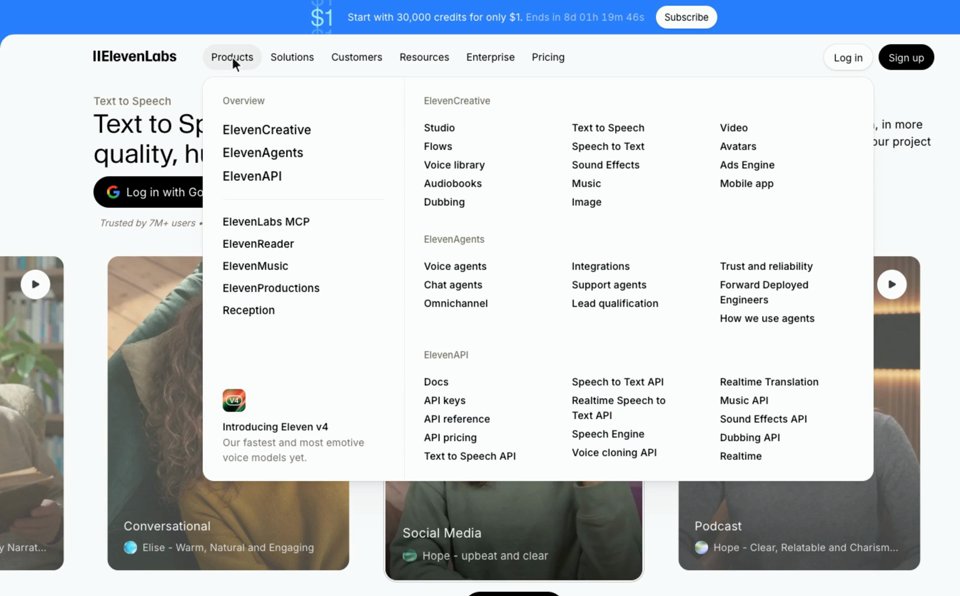
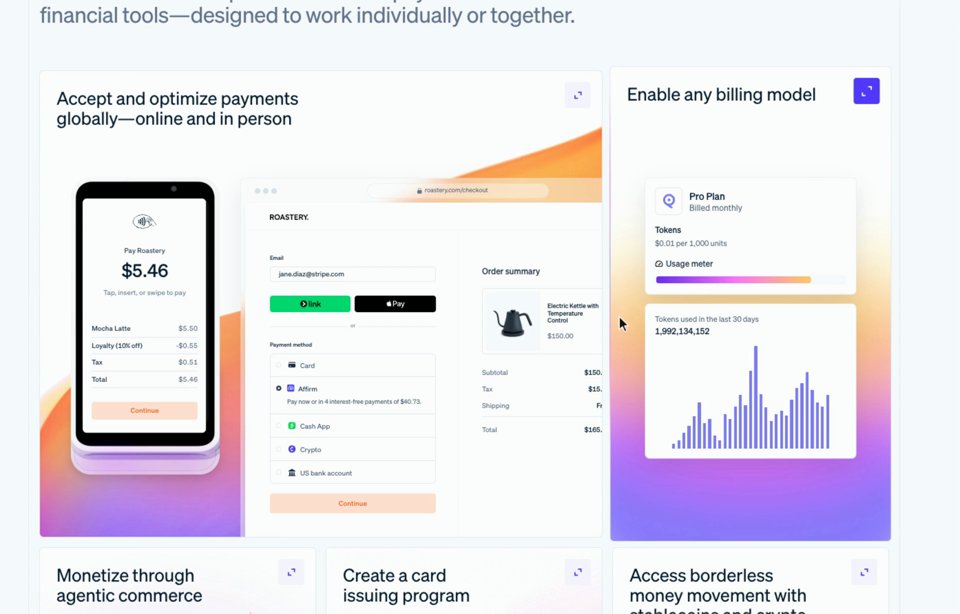
One white panel stays open across Products, Solutions and Resources, resizing to each while the columns slide out one way and in the other.
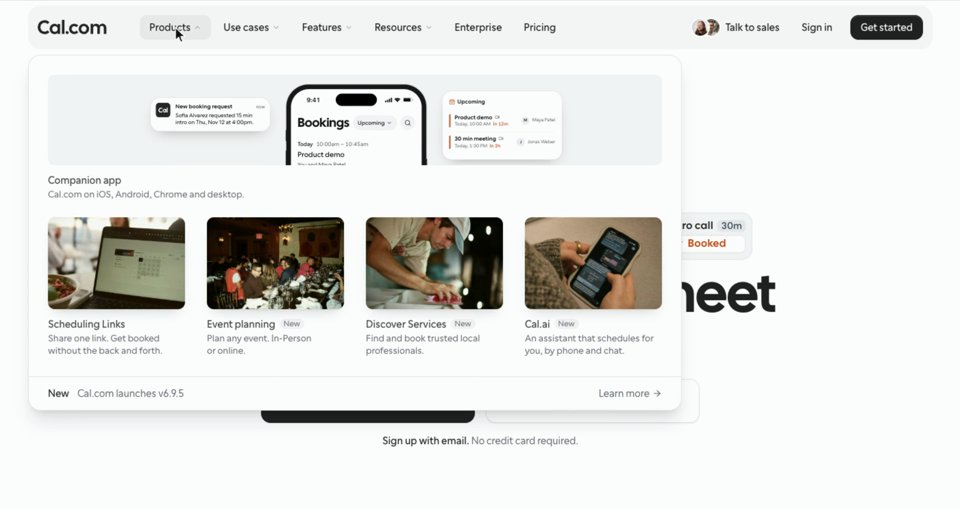
A grey pill slides along the nav to the item under the cursor, and the panel below swaps its contents through a slight blur.
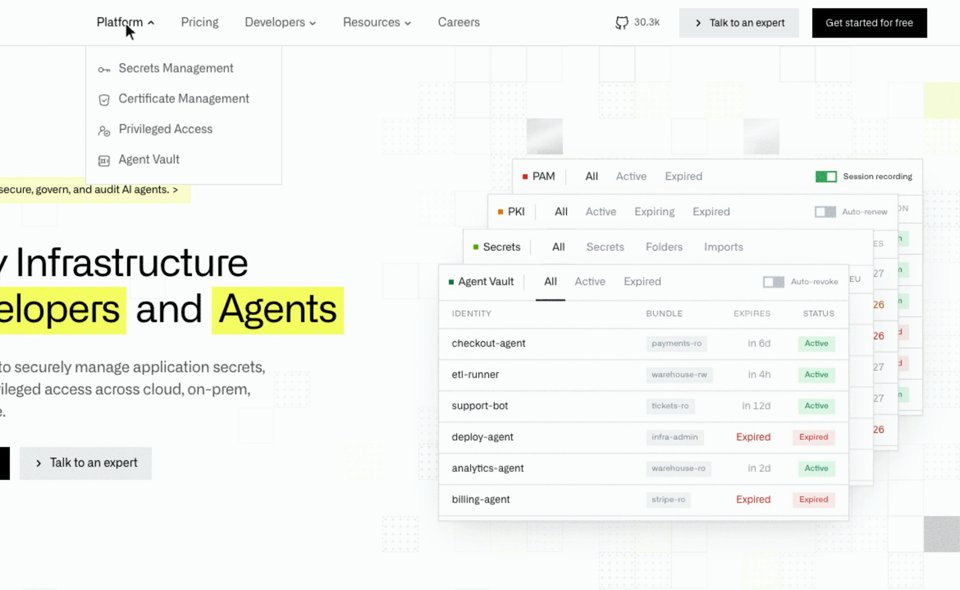
Short and crisp: a thin underline grows under each label and its small panel drops a few pixels, handing over as the cursor moves on.
Details
details.so Its page on regards
Best for hand-picked details from live sites, from hovers to page transitions, with code on its top plan.
3,521 details captured from live production websites, tagged by hand and added weekly, with no concept shots: hero sections, preloaders, page transitions, scroll animations, cursor and card hovers. You browse by interaction, element, section, industry and style, or ask its search in plain words, and each detail plays alone, looping, with a link to the site. Its Vault holds 69 code resources, 15 of them free; the rest come with Max. Free shows the latest drops and previews of each category; Pro, $9 a month billed yearly or $12 quarterly, opens the library and its MCP server, and Max, $19 a month billed yearly, the code. The catch: little of it is free, and it says it doesn’t refund.
- Real sites
- 5Captured from live production sites, no concepts
- Picked
- 5Hand-curated and tagged by hand
- Size
- 43,521 details
- Finding
- 5A plain-words box; interaction and element menus
- Watching
- 5Each alone, looping, with “Visit website”
- Take away
- 5Code in its Vault, on its Max plan
- Free
- 2The latest drops and previews
- Agents
- 4MCP on paid plans; 20 credits once on Free
- Total
- 35of 40
Ripplix
Best for the most recordings of real UI animation, across websites, apps, watches and headsets.
7,000+ animations recorded from 1,000+ live products, websites among them, in 130+ categories, from hovers to parallax and bottom sheets, searched by words and narrowed by platform. Each plays alone, looping, and copies as a prompt for Cursor, Lovable or v0 with its trigger, timing and easing written in; a Figma plugin pins them into your files. Browsing is free, with 100 prompts and 18 saves; Pro is $10 a month, $24 a quarter or $59.99 a year, or $199 once, and its MCP server comes with Pro (its plan cards still say “Coming Soon”). The catch: no link from an animation to the product it came from, and sponsored cards in the grid.
- Real sites
- 4Live products: sites, apps, watches, AR
- Picked
- 4Curated; no curator named
- Size
- 57,000+ animations
- Finding
- 4Search, platforms and 130+ categories
- Watching
- 4Each alone, looping; no link to its site
- Take away
- 4A prompt with its timing and easing; Figma
- Free
- 4The whole library; 100 prompts free
- Agents
- 4MCP on Pro
- Total
- 33of 40
60fps
60fps.design Its page on regards
Best for motion in shipped iOS apps, broken down frame by frame, with SwiftUI code.
2,140 interaction shots from 499 apps, mostly iOS, plus 96 from app makers’ websites, filtered by gesture, pattern, effect and element. Each plays in a phone frame and copies as a prompt; 67 storyboards break flows down frame by frame, and 32 snippets give SwiftUI code timed from the real thing. It’s free to explore; PRO, $15 a month or $150 a year, opens every filter and the snippets, and its MCP server is a plan of its own, $29 a month. The catch: apps far more than websites, and no link to the app a shot came from.
- Real sites
- 4Shipped apps, mostly iOS, and 96 app websites
- Picked
- 4Carefully curated
- Size
- 42,140 shots
- Finding
- 4Gesture, effect and element filters, on PRO
- Watching
- 4Each alone, looping; frame-by-frame storyboards
- Take away
- 5SwiftUI snippets, timed from the real thing
- Free
- 4Free to explore; filters and snippets on PRO
- Agents
- 4MCP, its own plan at $29 a month
- Total
- 33of 40
save.design
Best for a workspace for your own references, with a library of interactions you describe.
A workspace to collect references first, with a library attached: 11,000+ UI sections and interactions, many on video, among them 395 website animations, 95 hover effects, page transitions and custom cursors, each credited to its site. You find one by describing it, “scroll reveal”, and its Chrome extension records interactions from any site you visit. Signed out, a collection page shows 16 previews; the whole library comes with Individual, $12 a month or $10 billed yearly, and its MCP server gives 150 calls a month before you pick a plan. The catch: nothing to take away but the reference, and its own pages say both “mostly” and “each one” recorded from a live site.
- Real sites
- 4“Mostly from live websites”
- Picked
- 5Hand-picked and credited
- Size
- 3395 animations, 95 hovers and more
- Finding
- 5Describe it, by look or by what it does
- Watching
- 5In full with an account, its site linked
- Take away
- 2Boards on a canvas; no code or values
- Free
- 2Previews; the library needs a plan
- Agents
- 5MCP, 150 calls a month before a plan
- Total
- 31of 40
LottieFiles
Best for animation files to drop into your product, from loaders to interactive icons.
800,000+ Lottie animations made and shared by its community, from loaders and success states to 145 free hover elements, searched by words and tags, each playing live and, when it’s interactive, with its states. You take the file itself: Lottie JSON, dotLottie, MP4 or GIF, and a Figma plugin. Free covers the free animations and basic edits; Individual is $19.99 a month billed yearly; its MCP server searches the library for your agent, on every plan. The catch: these are animations made to be used, not how real sites move.
- Real sites
- 2Animation files, not recordings of sites
- Picked
- 2Community uploads, with a Featured tab
- Size
- 5800,000+ animations
- Finding
- 3Search, tags and categories
- Watching
- 4A live player, at real speed
- Take away
- 4The file itself: Lottie JSON, dotLottie, MP4
- Free
- 3The free animations; premium ones paid
- Agents
- 5MCP, free on every plan
- Total
- 28of 40
uiverse
Best for small CSS hovers, buttons, toggles and loaders to copy, free.
Thousands of UI elements made by its community, each reviewed before it goes in: 1,208 come back for “hover”. Each runs live on the page, so you hover or click it yourself, and copies as HTML and CSS, Tailwind or React, or into Figma, under the MIT licence, with no account. Its pages give two totals, 7,466 and 4,508; we score the smaller. The catch: elements made for uiverse, not taken from shipped sites, and the newest we saw was from August.
- Real sites
- 2Elements made for it, not taken from sites
- Picked
- 3Each submission reviewed
- Size
- 44,508 elements
- Finding
- 3Search and tags
- Watching
- 4Live on the page: you hover it
- Take away
- 5HTML and CSS, Tailwind, React, Figma
- Free
- 5Free, code included, no account
- Agents
- 1No MCP or API
- Total
- 27of 40
Motion
motion.dev Its page on regards
Best for React and JavaScript animation patterns, live, with their code.
526 examples made by the Motion team, from buttons and cursors to page transitions, scroll and text, each running live with its source, spring values and all. You filter by name, API or category and by platform. 110 basics are free; the rest come with Motion+, $399 once, which also adds examples search to its MCP server, free for its docs. The catch: demos of one library, not recordings of sites.
- Real sites
- 2Its own demos
- Picked
- 4Made by the Motion team
- Size
- 2526 examples
- Finding
- 3Filter by name, API or category
- Watching
- 4Each one live, at real speed
- Take away
- 5Source code, with its spring values
- Free
- 3110 free; the rest with Motion+, $399 once
- Agents
- 4MCP free for its docs; examples with Motion+
- Total
- 27of 40
Codrops
Best for creative code demos, with the code and often a tutorial, free.
Codrops’ Creative Hub keeps its own demos and hand-picked ones from the creative web, WebGL, GSAP and scroll experiments among them, tagged hover, scroll, cursor, menu and page transition. Each opens live, at real speed, with its code on GitHub under the MIT licence and often a tutorial; everything is free with no account. Its roundups of designers’ motion stopped in March. The catch: demos rather than shipped sites, and no total or agent access.
- Real sites
- 2Code demos and experiments
- Picked
- 5Originals and hand-picked demos
- Size
- 1No total stated
- Finding
- 3Tags like hover, scroll, menu; search
- Watching
- 4Each demo live, at real speed
- Take away
- 5The code on GitHub, MIT, often a tutorial
- Free
- 5Free, no account
- Agents
- 1No MCP or API
- Total
- 26of 40
Mobbin
mobbin.com Its page on regards Alternatives
Best for animations in shipped apps, beside the largest library of app screens.
Since November 2025, Mobbin records screens with interesting motion as short videos, and its website sections play as video too; you can search in plain words and show only animated screens, and the videos scrub. Copy to Figma and its MCP server come with Pro, $10 a month billed yearly. The catch: no animations on Free, no total for them, and no link from a site section to the site.
- Real sites
- 4Shipped apps’ animations, and site sections
- Picked
- 4Curated
- Size
- 1No total for its animations
- Finding
- 4Plain words and an animated-only filter
- Watching
- 4Video you can scrub; no link to the site
- Take away
- 3Figma copies and downloads, paid
- Free
- 1No animations on Free
- Agents
- 4MCP on Pro; no tool for animations
- Total
- 25of 40
Awwwards Elements
awwwards.com Its page on regards Alternatives
Best for animation from award-winning websites, free.
The parts studios pick from the sites they submit to Awwwards, with videos: categories for animation, interaction, mouse interaction, scroll, transition, loading and menus, filtered by colour. Each plays alone, looping, with a link to the site, free with no account. The catch: “100s of examples” and no count beyond it, what studios chose to show, and nothing to take away.
- Real sites
- 5Parts of real, submitted websites
- Picked
- 3Paid submissions, approved by hand
- Size
- 1“100s of examples”
- Finding
- 3Categories like scroll and transition; colour
- Watching
- 5Each alone, looping; “Visit Resource”
- Take away
- 1Look and follow the link
- Free
- 5Free, no account
- Agents
- 1An API for its awards only
- Total
- 24of 40
Hover States
hoverstat.es Its page on regards
Best for experimental websites that move in unusual ways, picked since 2012.
An archive of websites that experiment with design and interaction, curated by Mike Guppy and Dan Powell since 2012, each with a short video and a line on what it does, filtered by year and tag. Free. The catch: whole sites rather than single interactions, no search, and the newest we saw was from July.
- Real sites
- 3Whole experimental websites, one video each
- Picked
- 5Curated by two named people since 2012
- Size
- 1No total stated
- Finding
- 3Year and tag archive; no search
- Watching
- 3A video of the site, linked
- Take away
- 1Look and follow the link
- Free
- 5Free, no account
- Agents
- 1No MCP or API
- Total
- 22of 40
Recent
Best for a daily feed of motion, site recordings and launch films.
Godly’s successor: a daily curation of design posted on X and Instagram, websites as screen recordings and launch videos, filed by category. Free. The catch: a feed to scroll rather than a library to search, with concepts beside shipped work.
- Real sites
- 3Site recordings, launch films and posts from X
- Picked
- 4A daily curation
- Size
- 1No total stated
- Finding
- 2Category chips; no search
- Watching
- 3Site recordings, linked
- Take away
- 1Look and follow the link
- Free
- 5Free, no account
- Agents
- 1No MCP or API
- Total
- 20of 40
What else is close?
Not scored, because each does a narrower job: Design Details, free, keeps a scroll recording of each of its sites and reads movement in its search; Page Flows records whole user journeys in apps; Aceternity UI and Magic UI sell or give away animated React components; Rive’s community shares interactive files you drive yourself; Navbar Gallery keeps 450+ navigation bars, mostly as stills; and Made in Webflow’s interaction design tag gathers community sites you can clone. Dribbble and CodePen weren’t scored: their pages turned our reader away that day. UI Movement now redirects to Page Flows, and Web Interactions Gallery is offline. For whole websites rather than their motion, see the best web design inspiration sites.
Where can I find hover effect examples from real websites?
On regards, set Trigger to Hover and pick the element; on Details, its Card Hover and Cursor Interaction
categories; on save.design, its hover effects page; on Ripplix, its hover category; on Awwwards Elements, mouse
interaction. For the CSS to start from, uiverse’s hover tag and Codrops’ hover demos. Filters alone, with no words,
are free on regards and count no search:
regards, interactions Hover Card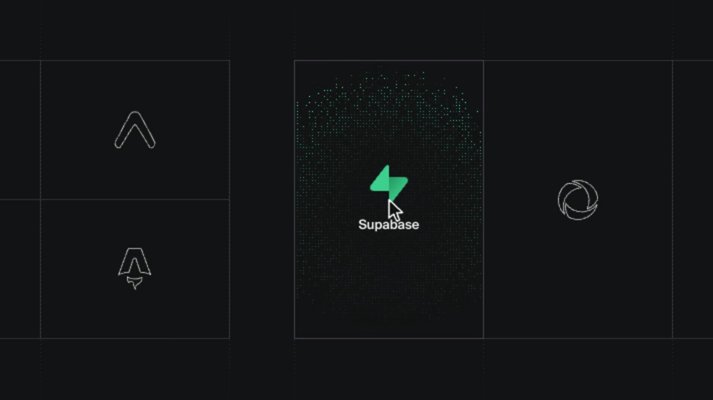
A grey outline logo rises and turns into the filled green Supabase mark, its name fading in just behind it.
The card’s edge opens outward a few pixels while its title and corner icon ride out with the corners.
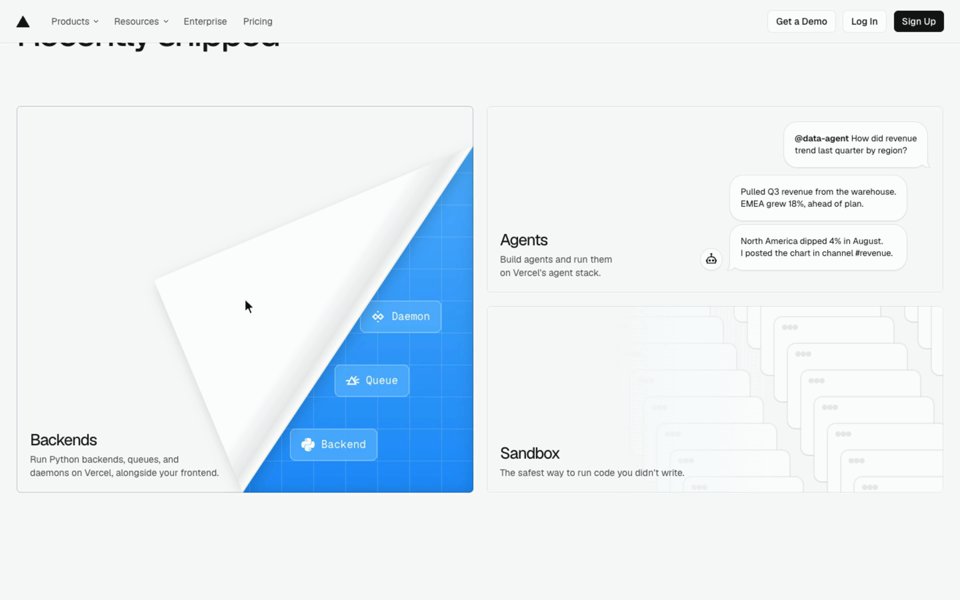
The corner of the card peels back like a page, uncovering a blue panel underneath.
What are micro-interactions, and where are real ones?
The small moves that answer you: a button pressing in, a menu’s highlight following the cursor, a toggle settling, a
field confirming what you typed. Real ones are in the libraries of recordings above: by element and trigger on regards, under Button, Card and Cursor Interaction on Details, across platforms on Ripplix, and in iOS apps on
60fps. Concept shots of them fill Dribbble; working code fills uiverse and Motion’s examples.
Where can I find scroll animation examples?
Two kinds: motion that plays once as a part scrolls in, and motion tied to the scroll as you go. regards files
them apart, as scroll-in and scroll-linked; Details keeps Scroll Animations, Pinned Scroll, Parallax and Horizontal
Scroll; Awwwards Elements a scroll category; save.design scroll animations, sticky scroll and parallax; and Codrops
the GSAP demos and tutorials behind many of them. One search, for a headline that reveals as it scrolls in:
regards, interactions a big headline that reveals line by line as it scrolls into view 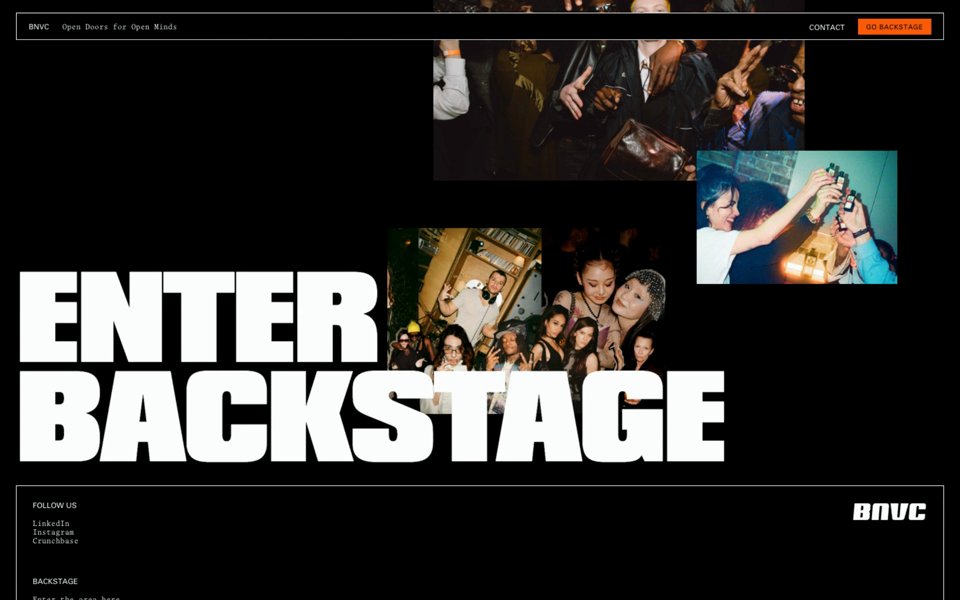
Two huge lines of a footer headline rise out of a mask a beat apart, then party photos flick on around them, one after another.
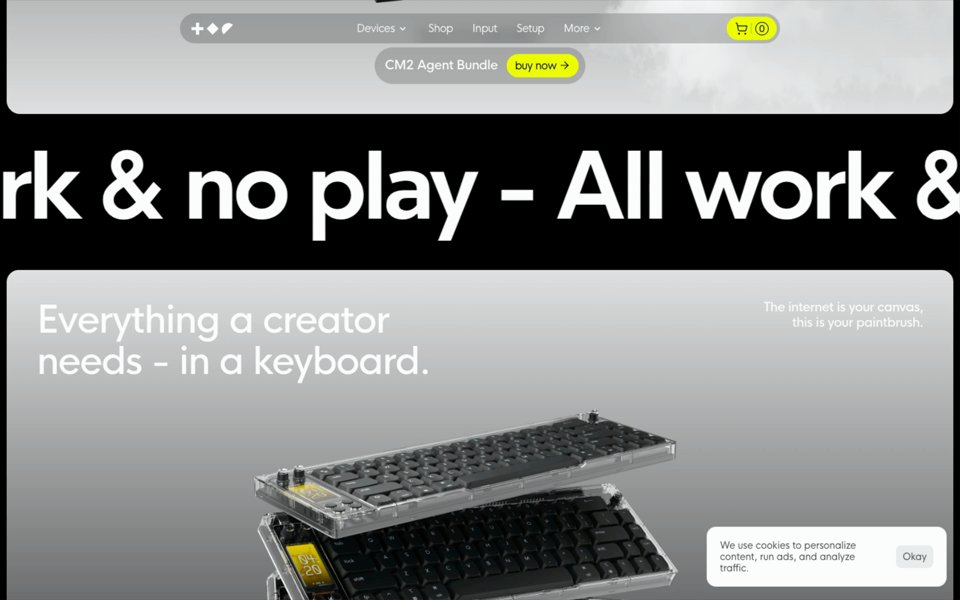
A band of giant marquee type rises into place, then the headline arrives word by word, each word sharpening out of a blur.
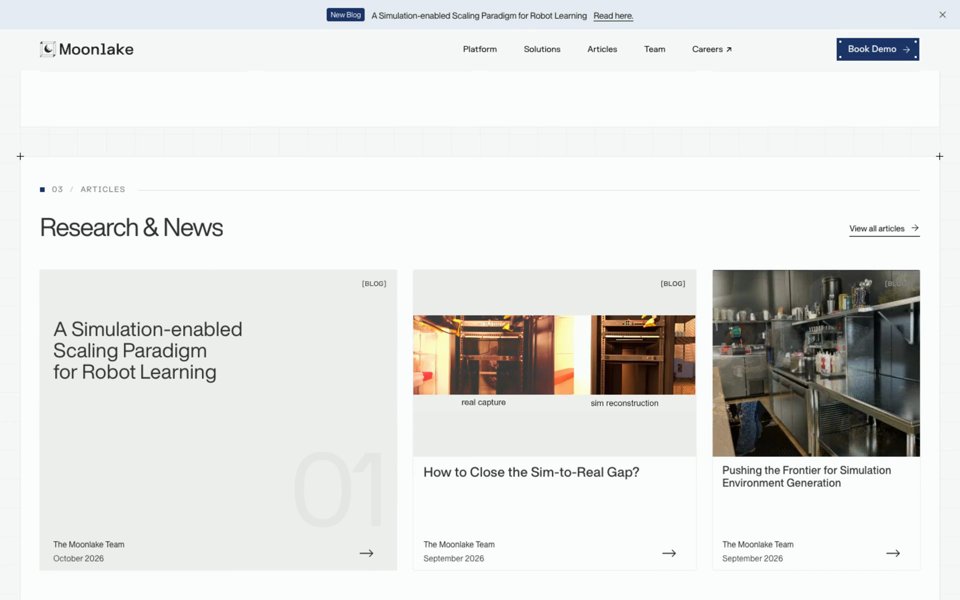
The heading’s words rise in turn, then panels slide off three article cards one after another to uncover them.
Its second result was a second of the same site’s, so the next stands in.
How do I get an animation into my own site?
Watch it at real speed first, then decide what carries it: usually one move, its length and its curve. Then take it
by the route each place gives you: the code from Codrops, uiverse, Motion or Details’ Vault; a prompt with its timing
from Ripplix or 60fps; or, from regards, every part’s timing and curve as measured, which your agent reads over
MCP, with a skill that shows it how to turn them into code (connect your agent). However it
starts, the last part is by hand:
tune the distance, the delay and the feel until it belongs to your page rather than theirs.
Where do I start?
With the job. To search the library by describing a move, open interactions (it needs a free account); to have your agent do it, connect it. For the static parts of a page, our own picks are on website sections, from heroes to navigation, and the best website section libraries compares fourteen places to search them.
Sources, read 10 November 2026: Details’ Inspo, inspo.md, pricing, Vault and MCP; Ripplix’s home, membership, MCP and llms.txt; 60fps’ PRO, llms.txt, app sites and snippets; save.design’s llms.txt, hover effects, pricing and MCP; LottieFiles’ home, pricing and MCP; uiverse’s home, elements and guidelines; Motion’s examples, Motion+ and AI kit; Codrops’ Creative Hub and roundups; Mobbin’s changelog, pricing and MCP; Awwwards’ Elements, FAQ and llms.txt; Hover States’ about and archive; Recent’s info; and the home pages of Design Details, Page Flows, Aceternity UI, Magic UI, Rive, Navbar Gallery and Made in Webflow.
FAQ
What are the best sites for website animation inspiration?
It depends on what you take away. For recordings of real websites: regards, to find interactions by describing them, with their timing measured; Details, hand-picked, with code on its top plan, which comes top by score at 35 of 40; Ripplix, the most animations across sites and apps; save.design, inside a references workspace. For code: Codrops, uiverse and Motion’s examples. For app motion, 60fps; for files, LottieFiles; for award-winning sites, free, Awwwards Elements.
Where can I find hover effects and micro-interactions from real websites?
regards files them by trigger and element, so a hover on a card is two filters, which cost no search; Details keeps Card Hover and Cursor Interaction categories; save.design and Ripplix keep hover pages of their own; Awwwards Elements has a mouse interaction category. For the CSS, uiverse’s hover tag and Codrops’ demos.
Where can I find scroll animation examples?
Details keeps Scroll Animations, Pinned Scroll and Parallax; regards files motion that plays as a part scrolls in apart from motion tied to the scroll; Awwwards Elements and save.design have scroll categories; Codrops has the GSAP demos and tutorials behind many of them.
Can my coding agent find and recreate a website animation?
Yes, over MCP. regards’ search_interactions answers on every plan, Free included, with each part’s timing and curve as measured; Details and Ripplix open theirs on paid plans, 60fps sells its own, save.design gives 150 calls a month before a plan, LottieFiles’ searches its files, and Motion’s adds its examples with Motion+.