How to find website design inspiration by colour, or by vibe
Your brand’s colours, a screenshot or a few words for the mood: how to gather real website sections that look like what you have in mind, then take them further by hand. Shown with real searches for a made-up brand.
The short answer
Pick your colours, then say the look. On  regards, colour is measured from each section’s own pixels: pick up to three colours in the search bar, or give your agent their hex codes, and the sections in all of them lead the results, the closest at the top. Add a few words for the vibe (“warm, editorial, lots of space”) or describe the whole project like a brief, then open the result you like for more like it. The look decides, not the industry, so a ceramics studio can learn from a gallery’s shop or a car maker’s line-up. What you get is a mood board of real references to take further by hand, in Figma or in code, not a design made for you.
Most briefs arrive with colours before they arrive with a layout: a brand’s two hex codes, a moodboard, or a screenshot of a white page with orange accents and one question. Is there anything in this range?
Here is how to answer it on regards: search real website sections by your colours, by a look in plain words, or
by both, then ask for more like the one you liked. What comes back is a mood board of sections that already work in
your palette or your mood, gathered in minutes. It doesn’t design anything for you. It gives your own work, in Figma,
in code or on paper, something real to start from and push further by hand.
It works the same in the app and through your coding agent. Every search below is real, run on 27 October 2026, for a brand made up for this post.
What’s the example brief?
Say you’re designing the homepage for a ceramics studio that sells its pieces online. Its colours are terracotta, #C4572E, on cream, #F4EDE1. It makes things by hand, photographs them on plain ground and talks about them quietly. It doesn’t exist; any brand with a palette and a mood will do.
How do you find websites by colour?
Pick the colours. On regards, colour is measured from each section’s own pixels rather than read from tags, so a
search with two colours brings up the sections that hold both, the closest at the top. Here are the studio’s two, with
three words for the kind of section:
regards landing page hero #c4572e#f4ede1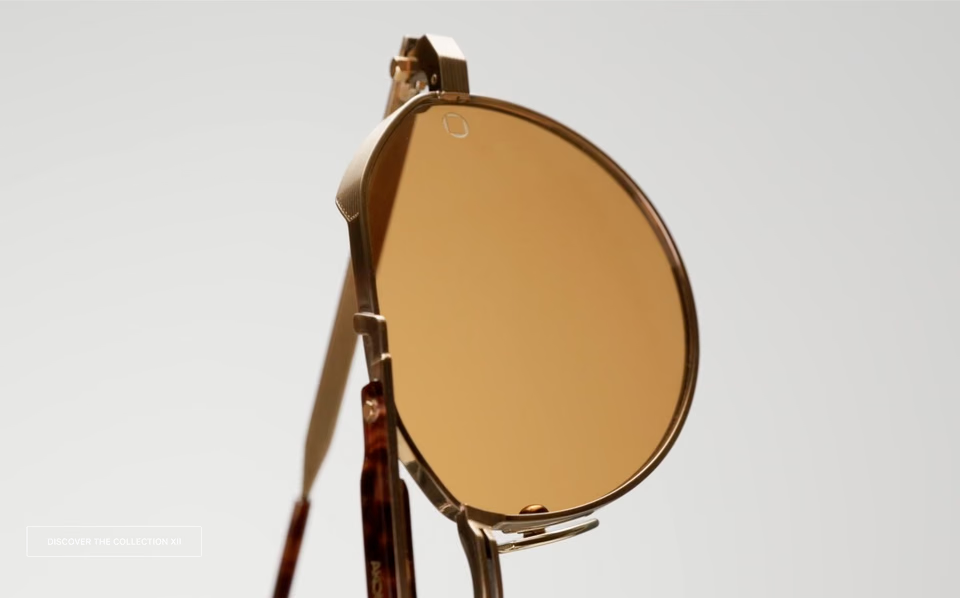
An eyewear brand’s: one amber lens filling a pale, warm screen, and a single small button in a corner. The terracotta is in the object, not the page.
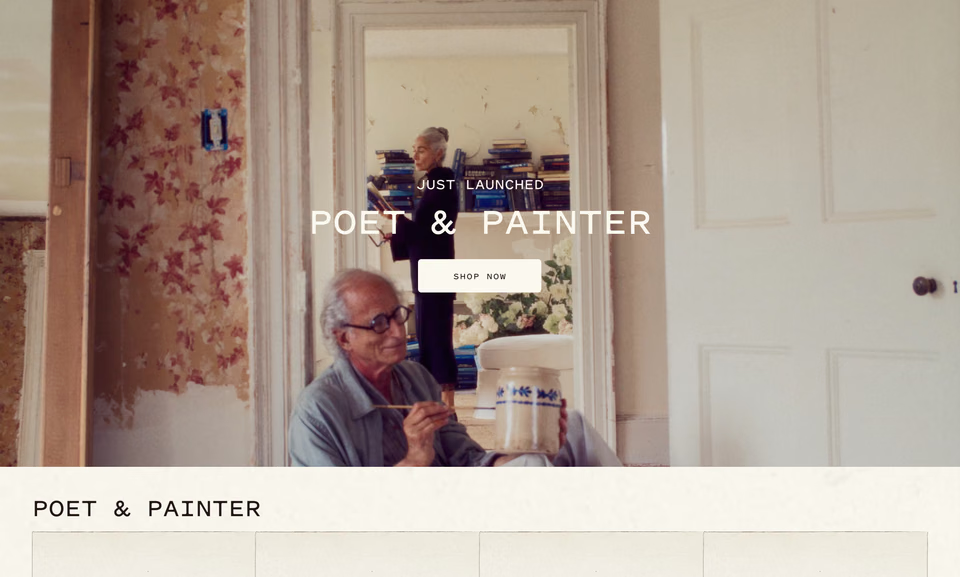
A furniture shop’s new collection: a film in a room of cream walls and faded red wallpaper, its title small and centred.

A design studio’s name in red across warm grey, a field of nothing, then one paragraph in the same red. Two colours, used twice.
Close in colour, all over the place in look. The rest of that search was software heroes with a little of each colour somewhere in them. Colour narrows a search; words aim it. Add a few, and turn on Deep, which reads the whole request more carefully:
regards warm, editorial landing page hero with lots of space #c4572e#f4ede1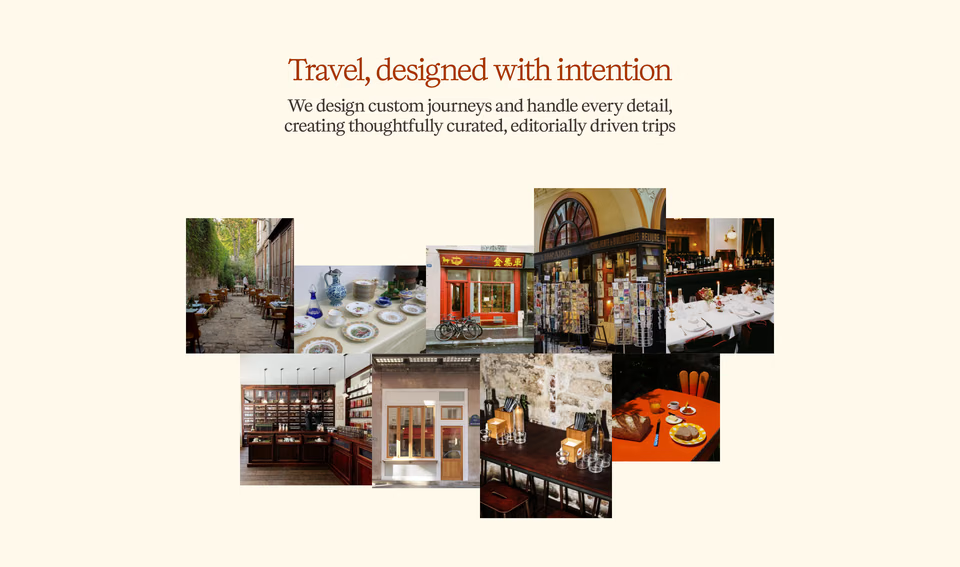
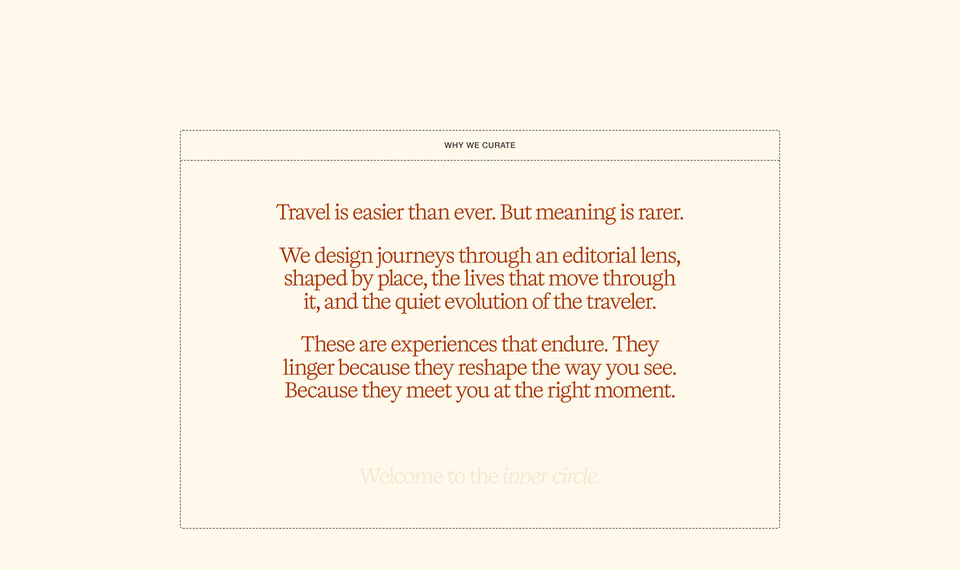
A travel company’s: a serif headline in rust on cream, a scattered mosaic of small photographs and a lot of empty page around it. The closest to the brief.
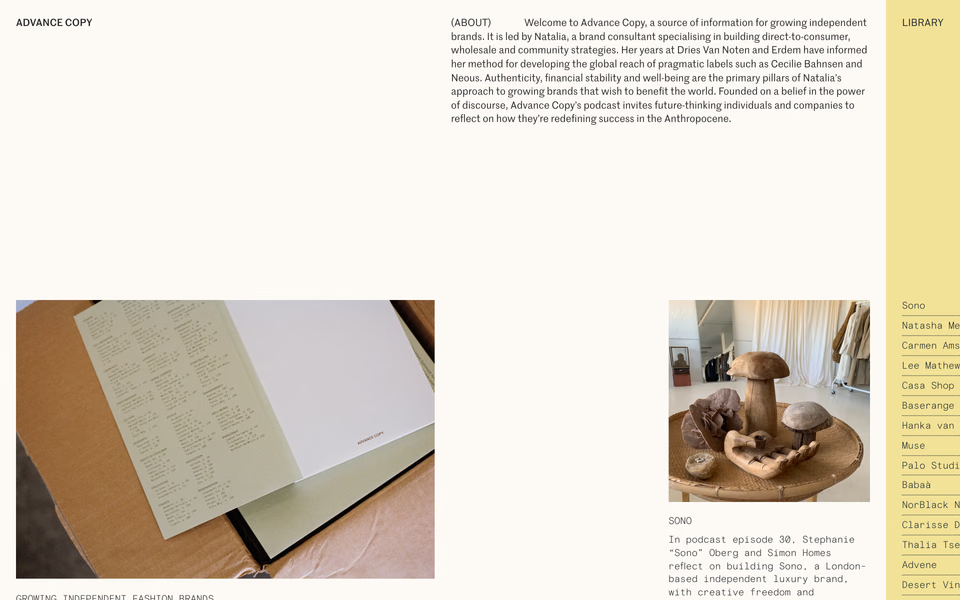
A brand podcast’s: one paragraph about the work, warm photographs captioned in small type, and a pale yellow column of guests down the side.
Other galleries filter by colour too: Land-book, One Page Love and Awwwards among them, and Savee and Cosmos search images by it. The difference here is the level and the words. You get sections, not whole sites, and the colour sits beside a look you describe, so the search keeps your palette and your mood at once. Better inspiration, not more of it: three sections worth keeping rather than a wall of everything orange.
What about a tight palette?
Two colours can be a whole identity: black and one accent, or white and one. Here is black with a vivid orange, for a hero:
regards hero #000000#ff5500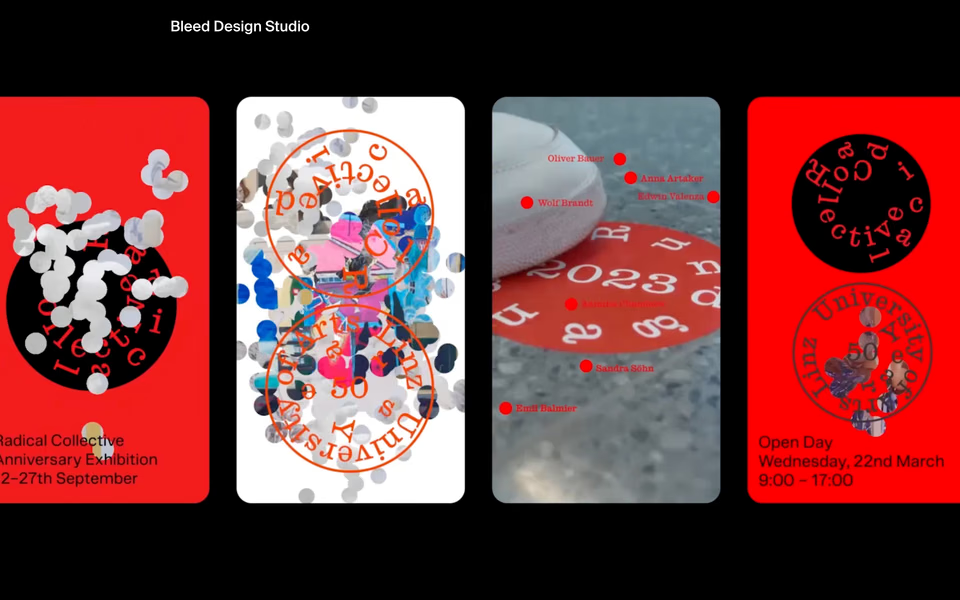
A design studio’s reel on black: four tall posters in red-orange, its name small in a corner.
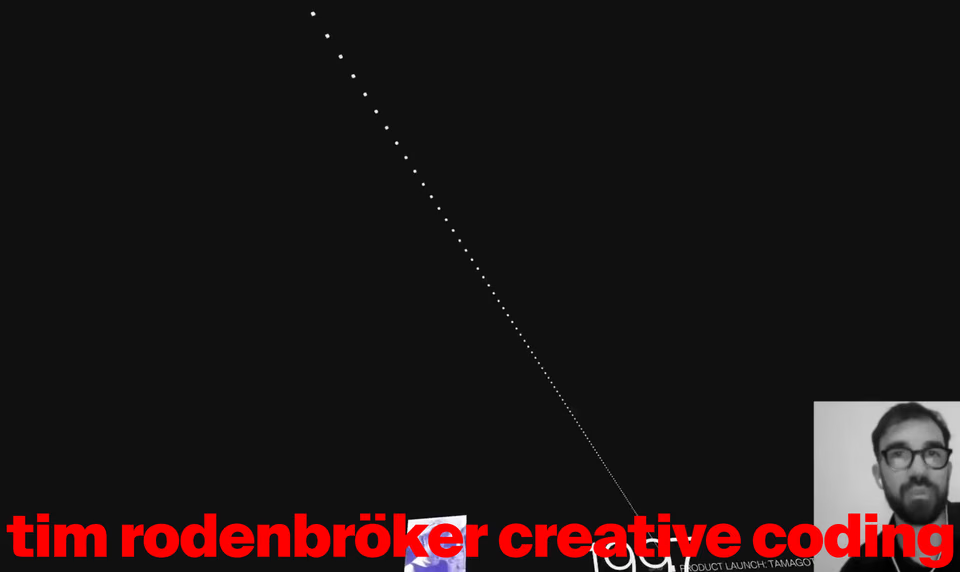
A creative coding course: a dotted line falling across black into a wordmark in red that runs the full width.
Four heroes in the library carry that exact pair; after them come the nearest. That points at where colour is weaker, too: a thin orange link or one button on an otherwise white page is a sliver of its pixels, so “white with orange accents” finds fewer good matches than a palette that fills the section.
How do you search for a vibe?
Describe it the way you’d brief a designer: what you’re making, who it’s for and how it should feel. A sentence or a paragraph, it doesn’t matter. Deep reads all of it, the kind of section, the mood and what to leave out, in about half a minute.
regards We're designing the homepage for a small ceramics studio that sells its pieces online. Find hero sections we can use as inspiration: calm, crafted, photography-led, lots of white space, the objects shown large, quiet type. 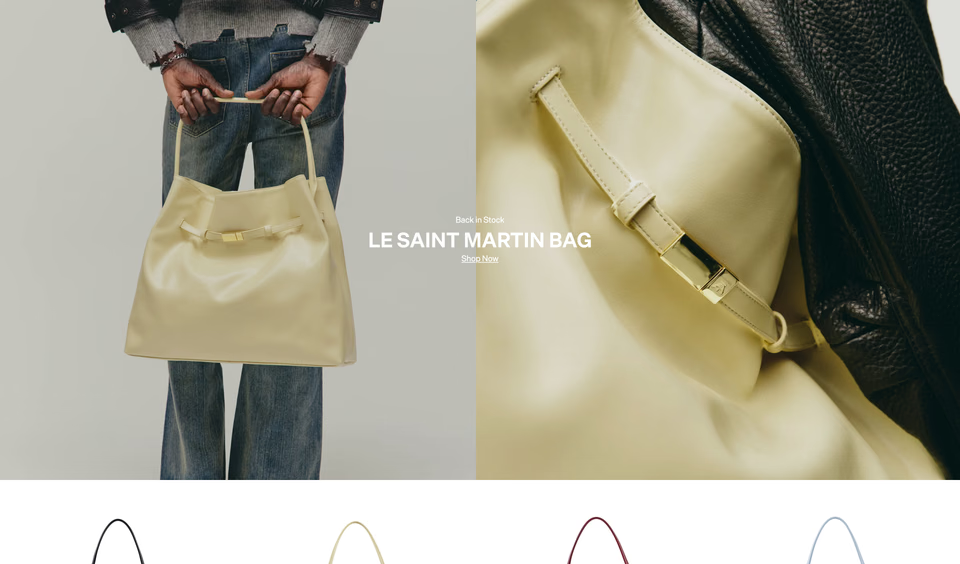

A bag shop’s: two photographs side by side, then the same bag in four colours as cut-outs on white. Swap the bags for glazes and the idea carries to a pottery.
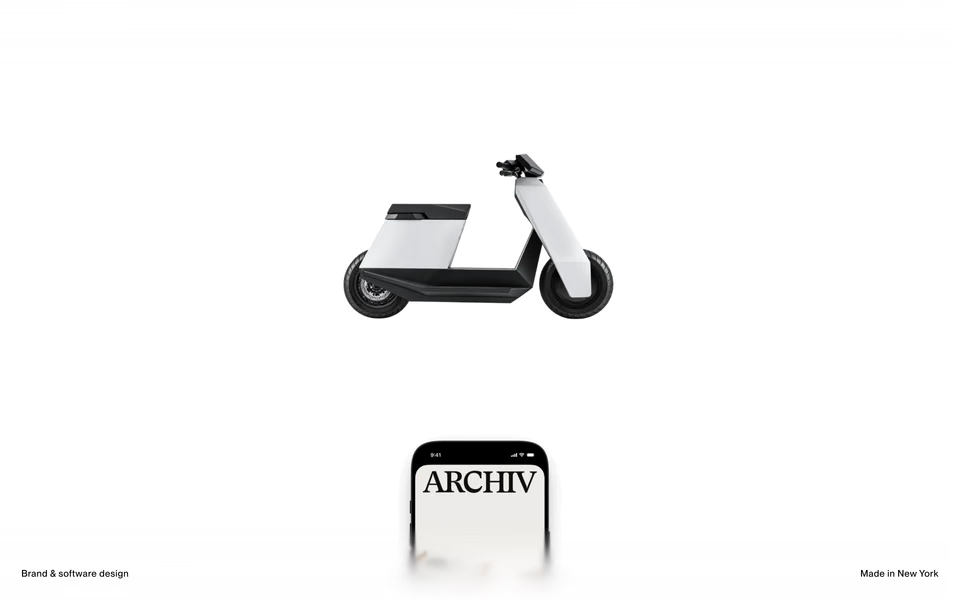
A design office’s: one object, cut out and centred on white, and two tiny captions in the corners. Nothing else asks to be read.
Then the next section, in the same plain words. The studio needs somewhere to show what’s for sale:
regards Same ceramics studio. Find a section that shows the pieces for sale: a few objects photographed on a plain ground, each with its name and price set small, no cards, lots of air between them. 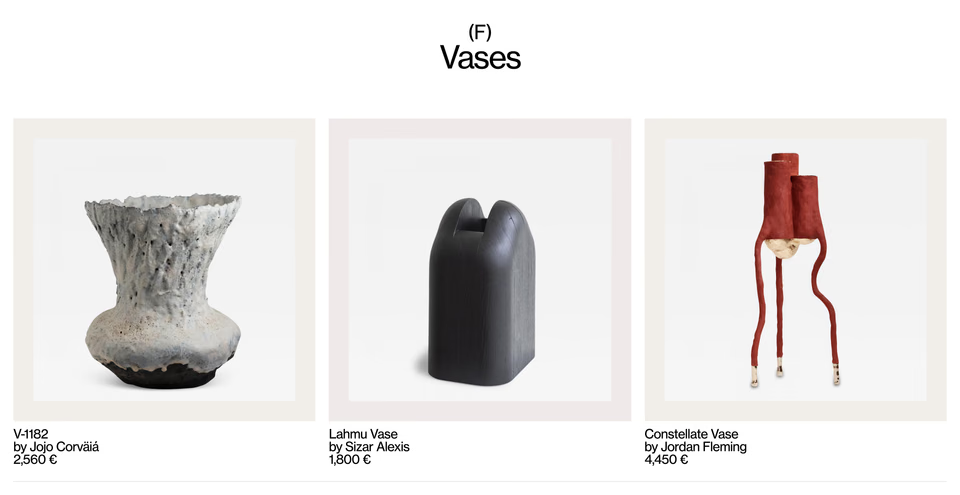
A design gallery’s vases, each on its own pale mat, with the piece, the maker and the price in three small lines. The studio’s shelf, nearly as it is.
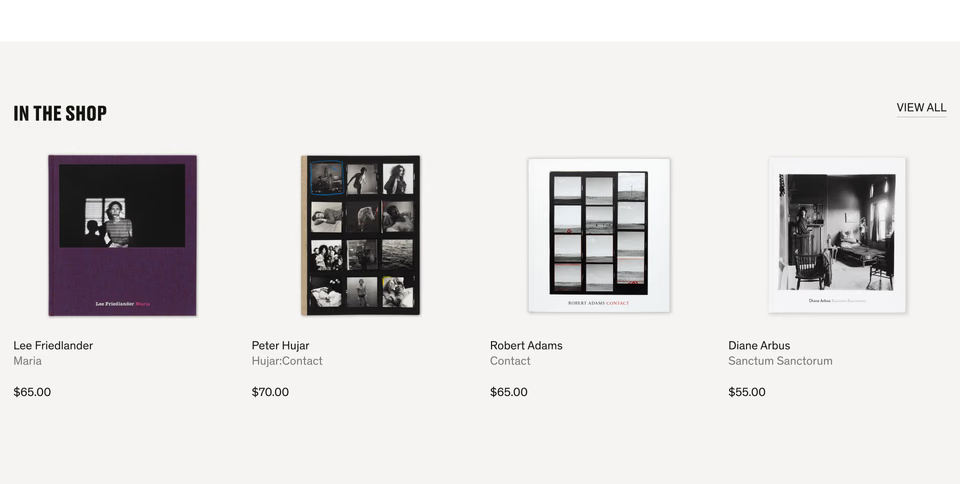
A photography gallery’s shop: four books as cut-outs on grey, with artist, title and price under each, and nothing else.
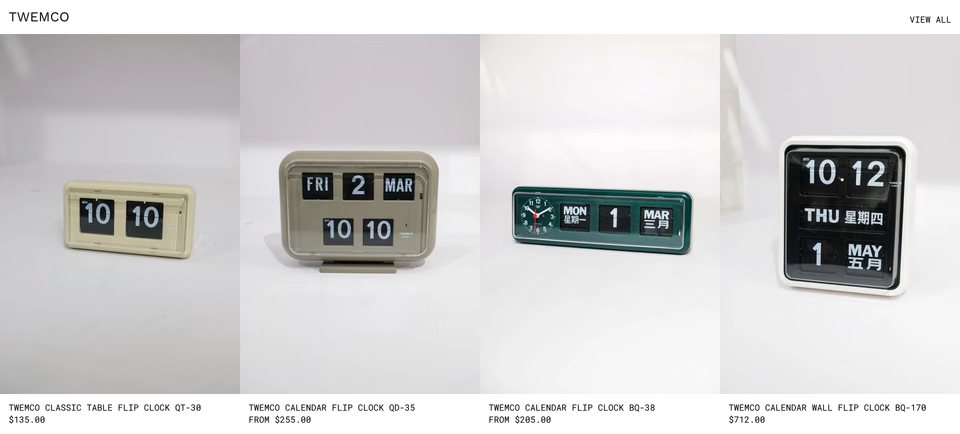
A vintage shop’s clocks, each shot on the same white sweep, with the name and price in small capitals underneath.
How do you find more like the one you liked?
Open it. Every section on regards shows similar ones under it, from any site, by how they look and what they show.
To steer them, add words. Here, more like the design office’s hero, kept to a light page with one object and very
little text:
regards light page, one object is the hero, very little text 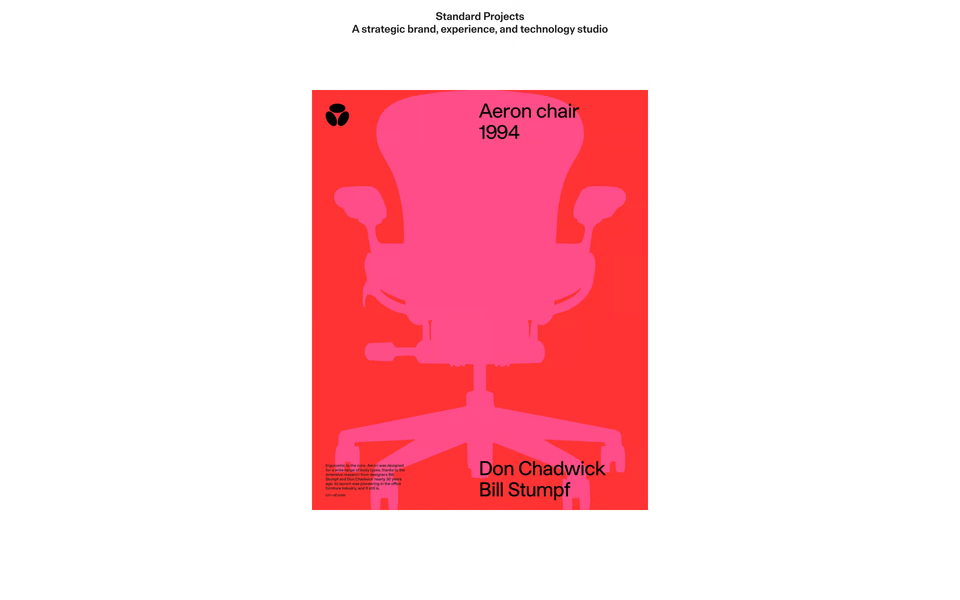
A brand studio’s: one poster of a chair, centred on white, then a single large sentence about what they do.
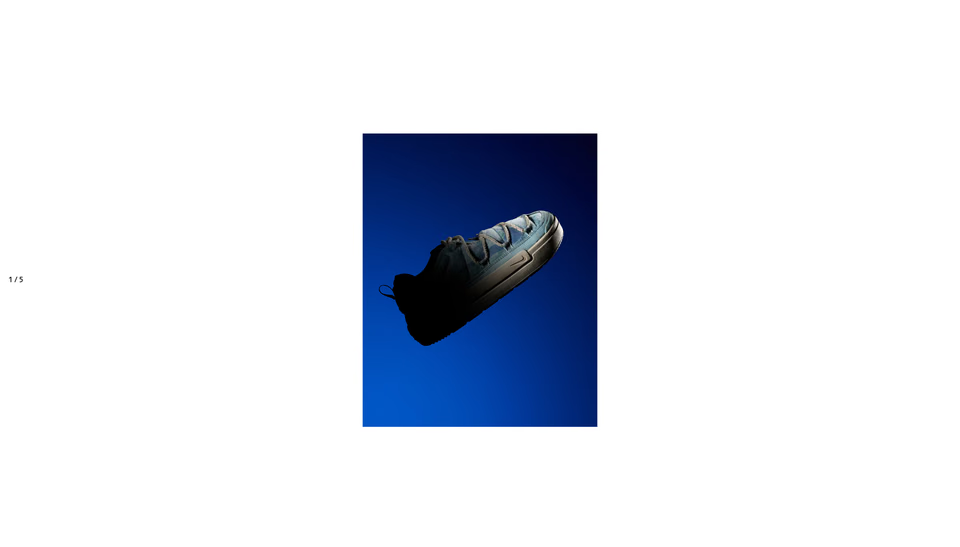
A creative agency’s slide: one photograph of a shoe in deep blue, small in the middle of an empty page, and a counter that reads 1 / 5.
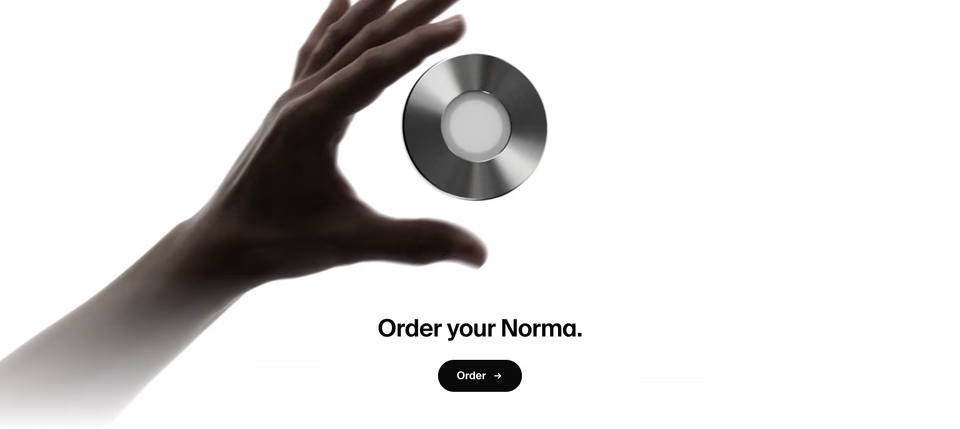
A focus device’s closing section: a hand reaching for one steel disc on white, then one short line and one button.
Does the industry matter?
Not to the search. A look in plain words is found wherever it is, so the best reference for a pottery’s hero might come from a car maker. Picture the studio’s name set huge, with a jug standing in front of it:
regards huge type with the product standing in front of it, the word cut off by the object 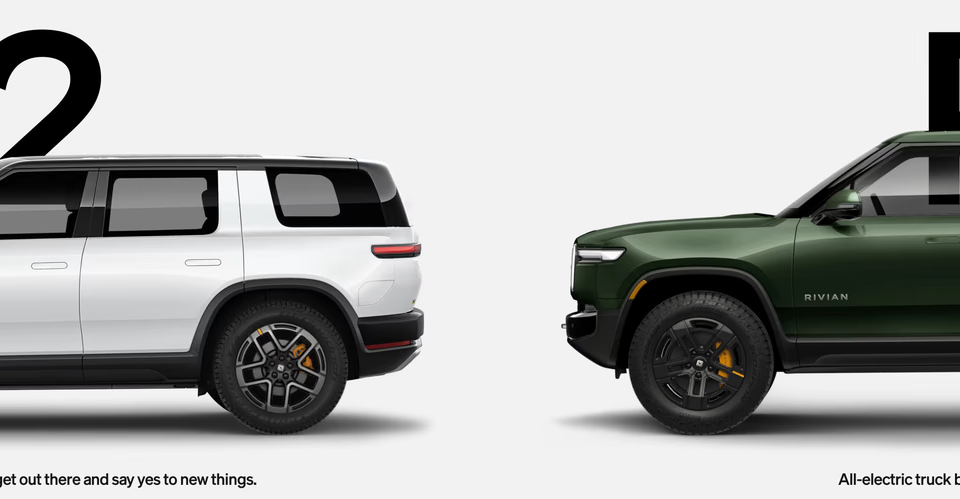
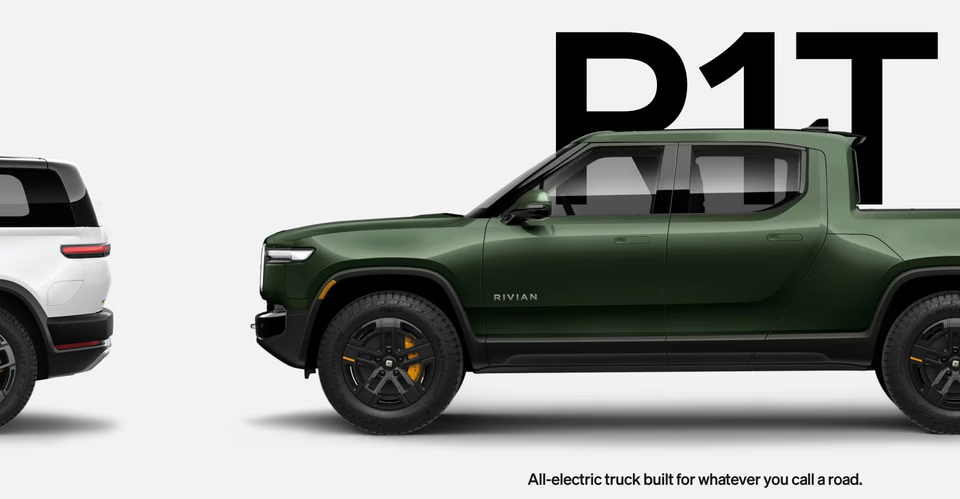
An electric car maker’s line-up: each truck in side profile in front of its model name, the letters nearly as tall as the cab.
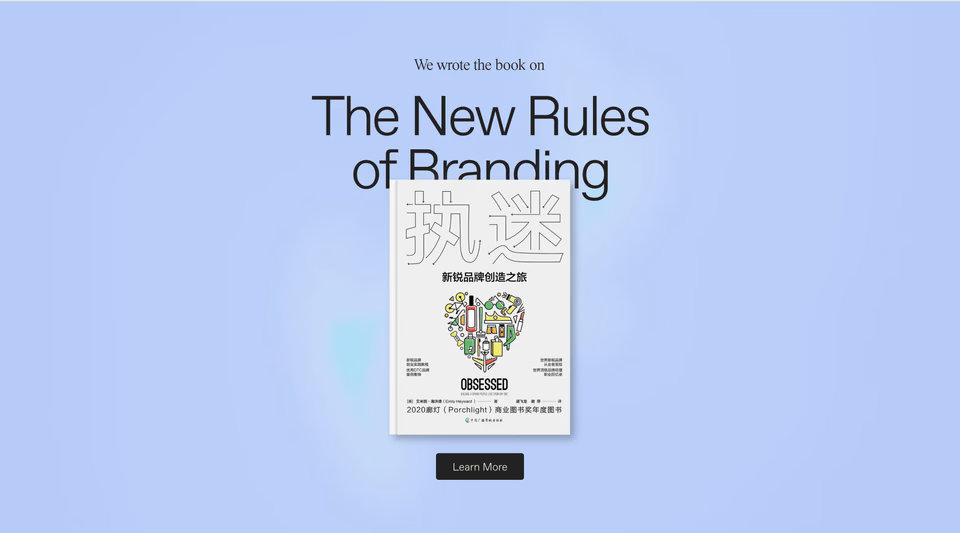
A branding agency’s book: the cover standing over the last line of a huge, light headline and cutting it in half.
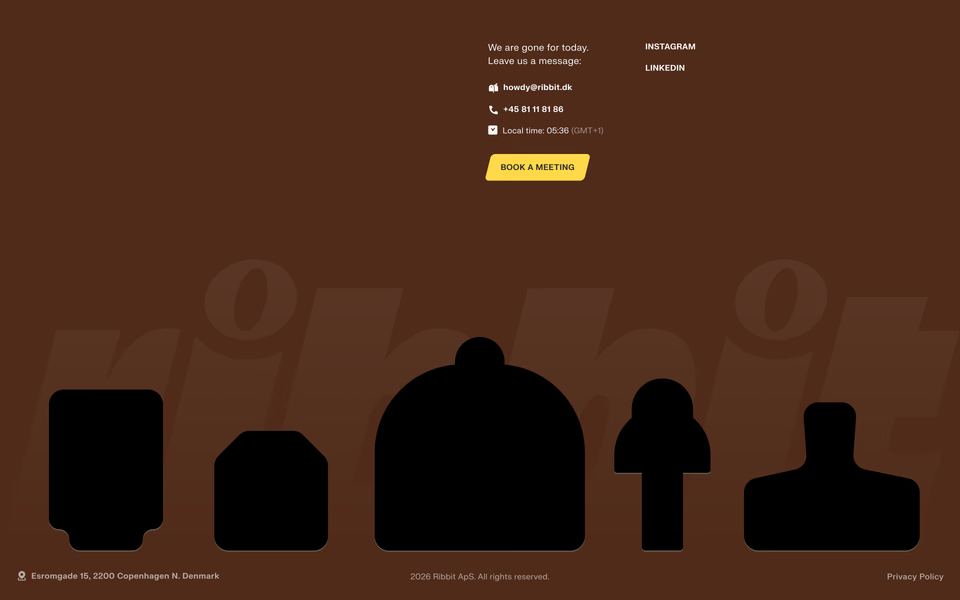
A studio’s footer: black silhouettes of objects standing on the baseline in front of its name in a huge italic.
The same goes for components. They’re understood by name across 30 kinds, from tabs, sliders and meters to carousels, accordions and charts, wherever they appear. The studio sells each piece in several glazes, so:
regards colour swatches to pick a product's finish, shown beside the product photo 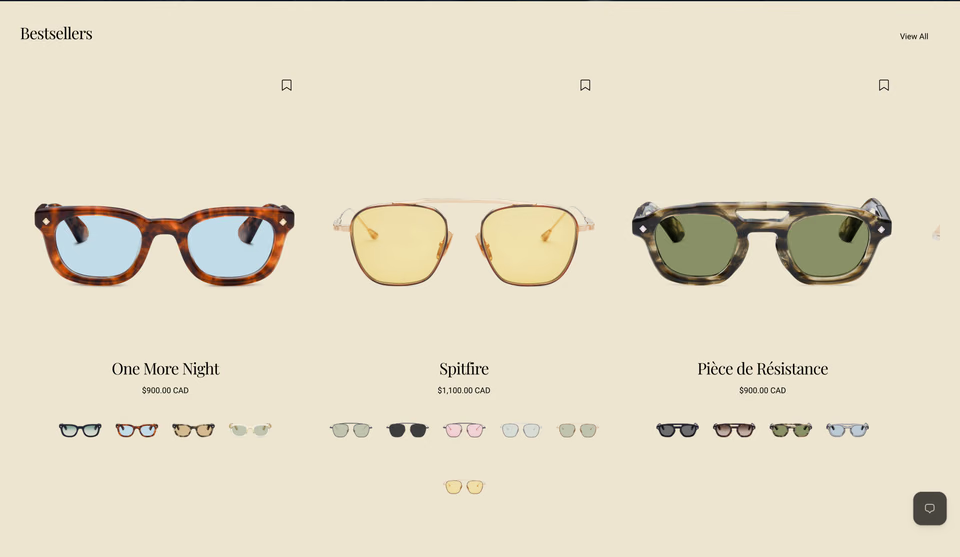
An eyewear shop on cream: each frame large, a serif name, and its other colourways as tiny frames in a row beneath.
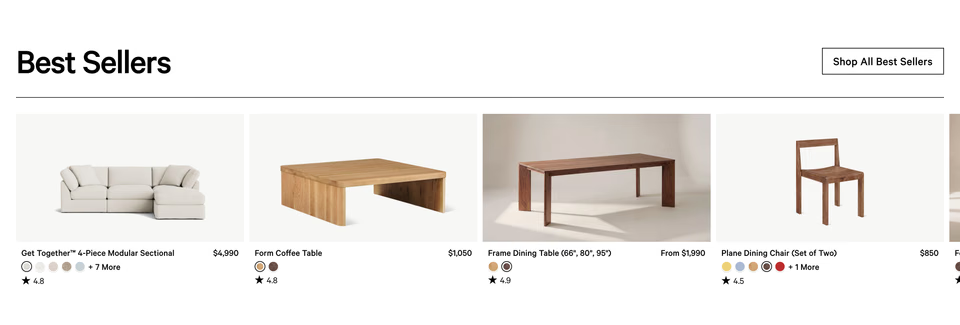
A furniture shop’s best sellers: the name and price on one line, the finishes as small round swatches under it.
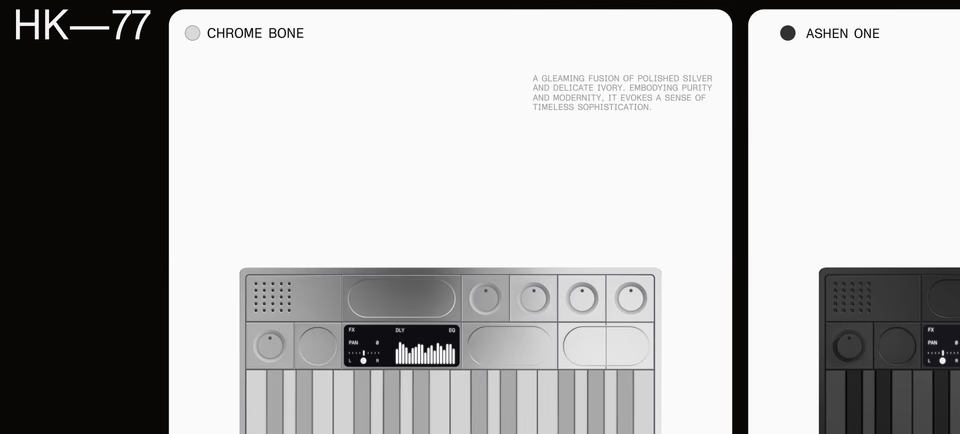
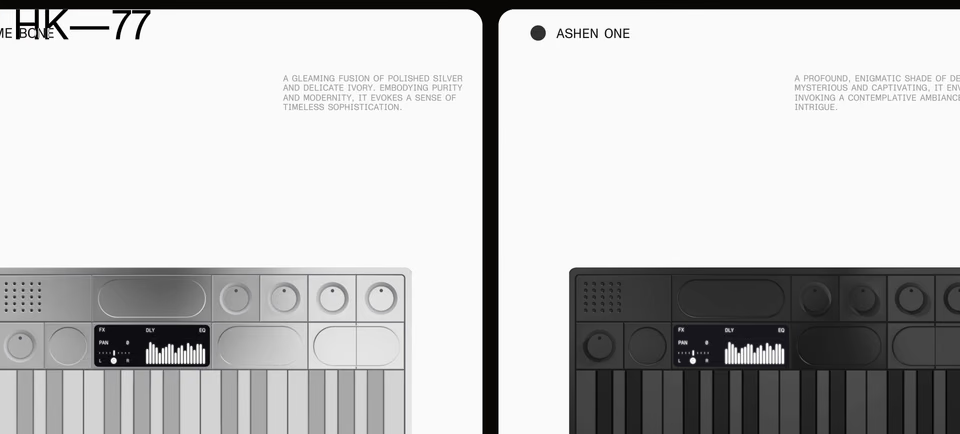
A synth’s finishes as a row of large cards, each named beside a swatch dot.
Kinds of site are understood too. When you do want to stay close to home, your agent can keep a search to some, like fashion and editorial sites, or leave some out, like agencies and portfolios.
How do you search by colour in the app?
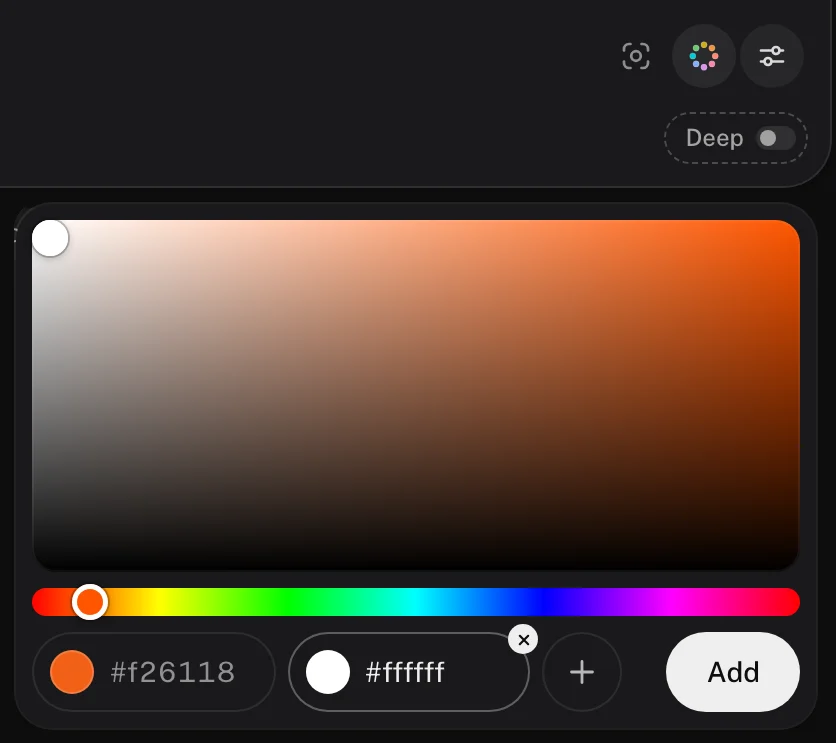
- Open search. Beside the lens in the search bar, a dotted ring of colours opens the picker.
- Pick a colour on the square and the hue track, or type its hex into its chip. The + adds another, up to three.
- Press Add. The colours sit on the search bar as a chip with their swatches, and in the ring. Type words beside them, or none to see every kind of section in those colours.
- They go in the address too (
colors=c4572e,f4ede1), so a link to your search keeps them. For a brief, turn on Deep: Free has 5 Deep searches a month beside its 10 searches a day.
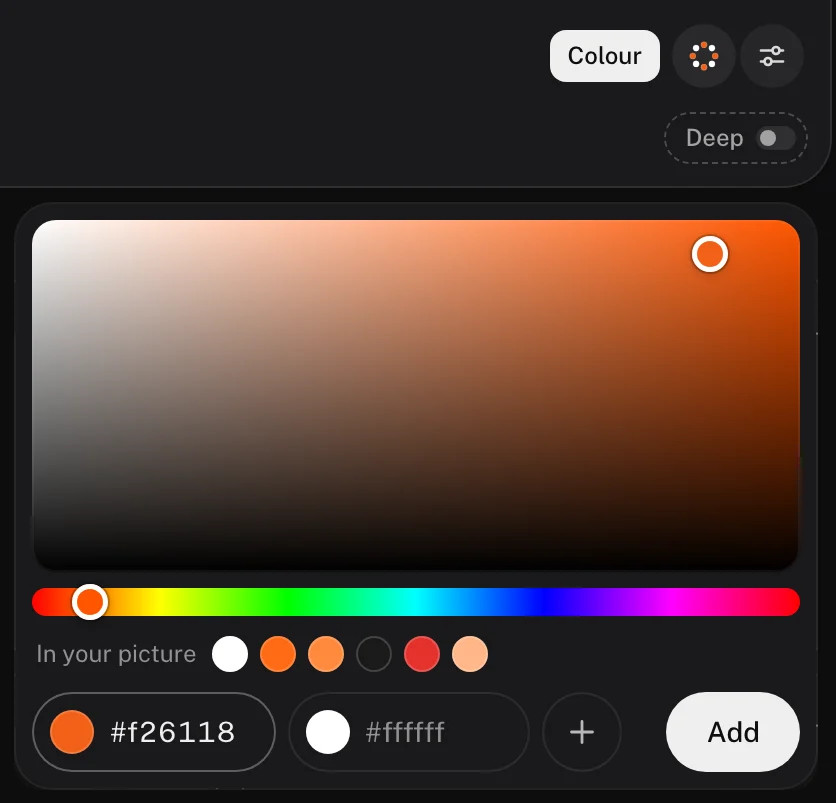
Or start from a picture. Drop a screenshot of a page you like, or a frame of your own, into the search bar with the lens, and ask for lookalikes, “replacements for this hero” or “like this but dark”. With a picture there, the picker offers its colours under In your picture, so the screenshot of a white page with orange accents becomes a search in that range with two clicks.
How do you search by colour with an agent?
Connect your agent to regards over MCP (one step) and ask in plain words, hex codes
included. Claude Code, Cursor, Codex and other agents send up to five colours with a search, beside the words, and
colours named in the words are read too. Agents come with every plan, Free included. Two prompts that ask for references, not a
finished page:
Your agent sees each section it finds, so it can tell you what each one does and fetch more like the ones you keep. That’s the fast part. The design skill makes the looking a habit, and website inspiration for Claude Code, Cursor and Codex covers the setup.
What do you do with the references?
Pick the few that matter. For the ceramics studio, that might be four: the travel company’s rust serif on cream, the bag shop’s colourways on white, the gallery’s vases on their mats and the car maker’s name behind the truck. Note what each does with its colour and its space: how much cream, where the terracotta goes, how far apart things sit. Then go deeper by hand, in Figma, in code or in a sketchbook: the type, the spacing, the studio’s own photographs of its own pots, and the details no search returns. The references set a direction. The design is still yours to make.
Where should you start?
Pick your two colours and add one word on search, free for 10 searches a day. To browse by palette instead, start with the beige, white, blue, colourful, dark or black and white websites, each picked by hand, or the dark hero sections. And if what you have is a site that looks like everyone else’s, see how to make a website look less vibe coded.
Other galleries’ colour filters and searches, on their own pages: One Page Love’s MCP page, Awwwards’ website archive, and Savee’s llms.txt and Cosmos’ llms.txt, read 27 October 2026; Land-book’s Pro page, read 16 October 2026 for the best web design inspiration sites, compared. The brand in this post is made up; the searches were run on 27 October 2026.
FAQ
How do I find websites by colour?
Pick the colours and search. On regards, the dotted ring beside the search bar’s lens opens a picker for up to three colours, by eye or by hex, and colour is measured from each section’s own pixels, so the sections in every colour you picked come to the top. Add a few words for the kind of section or the look. Land-book, One Page Love and Awwwards filter whole sites by colour too.
Where can I find website colour palette inspiration?
On real pages, where you can see how much of each colour there is and where it goes. Pick a palette’s colours on regards and add a word or two for the mood, like “warm, editorial”. To browse instead, its style pages gather beige, white, blue, colourful, dark and black-and-white websites, each picked by hand.
How do I find websites similar to one I like?
On regards, open the section you like: similar sections from any site sit under it, by how they look and what they show. To steer them, search with it and add words, like “light page, very little text”. Or start from a picture: drop a screenshot into the search bar and ask for lookalikes.
Will this design my website for me?
No. It finds real references fast: a few sections that already work in your colours or your mood, a mood board in minutes. Over MCP your agent can gather them too, with up to five hex codes; agents come with every plan, Free included. The design stays yours: pick the few that matter, note what each does with colour and space, then go deeper by hand in Figma or in code, on the type, the spacing and your own photography.