What is this animation called? Website animation effects by name, with real examples
Every common website animation by the name designers and developers use, grouped by what sets it off, with the other names it goes by and a real one recorded on a live site, then how to describe one you can’t name.
The short answer
Website animations are named for what moves and what sets it off. On hover: a text roll, a fill, a picture reveal, a spotlight that dims the rest, a hover card. In menus and controls: a mega menu, a morphing dropdown, a sliding tab indicator, a toggle, an accordion. On scroll: a scroll reveal (also called a scroll-triggered animation or animate on scroll), a stagger, a text reveal, a line draw, a sticky or pinned scroll, and parallax, where layers move at different speeds. On load and on their own: a preloader, an intro, a typewriter, a text scramble, a number counter, a marquee and an animated background. Each name in this guide is shown with a real interaction from  regards: 430+ hovers, menus, scroll reveals and loops recorded on 130+ sites picked by hand for their look, each at the speed it runs.
Most people who fall for an animation on a website can’t name it. They describe it instead: “the text that rolls up when you hover the button”, “the menu that changes shape”. A description is slow to search and easy to misread in a brief. The names below are the ones designers and developers use, so a search, a brief or a prompt to a coding agent lands on the right thing at once.
Each one comes with what moves, the other names it goes by and a real example: an interaction recorded on a live
website, looping at the speed it runs there. They come from regards.design: 430+ hovers, menus, scroll reveals and loops recorded on 130+ sites picked
by hand for how they look, searchable by what they do. Each one was filmed on its live page at 60 frames a second and
timed frame by frame; its curve is either declared in the site’s own code or fitted to the frames.
What are the main types of website animation?
Website animations fall into six types by what sets them off: hover effects, micro-interactions, scroll-triggered animations, scroll-linked animations, loops and intros, and page transitions. Hover effects answer the pointer; micro-interactions answer a click or a tap; scroll-triggered ones play as a part comes into view, and scroll-linked ones follow the scroll itself, forwards and back; intros play once as a page loads, and loops never stop. Page transitions play between one page and the next.
| Kind | What sets it off | Names under it | In regards |
|---|---|---|---|
| Hover effects | The pointer resting on something | Text roll, fill, lift, picture reveal, spotlight, hover card, tilt, magnetic button | 150 |
| Micro-interactions | A click or a tap | Toggle, tab indicator, accordion, success state | 21 |
| Scroll-triggered animations | A part coming into view | Scroll reveal, stagger, text reveal, line draw | 105 |
| Scroll-linked animations | The scroll position itself | Parallax, sticky scroll, pinned scroll, curtain, scrubbed zoom | 17 |
| Loops and intros | Nothing: the page loading, or time passing | Preloader, intro, typewriter, text scramble, counter, marquee, animated background | 138 |
regards, counted on 17 November 2026. Menus that open on hover count as hover effects.What are hover animations called?
Hover animations are named for what moves: a text roll, a button fill, a hover image reveal, an expanding card, a page curl, a spotlight hover, a glow border and a hover card. On buttons and links the label moves or the button fills; on cards the card lifts, grows, swaps its picture or reveals what’s under it. More of them, picked by hand, are on our website animation examples page.
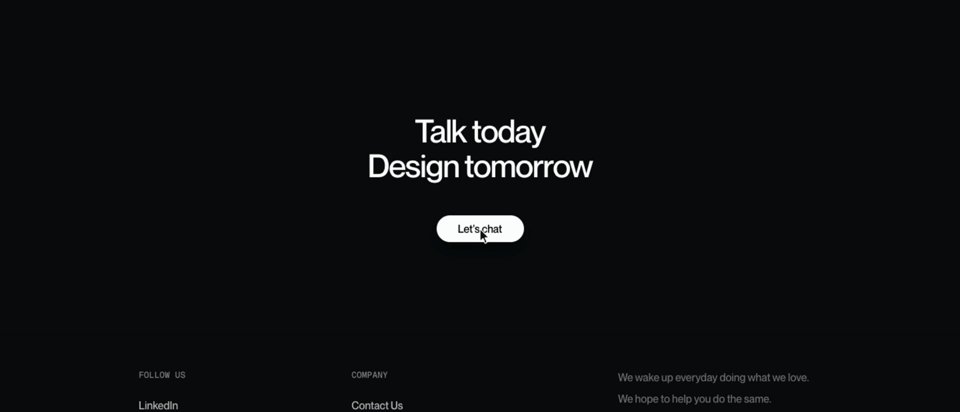
Text roll
The label slides up out of a button or link while a copy of it, or a new word, rises in from below. Done letter by letter, a few milliseconds apart, it’s a staggered text roll.
Also called rolling text, a text slide, a slot-machine hover or a label swap.
Button fill
A colour floods the button from one side, the bottom or the point under the cursor, and the label changes colour to stay readable. A fill that wobbles like water is a liquid fill.
Also called a fill hover, a wipe or a background slide.

Hover image reveal
A picture appears on hover: it fades over a card, grows out of a list row, or follows the cursor along a list of names, as studio sites often do with their work.
Also called an image reveal, a hover preview or, when the picture trails the pointer, a cursor follower.
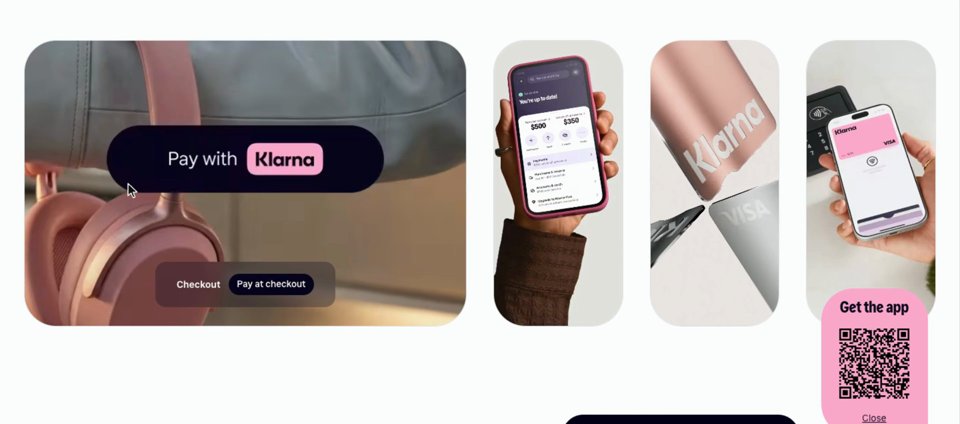
Expanding card
The card under the pointer grows and its neighbours give way, so a row of cards becomes one large one and three small ones without anything opening.
Also called a flex gallery, an accordion gallery or a hover expand. A card that rises with a deeper shadow instead is a lift.
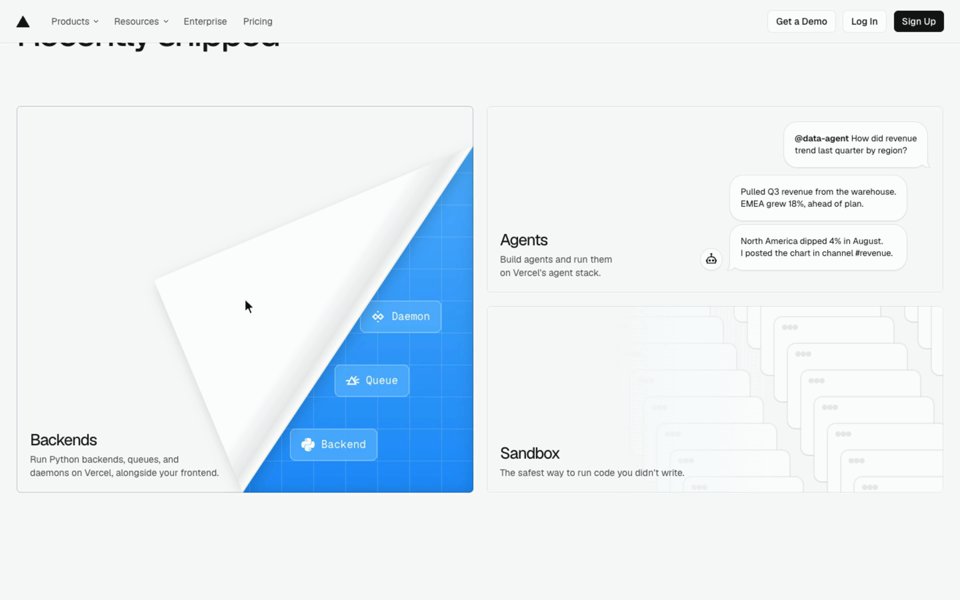
Page curl
A corner of the card folds back like paper, uncovering a colour or a line of text underneath.
Also called a dog-ear, a corner peel or a corner unfold.
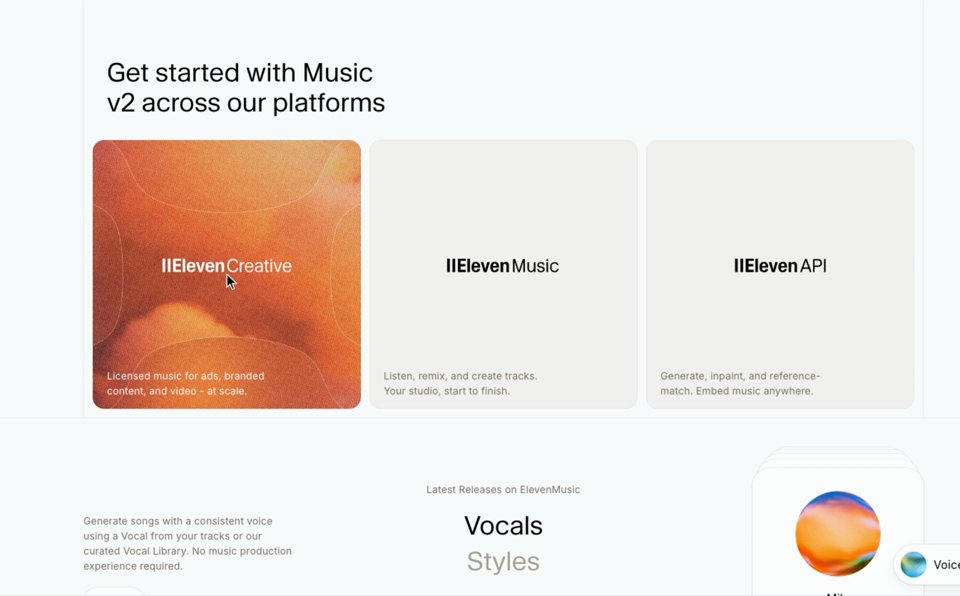
Spotlight hover
Everything but the item under the pointer fades back, which makes a row of logos, links or cards easy to read one at a time.
Also called dim siblings, focus hover or fade the rest.
Glow border
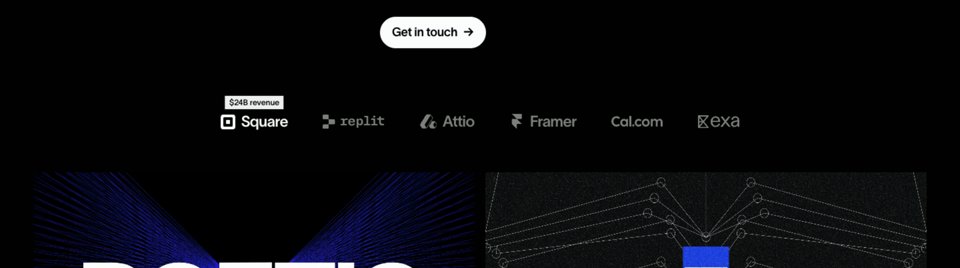
A line of light runs along the edge of a card or row on hover, sometimes following the cursor around it. On dark sites it’s often a gradient that seems to travel.
Also called a border beam, a gradient border or a spotlight border.
Hover card
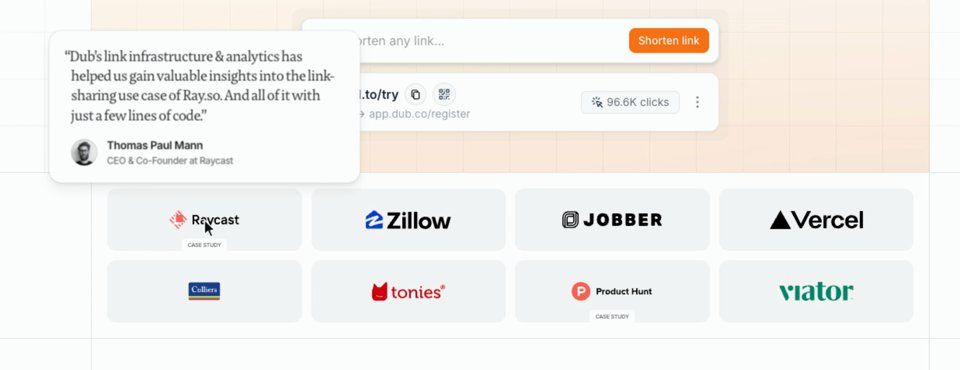
A small card pops up beside a link or logo with more about it: a quote, a preview of a page, a definition.
Also called a popover, a preview card or a rich tooltip.
Three more you’ll hear: a tilt, where a card leans towards the pointer as if it were a 3D object; a magnetic button, which pulls a little towards the cursor as it comes near; and a custom cursor, where the pointer itself is redrawn, as a dot, a ring or a label, and changes over what it can click.
What are menu, tab and button animations called?
Menus, tabs and buttons answer a click, or a pointer moving along a navigation bar: the mega menu, the morphing dropdown, the sliding tab indicator, the toggle, the accordion and the success state. The small answers to a click, a toggle flipping or a tab changing, are what designers call micro-interactions. Still pictures of navigation bars from hand-picked sites are on our navigation bars page.
Mega menu
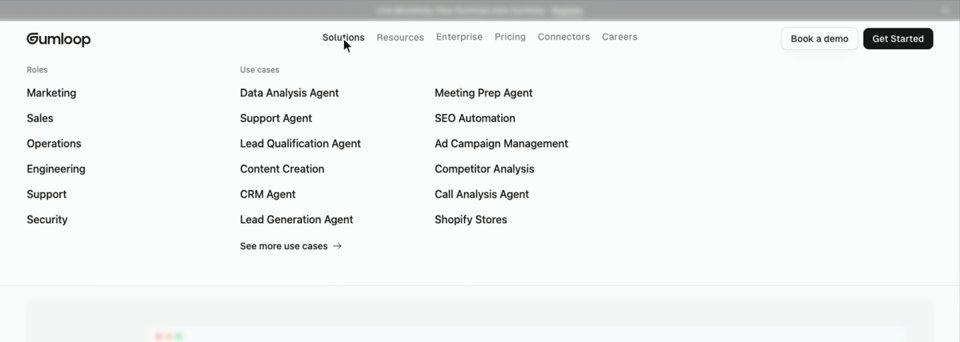
A menu item opens a wide panel of links, often in columns with icons, pictures or a featured story, rather than a short list.
Also called a dropdown panel or a flyout menu.
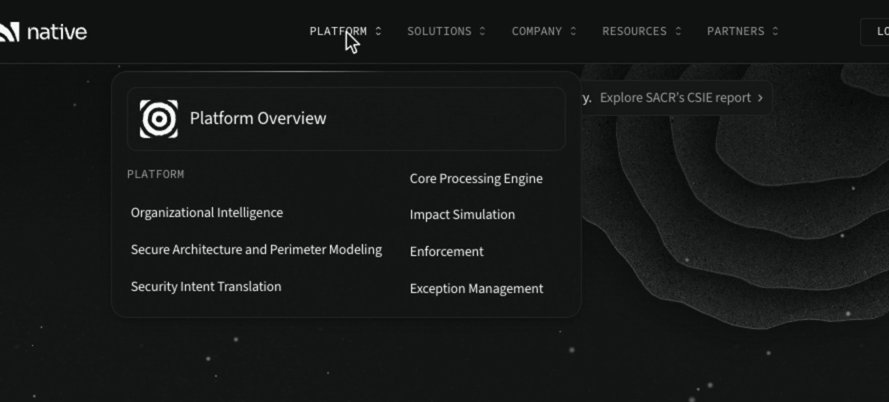
Morphing dropdown
One panel opens under the navigation bar and, as the pointer moves to the next item, slides across and changes size to fit that menu instead of closing and opening again. It’s the menu people ask for as “Stripe-style”, after Stripe’s navigation.
Also called a shape-shifting dropdown or a shared dropdown.
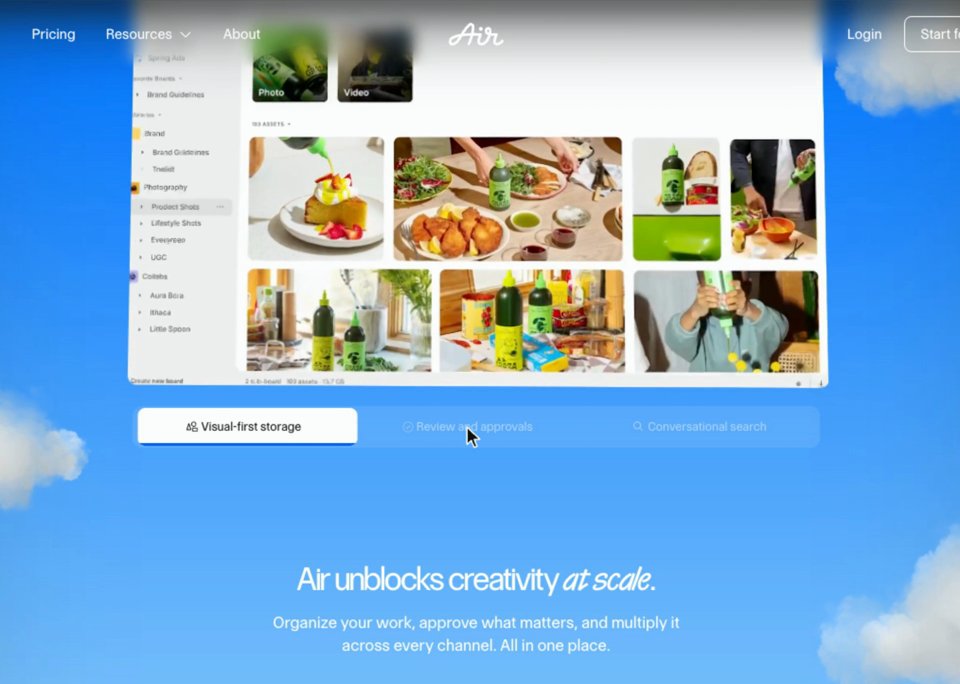
Sliding tab indicator
The pill or underline that marks the chosen tab slides to the one you click, rather than jumping. When the same highlight glides along a navigation bar under the pointer, it’s a sliding hover highlight.
Also called a magic line or a sliding pill.
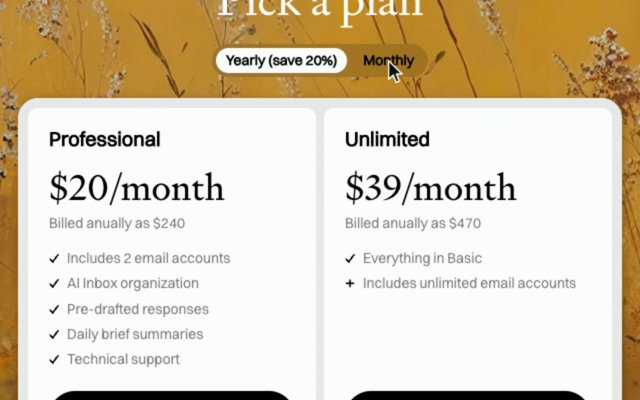
Toggle
A switch between two states, with the knob or pill sliding across. On pricing pages it’s the monthly and yearly switch, and the prices change with it.
Also called a switch, a pricing toggle or a billing toggle.
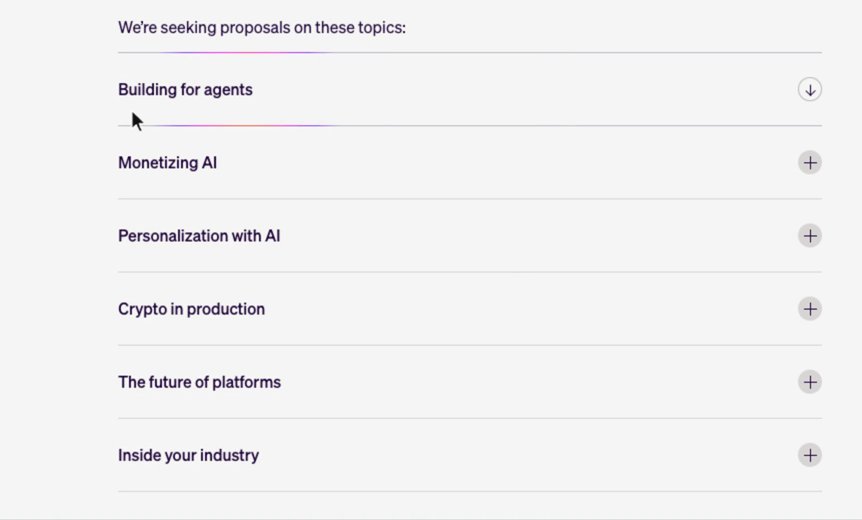
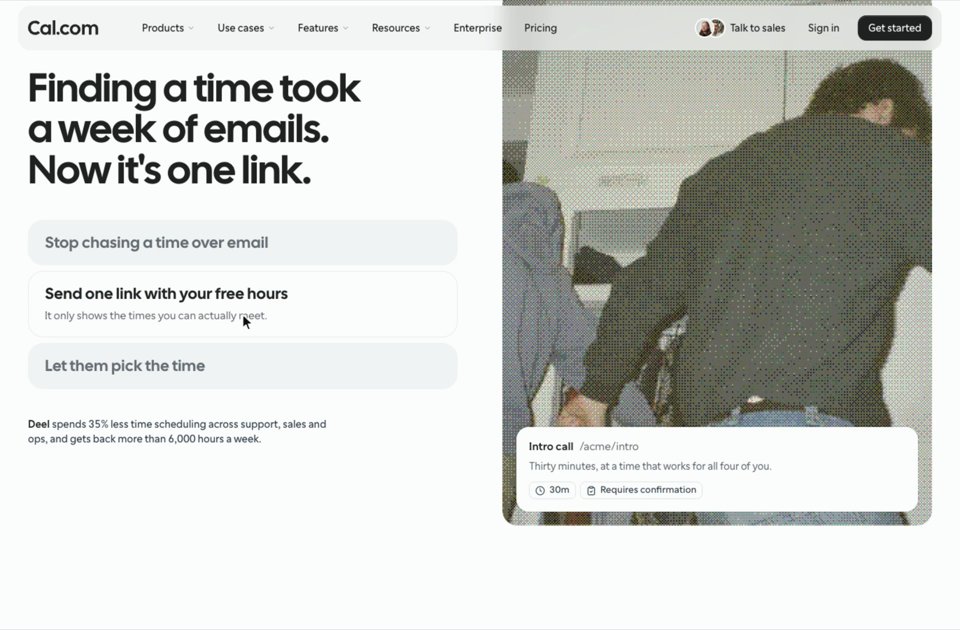
Accordion
A list whose rows open to show more, one at a time, the rest closing as another opens.
Also called an expandable list, a collapsible or a disclosure. FAQ sections use it most.
Success state
What happens when something is done: a check that draws itself, a button that turns green, confetti.
Also called a completion animation, a celebration or feedback.
What are scroll animations called?
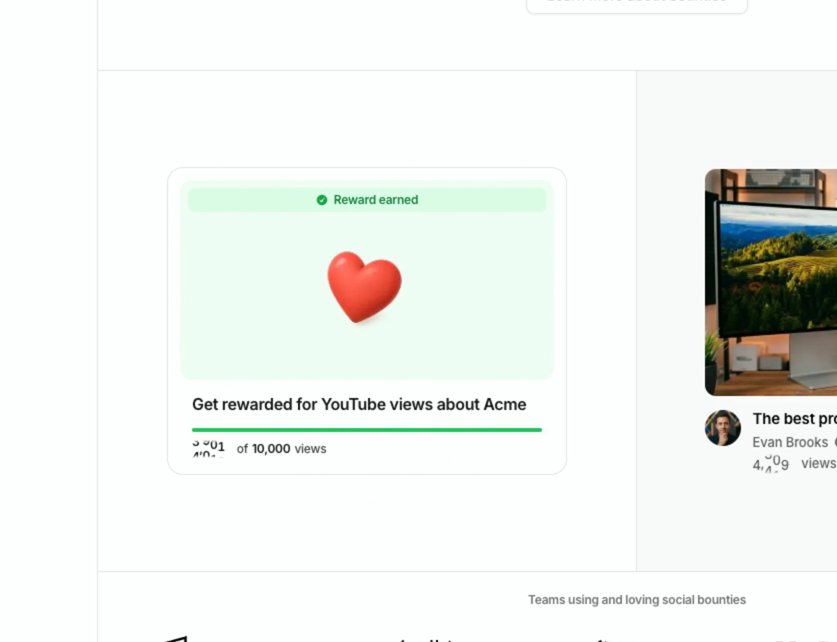
Scroll animations come in two families. Scroll-triggered ones (the scroll reveal, the stagger, the text reveal, the line draw) play once at their own speed as a part comes into view; scroll-linked ones, also called scrubbed (parallax, sticky and pinned scroll, the curtain), follow the scroll position and play backwards when you scroll back. Browsers can now run scroll-linked ones natively, through scroll-driven animations. Almost everything that moves on scroll gets called parallax, which is one scroll-linked effect among several.
Scroll reveal
Each part fades in and rises a few pixels as it comes into view, then stays. It’s the scroll animation you’ll meet most.
Also called a scroll-triggered animation, animate on scroll, fade in on scroll or fade up.
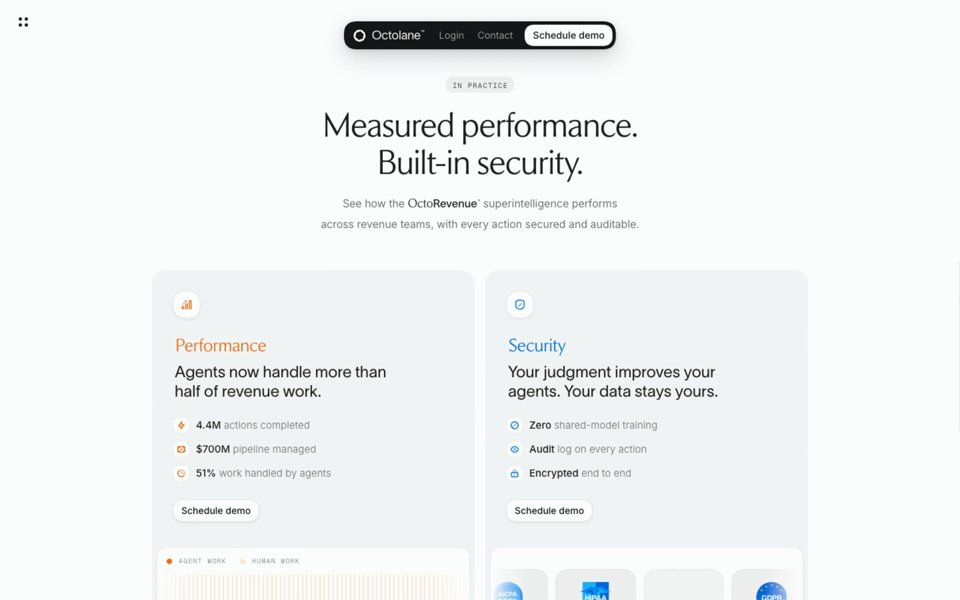
Stagger
A group of items animates one after another, a few dozen milliseconds apart, instead of all at once, so the eye follows the order.
Also called a staggered reveal, a cascade or a sequence.
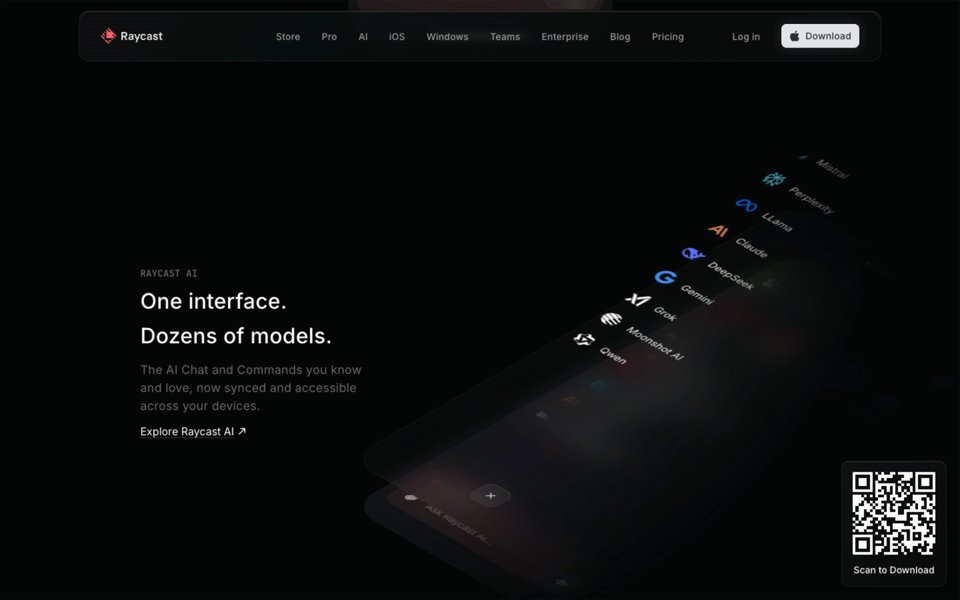
Text reveal
A headline or paragraph arrives in pieces: line by line, word by word or letter by letter, rising, unblurring or lighting up. When the words light up with the scroll, it’s a scroll-linked text reveal, often called Apple-style.
Also called split text, a word reveal, a staggered blur-in or text highlight on scroll.
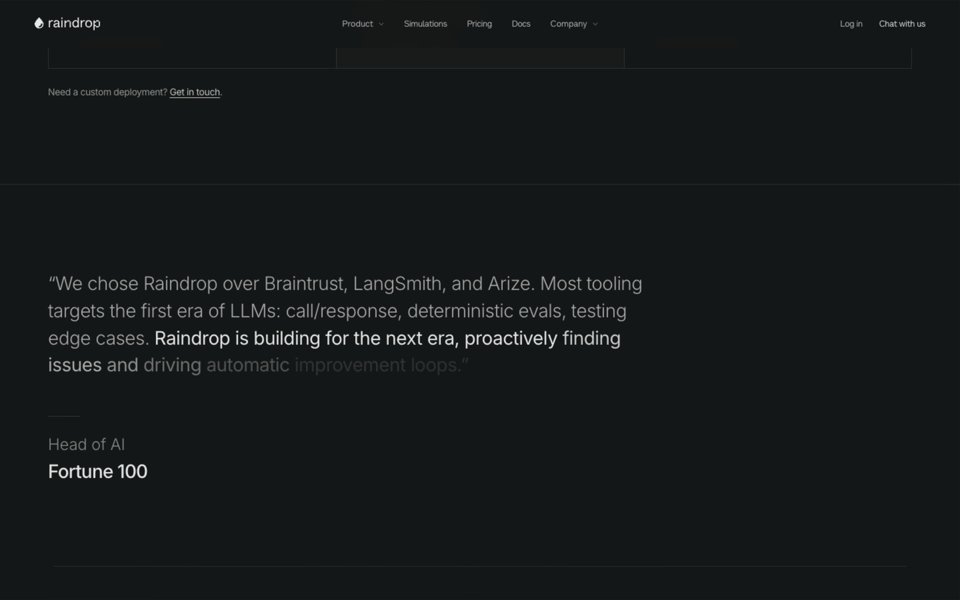
Line draw
A line, an icon or a diagram is drawn as if by a pen, from one end of its path to the other.
Also called an SVG line animation, a path draw or a stroke animation.
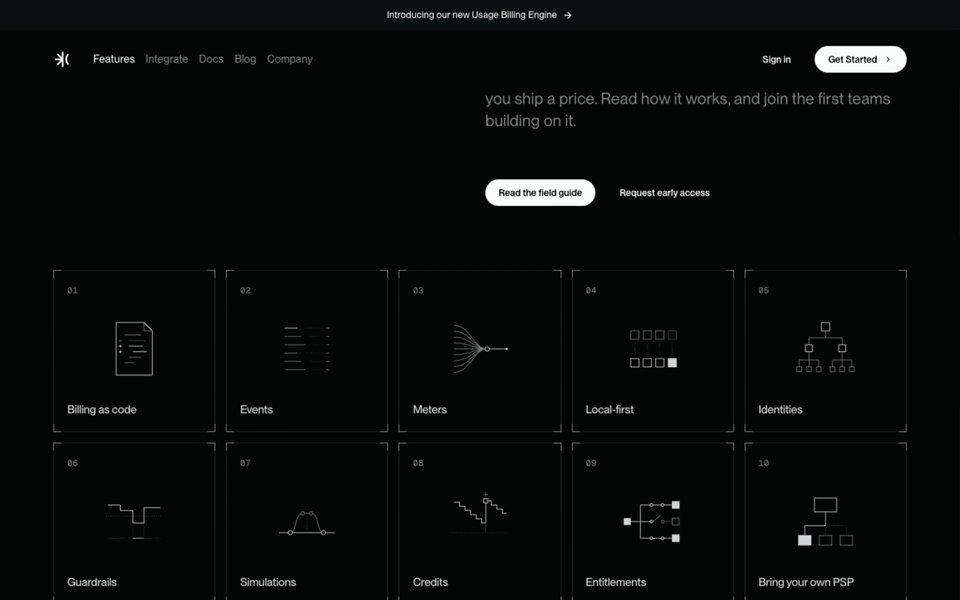
Sticky scroll
One side of a section stays fixed while the other side scrolls past it, or changes with each step, so a list of features plays like a slideshow.
Also called sticky sections, a scroll-driven feature list or scrollytelling.
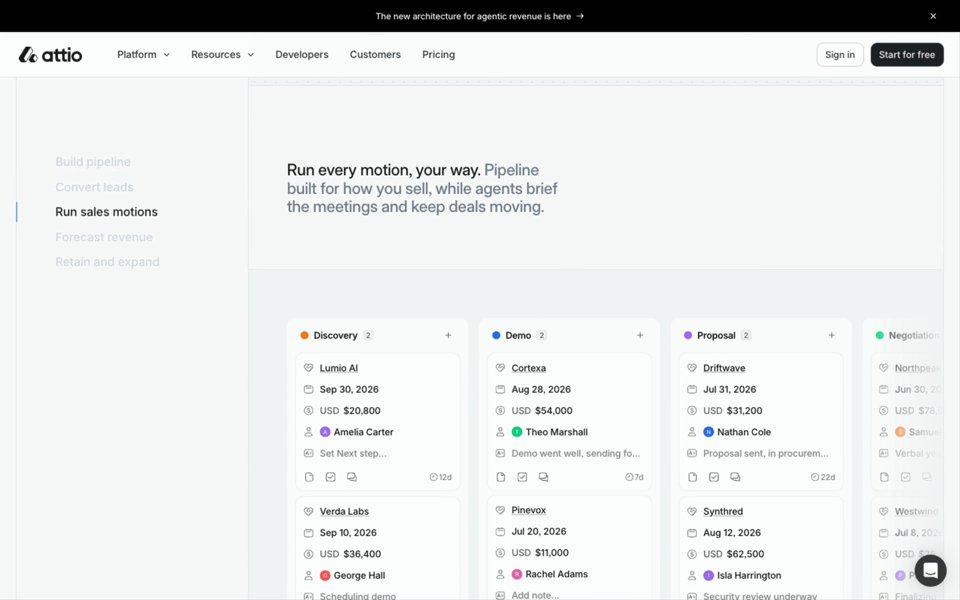
Pinned scroll
The whole section stops scrolling and holds the screen while a scene plays out inside it, driven by the scroll, then lets go.
Also called a pinned section, scroll-jacking when it fights the reader, or, for a stack of cards, a card stack on scroll.
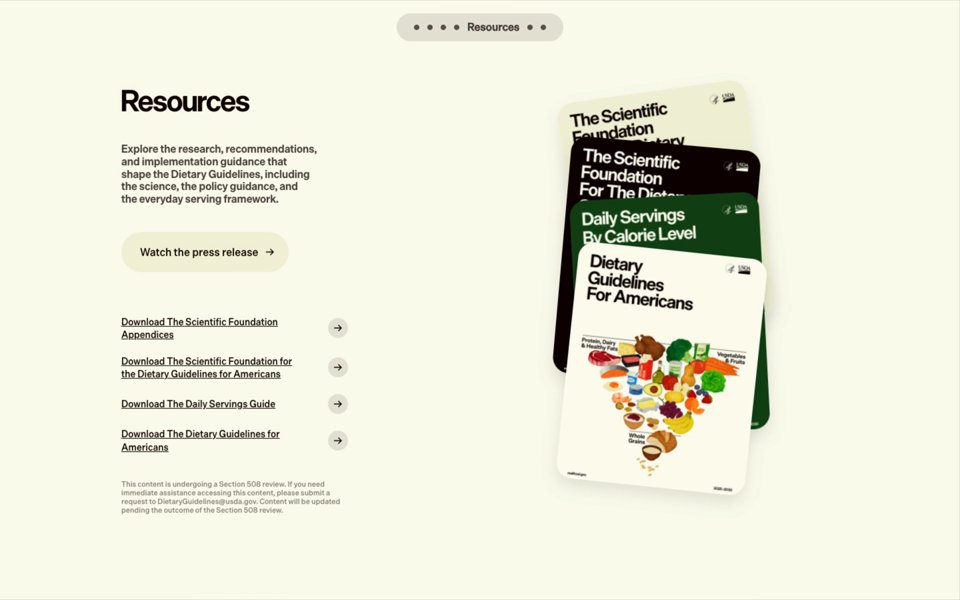
Curtain
A section stays in place while the next one slides over it, so the page seems to pile up rather than move.
Also called a stacking section, an overlap scroll or a curtain reveal.
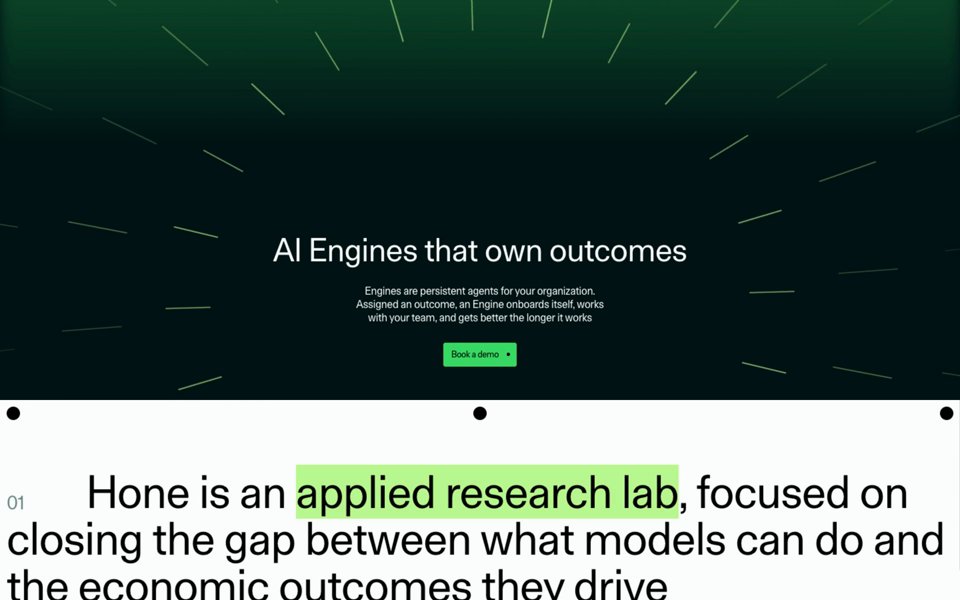
Shrinking header
The navigation bar gets smaller, changes colour or turns into a floating pill once you start scrolling, and some hide it while you scroll down and bring it back as you scroll up.
Also called a sticky header, a navbar on scroll or a hide-on-scroll header.
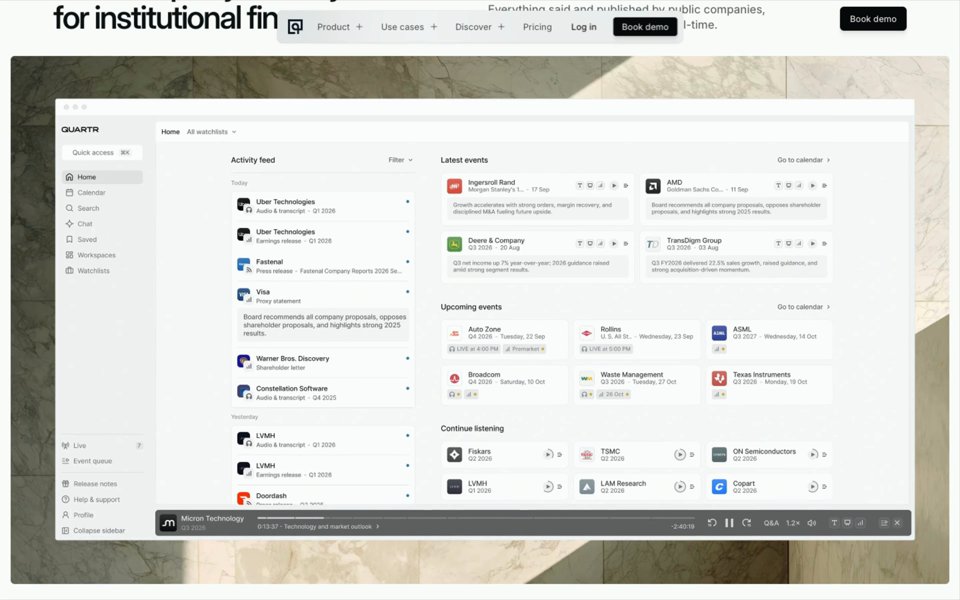
The rest of the family: parallax, where layers move at different speeds as you scroll, so the page seems to have depth; horizontal scroll, where scrolling down moves a row of panels sideways; a scrubbed zoom, where a picture or video grows to fill the screen as you scroll; and full-page scroll, where each flick moves a whole screen at a time.
What are hero, loading and looping animations called?
Loading and looping animations are the preloader, the intro, rotating text, the typewriter, the text scramble, the number counter, the marquee, the animated background, the particle field and the self-playing product demo. They ask nothing of the visitor. An intro plays once, as the page opens; a loop keeps a hero moving while you read. Heroes that move this way are among our hero sections.
Preloader, or loading animation
A screen that holds the page while it loads, usually the logo or a count to 100, then gets out of the way. A grey sketch of the page standing in for it is a skeleton screen.
Also called a loading screen, a loader or a splash screen.
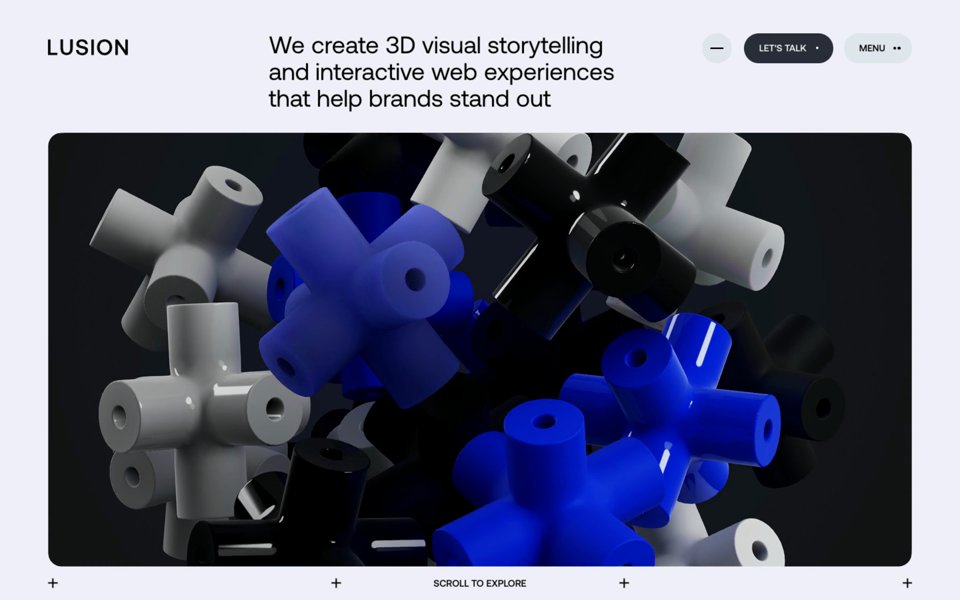
Intro animation
A short sequence that plays once as the page opens: the headline arriving, a picture unveiled, the name assembling.
Also called a page-load animation, an entrance or an opening sequence.
Rotating text
One word of a headline swaps for another on a loop, so one line can name several audiences, products or uses.
Also called a word rotator, a text cycle or a flip headline.
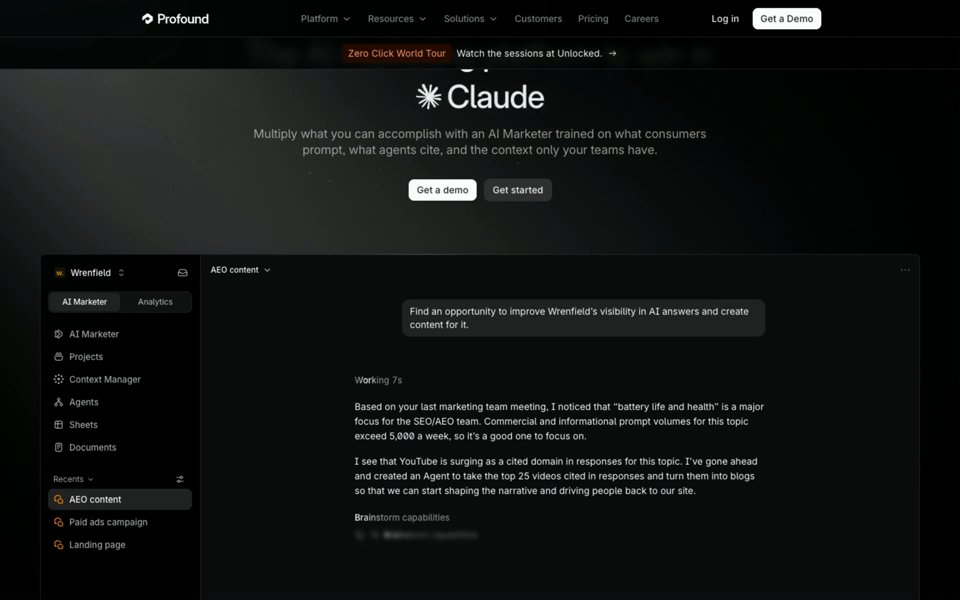
Typewriter
Text appears a character at a time, as if typed, often with a blinking cursor. On AI products, a reply streaming in word by word is its cousin.
Also called a typing effect or typed text.
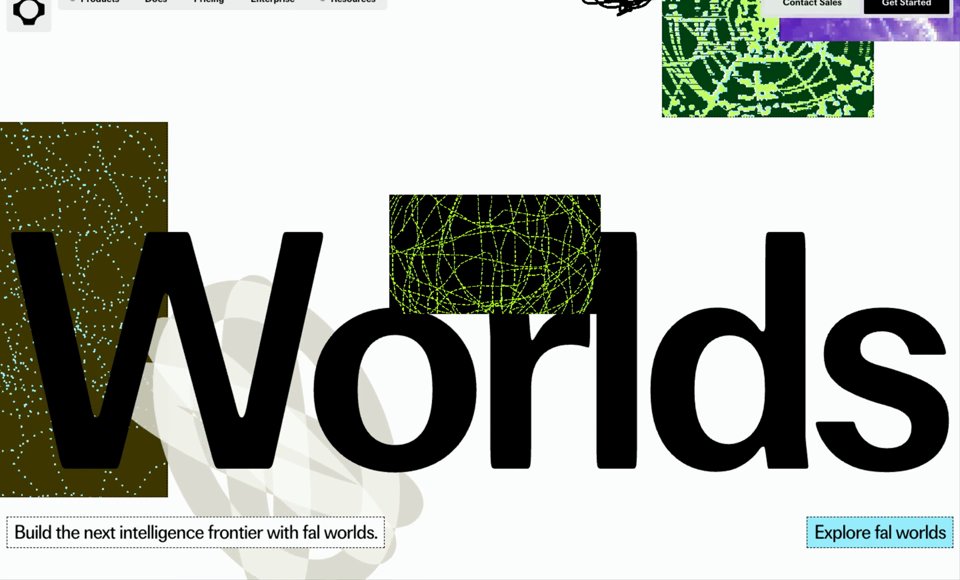
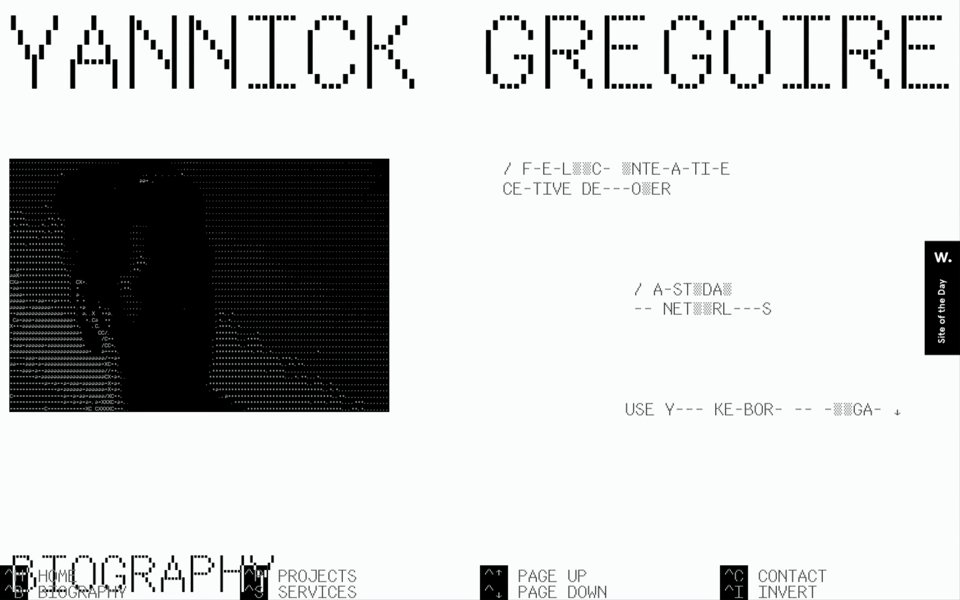
Text scramble
Letters flicker through random characters before settling on the right ones, or keep scrambling as a texture.
Also called a decode effect, a shuffle or Matrix text.

Number counter
A number counts up or down to its value, often when it scrolls into view. When each digit rolls like a reel, it’s an odometer.
Also called a count-up, a rolling number or a ticker.
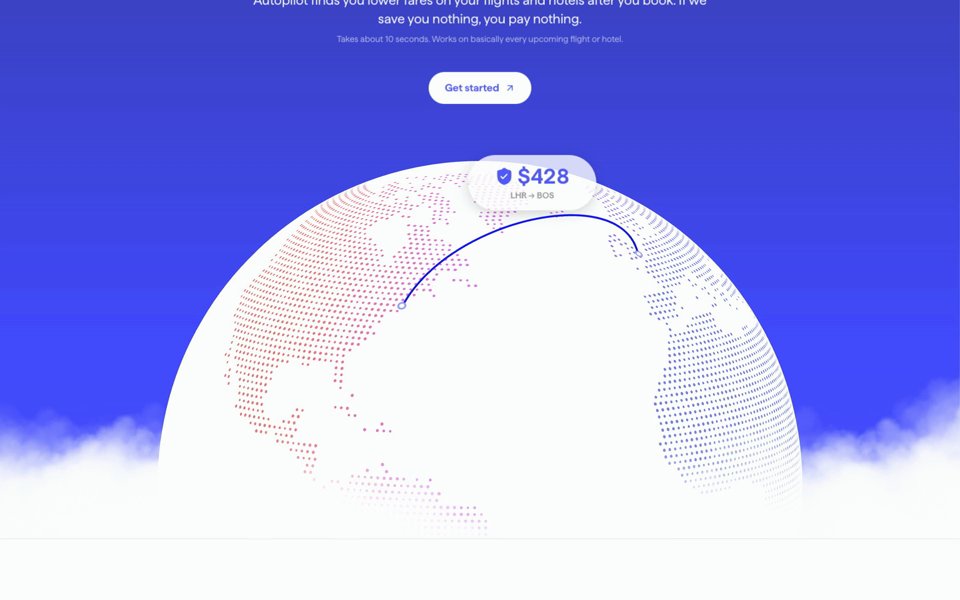
Marquee
A row of logos, words or cards that scrolls sideways on its own, looping without a seam.
Also called a logo marquee, a logo ticker, a logo carousel or an infinite scroll strip. Hand-picked logo sections show where it usually sits.
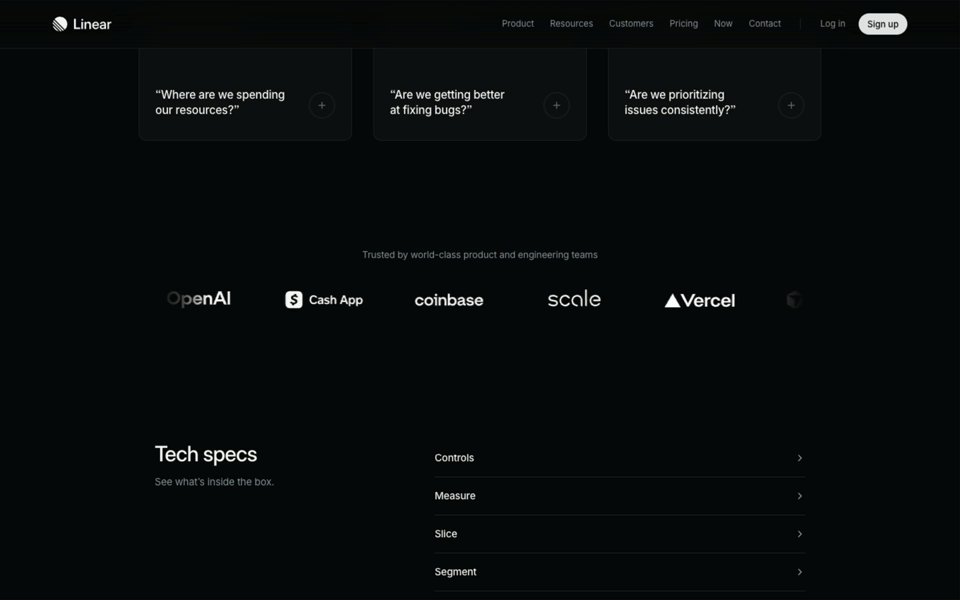
Animated background
A backdrop drawn live, usually in WebGL: a moving gradient, light, smoke, a wave. Behind a hero it moves without asking to be watched.
Also called a shader background, a gradient mesh or an ambient loop.
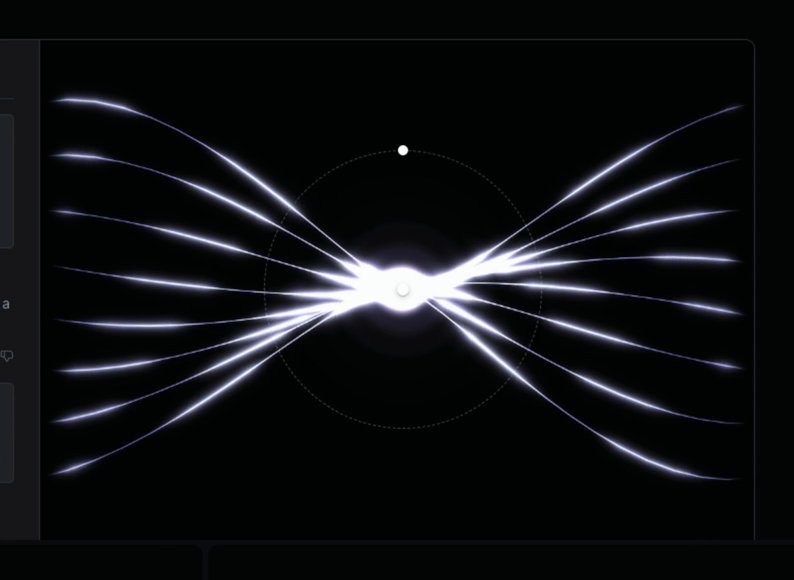
Particle field
Hundreds or thousands of dots that form a shape, a globe or a field and drift, sometimes scattering from the cursor.
Also called particles, a dot grid or a point cloud.

Self-playing product demo
The product shown working on its own, in a mockup of its screens: a cursor moving, a reply streaming, a table filling, rather than a still screenshot.
Also called an animated product demo, a scripted demo or an auto-playing walkthrough. It’s common in feature sections on SaaS and AI sites.
Three more you’ll meet: a carousel or slider, a row of cards or pictures that moves one step at a time, on its own or at a click; a modal or popup, a panel that opens over the page, usually growing and fading in over a dimmed backdrop; and kinetic typography, type that moves, stretches or reshapes as the main thing on screen, the family the text reveal, the typewriter and the text scramble belong to.
What are the animations between pages called?
Page transitions: what happens between one page and the next, such as a fade, a wipe or a panel sliding across. When one element, a picture or a card, flies from its place on one page to its place on the next, it’s a shared element transition, and browsers can now run the simpler ones natively, through the View Transition API. Our recordings are of one page at a time, so there’s no example here.
How do you describe an animation you can’t name?
Say what sets it off, what moves, where it goes and how it feels, then point at a real one. “On hover, the button’s label rolls up and a new one comes in from below, quick and smooth, like Turbo’s” is a brief anyone can act on, a designer, a developer or a coding agent. People searching our interactions described what they wanted like this; beside each is its name:
| What was typed | What it’s called |
|---|---|
| “a button label that rolls up on hover” | Text roll |
| “tabs with a pill that slides to the one you click” | Sliding tab indicator |
| “a nav menu where a highlight glides from item to item under the cursor” | Sliding hover highlight |
| “headline words that blur into focus one after another” | Staggered blur-in, a kind of text reveal |
| “a big headline that reveals line by line as it scrolls into view” | Line-by-line text reveal |
| “a card corner that peels back like paper” | Page curl, or dog-ear |
| “product ui that assembles itself as it scrolls in” | Scroll-triggered product demo |
| “image grows to full screen on scroll” | Scroll-linked zoom |
| “list of names with image on hover” | Hover image reveal |
| “a button that sticks to the cursor” | Magnetic button |
| “text that scrambles into place” | Text scramble |
| “a number that counts up” | Number counter |
regards’ interaction search since it opened on 9 November 2026, read on 17 November.You can search regards the same way, in your own words: describe the motion and you get the real ones closest to
it, each with its clip and its timing and curve as measured. Your coding agent can search them too, over MCP (see agents), which is how most of the searches above were typed. To turn a description into a
prompt with the timing written out, see our website animation prompts;
for what to animate on a landing page, part by part, our landing page animation ideas.
For the parts of a page these
animations sit in, see our guide to what the parts of a website are called;
for other places to find motion from real sites, our comparison of website animation inspiration sites.
FAQ
What is it called when elements appear as you scroll down a website?
A scroll reveal, also called a scroll-triggered animation, animate on scroll or fade in on scroll: each part fades and slides into place once it comes into view, often one after another, which is a stagger. It is often called parallax, but parallax is something else: layers moving at different speeds as you scroll. When a motion follows the scroll itself, forwards and back, it is scroll-linked, or scrubbed.
What is a loading animation called?
A preloader, also called a loading screen or a loader: a screen that holds the page while it loads, usually the logo or a count to 100, and then gets out of the way. A grey sketch of the page standing in for it while it loads is a skeleton screen, and a short sequence that plays once as the page opens is an intro animation.
What is the Stripe menu animation called?
A morphing dropdown: one panel opens under the navigation bar and, as the pointer moves from one menu item to the next, it slides across and changes size to fit each menu’s links instead of closing and opening again. A menu that opens into a wide panel of links and pictures is a mega menu; Stripe’s is both.
What are the different types of website animation?
Six, by what sets them off: hover effects, which answer the pointer; micro-interactions, the small answers to a click or a tap, such as a toggle or a tab; scroll-triggered animations, which play once as a part comes into view; scroll-linked animations, which follow the scroll position, such as parallax; loops and intros, which run on their own or once as the page loads, such as a marquee or a preloader; and page transitions, which play between one page and the next.